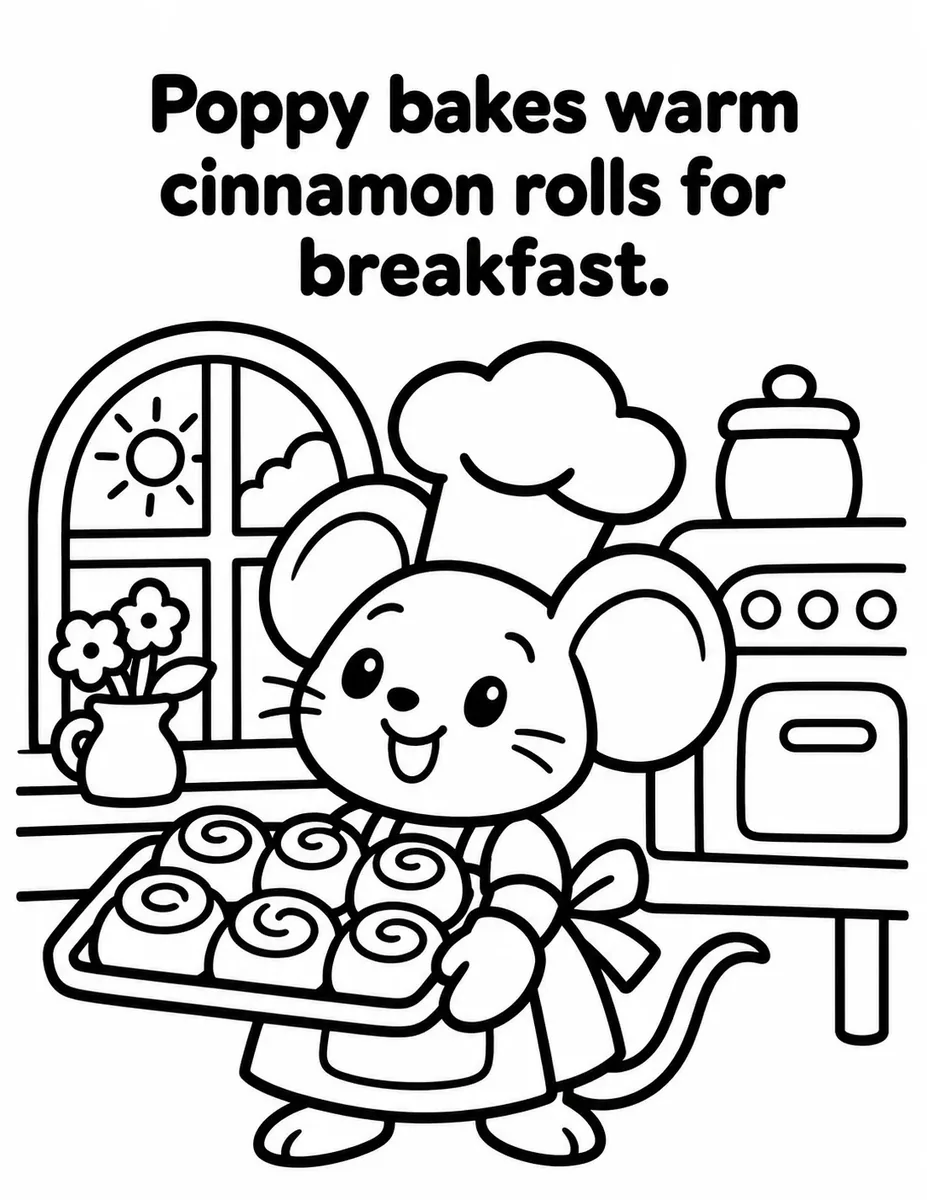
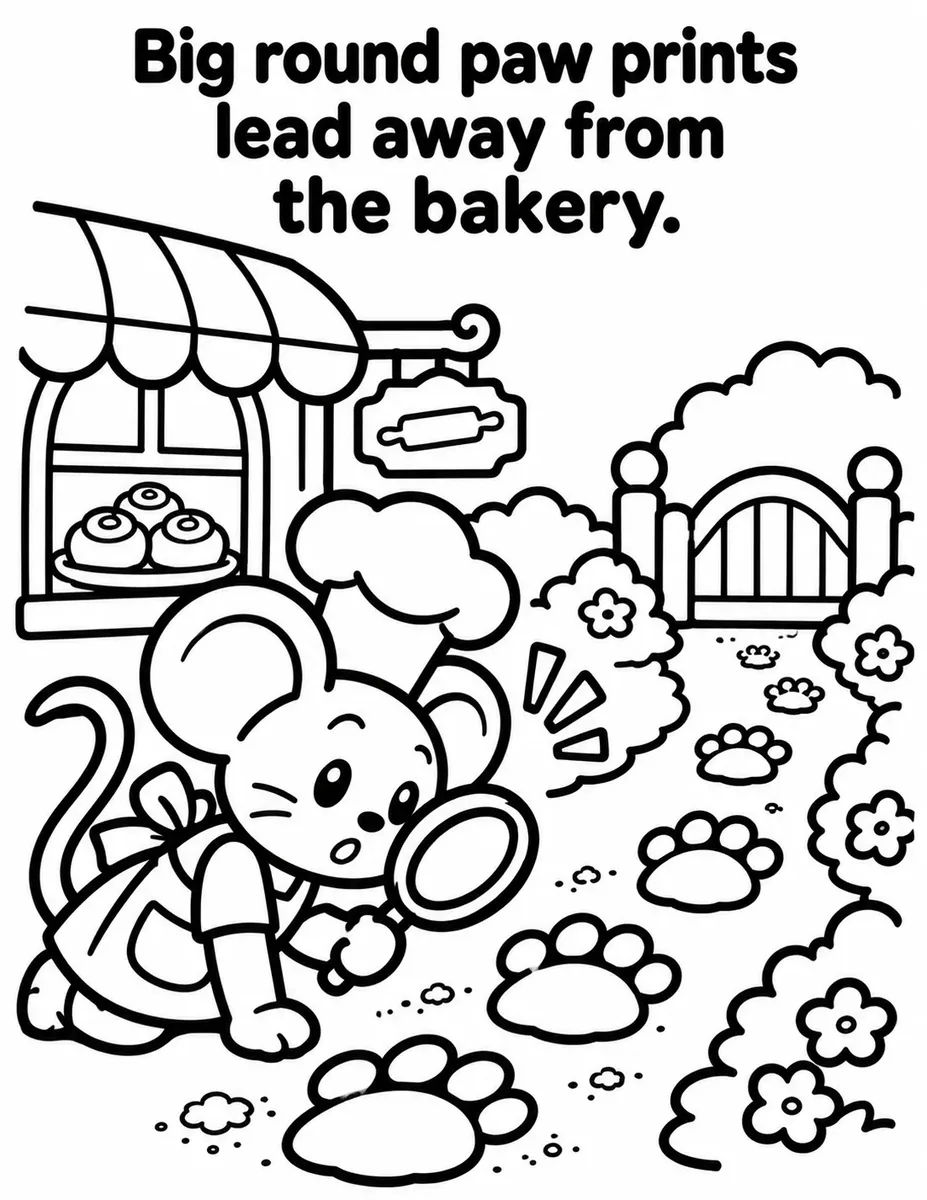
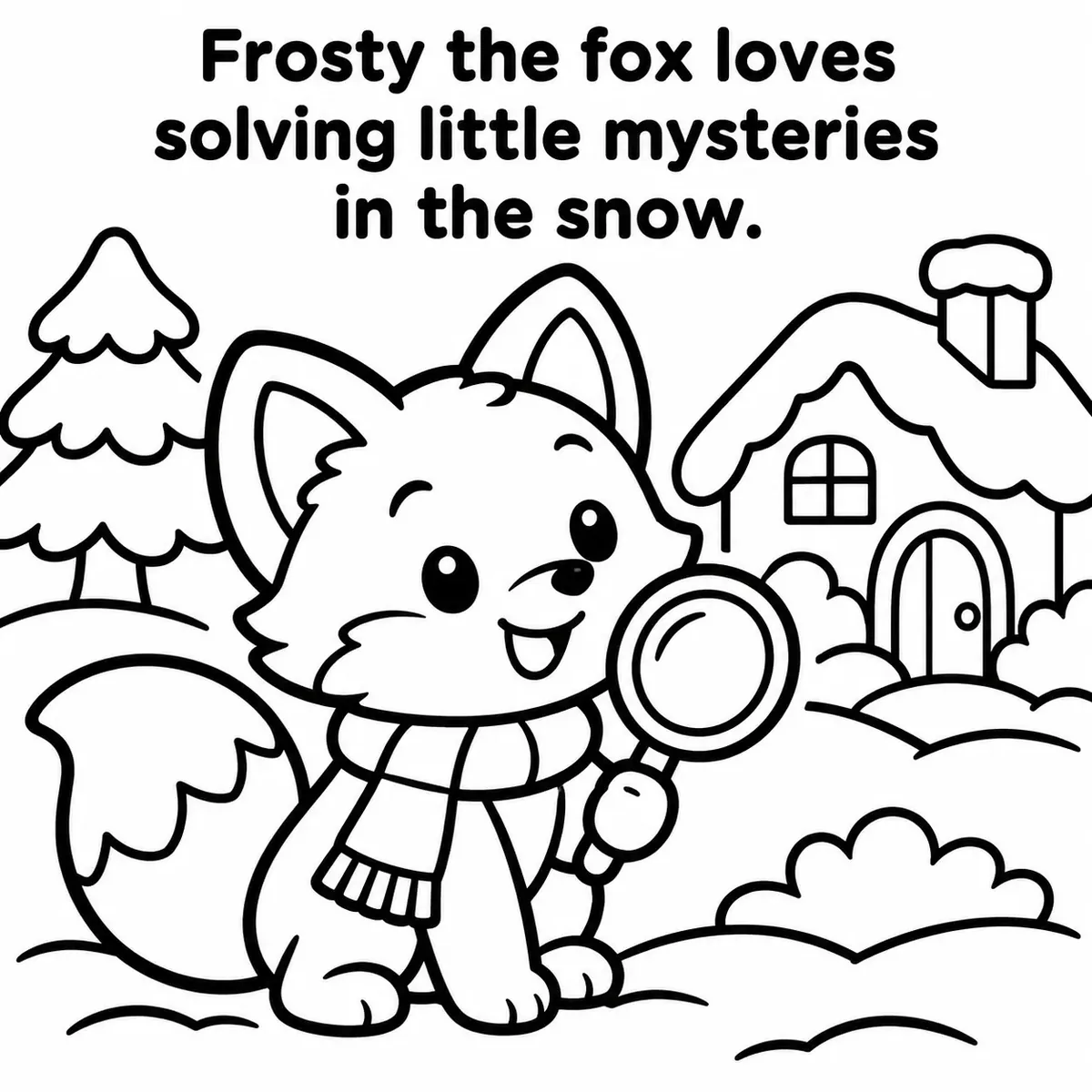
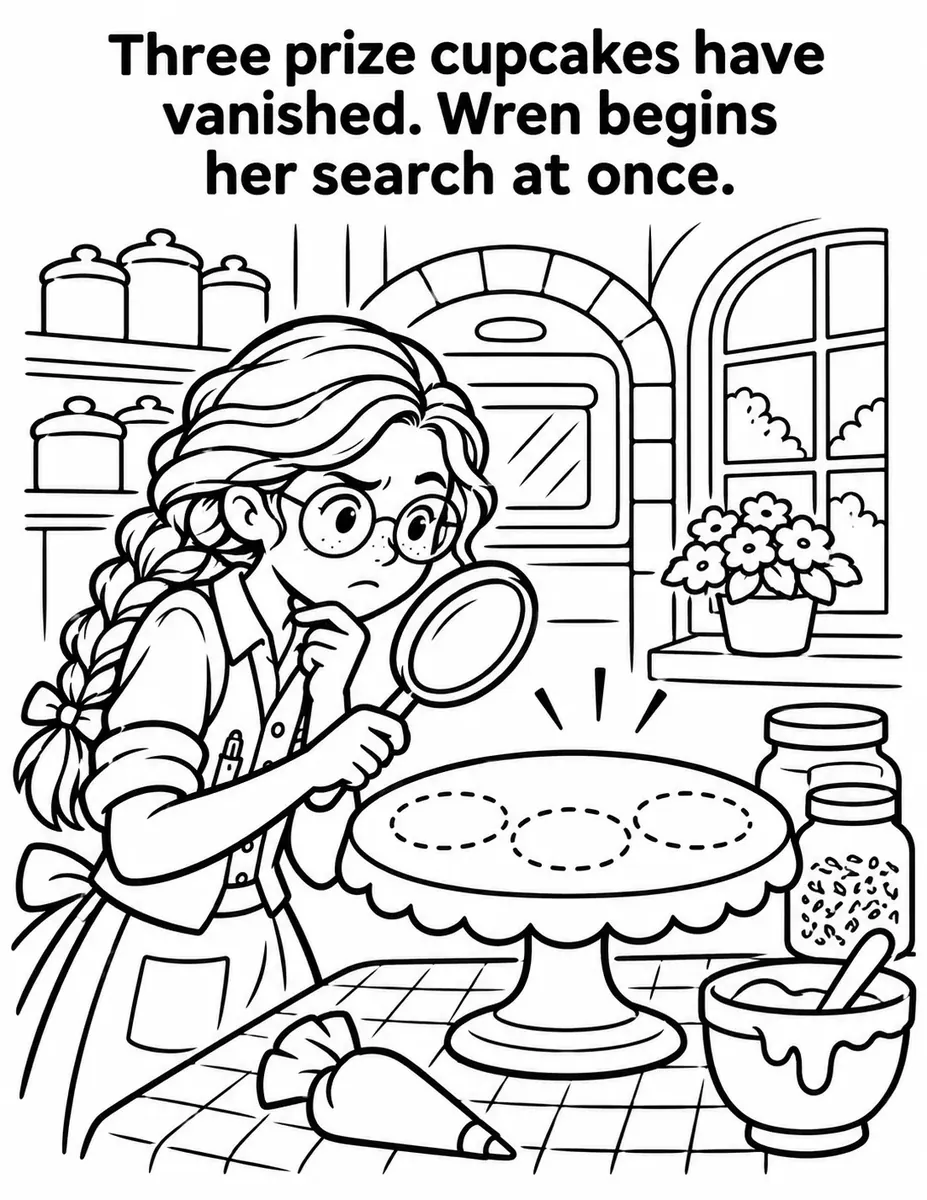
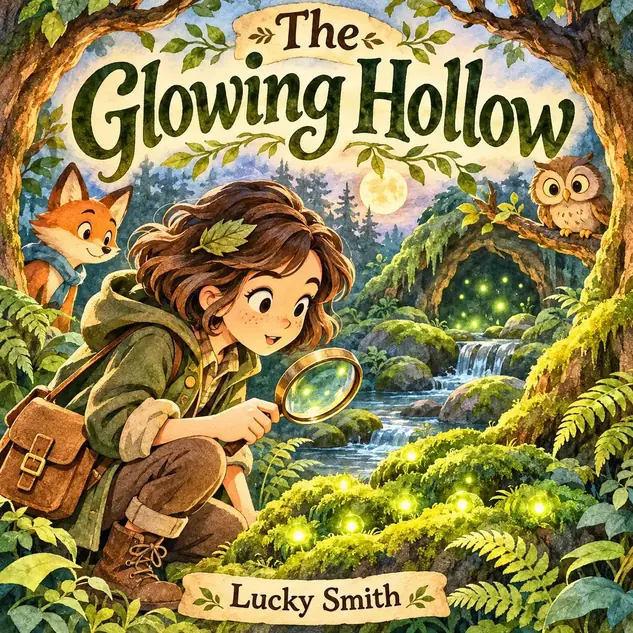
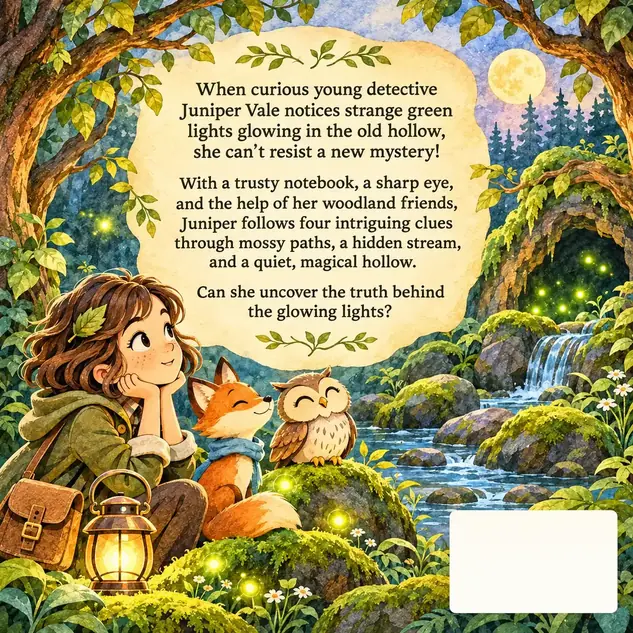
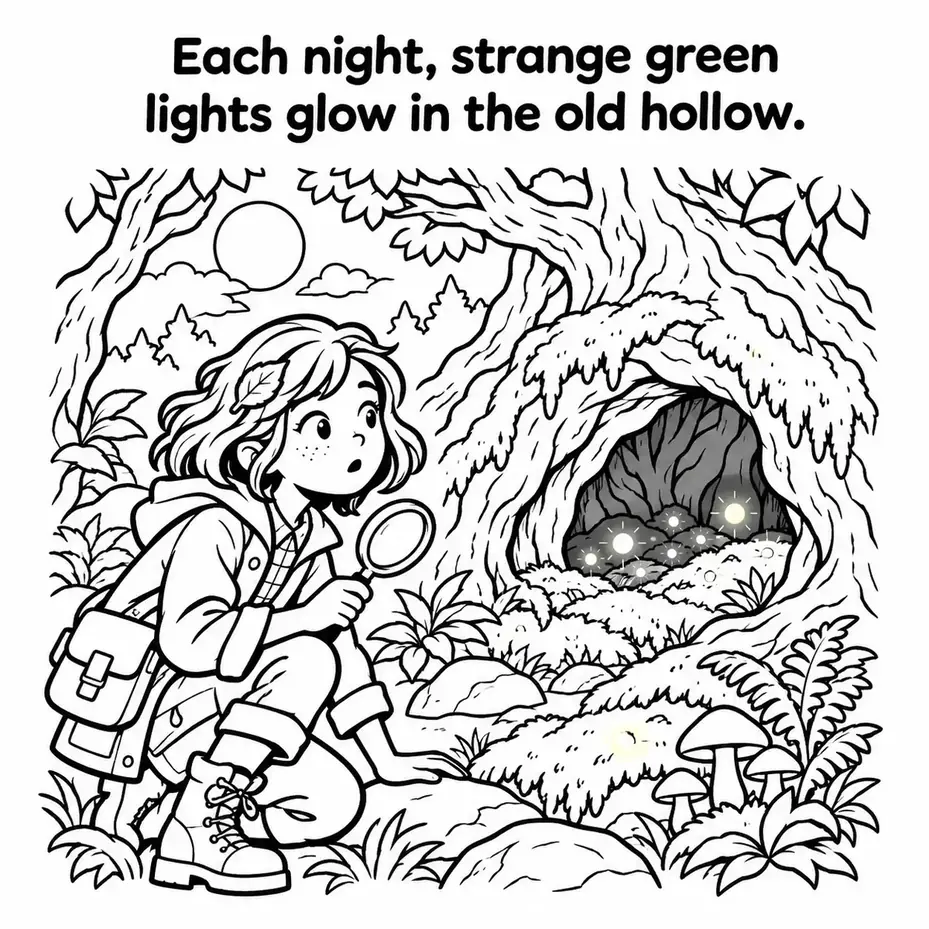
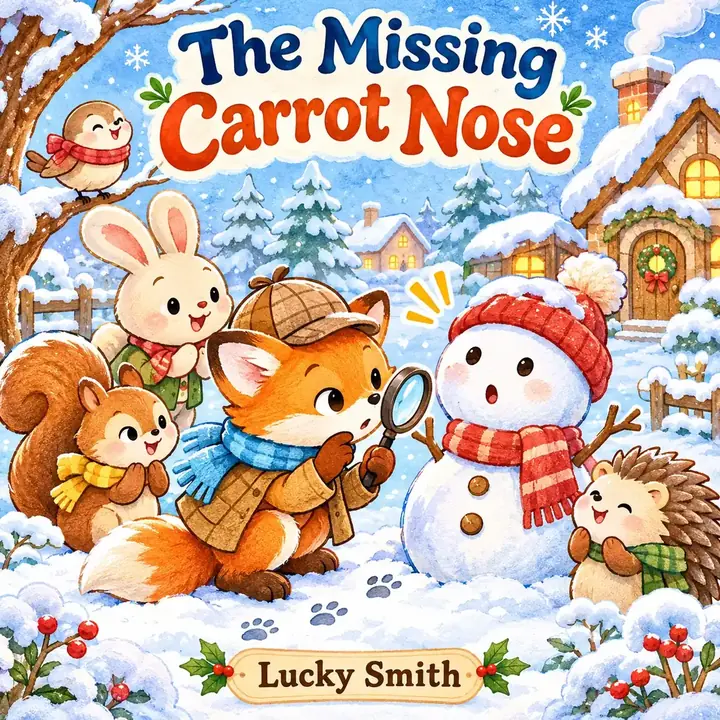
Turn one short story idea into a cozy mystery coloring book, with the listing package planned for you.
Imagine starting a coloring book with three sentences instead of thirty blank pages. In this Nook Tales Creator review, I’ll look at a ChatGPT plugin that plans a cozy mystery and writes a prompt for every page.
Think about it. You’ve tried AI coloring tools before, and the detective on page 1 looked nothing like the one on page 12. Buyers notice that.
The old way means hours inventing a mystery that makes sense, more hours on titles and keywords, and rewriting prompts page after page. The vendor puts the typical total at over 20 hours per book.
Nook Tales Creator takes a different angle. It locks the look of your detective and suspects, plans where every clue appears, and builds your KDP and Etsy listing text before a single page is drawn.
In this Nook Tales Creator review, I’ll explore what the software offers, how it works, and whether it’s worth your investment. Read on to find out if it fits your publishing goals.
This review contains affiliate links. If you buy through them, I may earn a commission at no extra cost to you.
Table of Contents
ToggleWhat Is Nook Tales Creator?
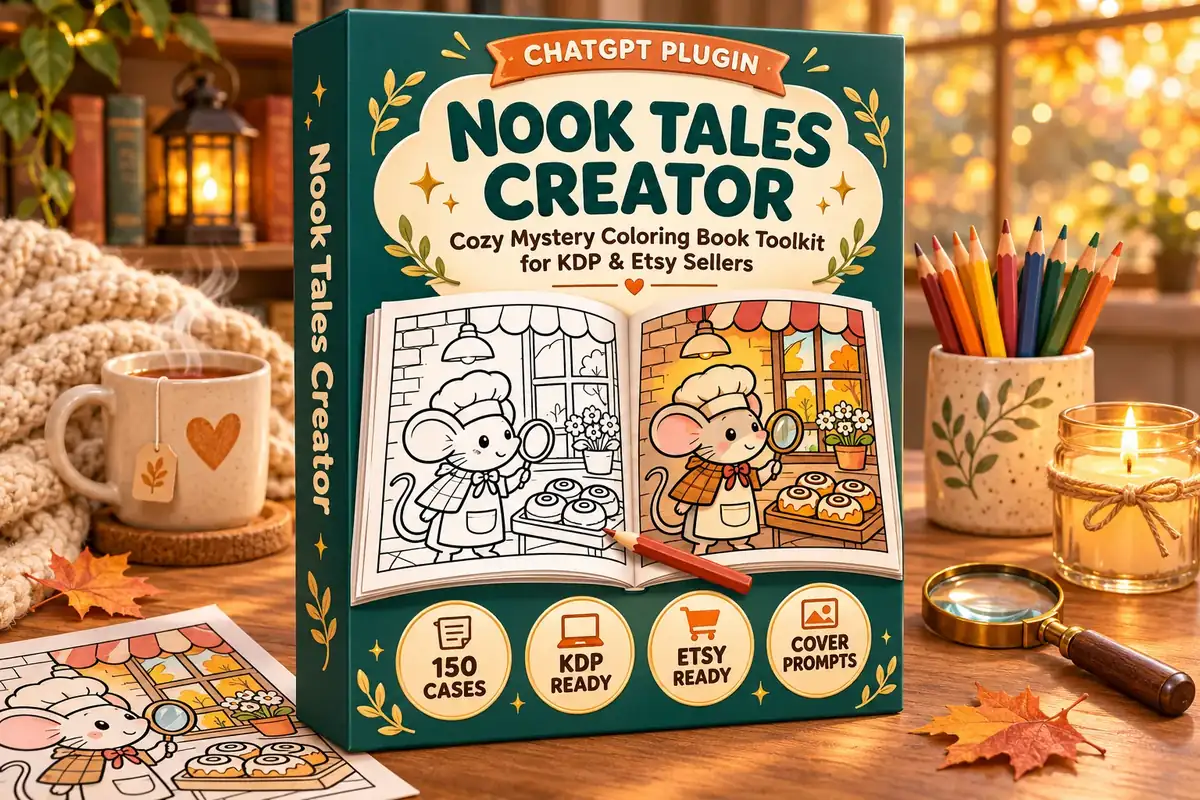
Nook Tales Creator is a ChatGPT plugin that turns a short cozy mystery idea into a planned coloring book, with page prompts, cover prompts and listing text, so KDP and Etsy sellers can publish children’s mystery coloring books without starting from zero.
You write 2 to 5 sentences, or paste one of 150 ready-made cases from the bonuses. Nook Tales Creator plans the case, the suspects and the clues, then gives you one prompt per page. You create each page inside ChatGPT with one click and collect a ZIP of print and listing files.
What sets it apart is the character lock. The same description of your detective is reused in every prompt, so the page 1 detective matches the page 30 detective. If you also publish printables, my LabelForge review covers a print-ready label maker for Etsy and KDP sellers.
Nook Tales Creator Review: Quick Overview
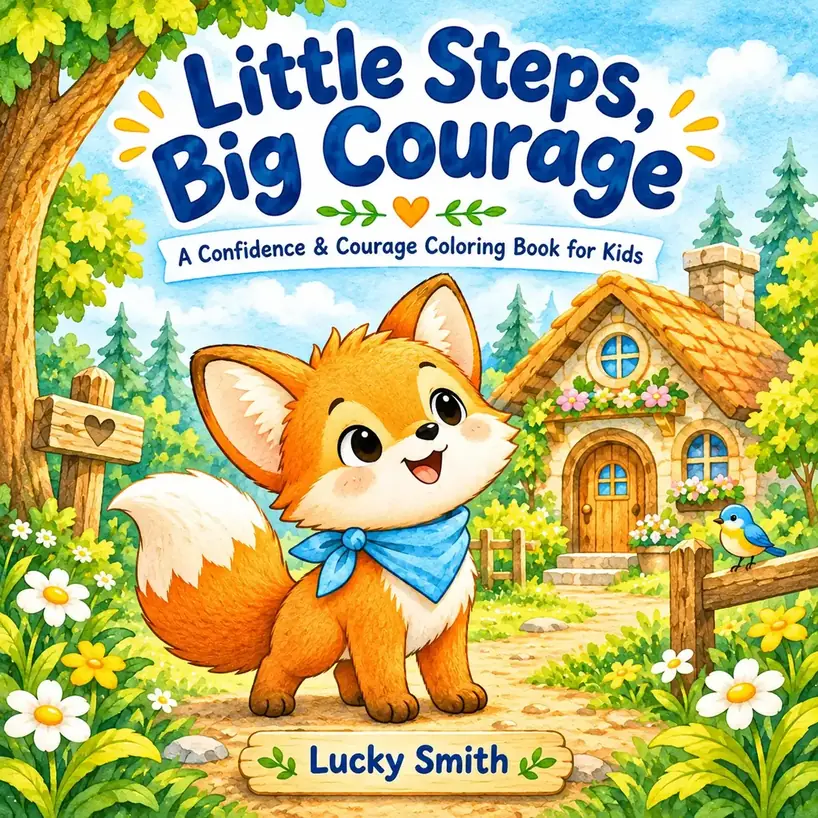
| Product Creator | Lucky Smith |
| Product Name | Nook Tales Creator |
| Launch Date | Available now (no launch date announced) |
| Launch Time | Not announced |
| Front-end Price | $17 (one-time payment) |
| Number of OTOs | 3 upgrades, $27 to $67 |
| Coupon | None announced |
| Official Website | >>>Visit The FE Salespage<<< |
| Bonus | Yes, Huge Bonuses |
| Guarantee | 30 Day Money Back Guarantee |
| Niche | KDP and Etsy Coloring Books (ChatGPT Plugin) |
| Vendor’s Support | daodinhthe1989@gmail.com |
| Claim My Bonuses | bonus.samxavier@gmail.com |
| Recommend | Worth considering for KDP and Etsy coloring book sellers |
Above is the Complete Overview of Nook Tales Creator and I mentioned the creator’s name, the launch date of the product, and the Front End price details.
About the Creator: Lucky Smith
Nook Tales Creator is presented by Lucky Smith, who signs the sales page and appears as its creator. Nook Tales Creator is sold through WarriorPlus, and the vendor’s site, shoppayman.com, hosts the full Nook range: this front end, Nook Story Modes, Nook Color Picture Book and the Nook Commercial License.
The same site also hosts pages for other children’s and printable products, such as Cozy StoryBook Creator, Enchanted Tales Creator, Cozy Planner Kit Generator and Trace The Word. The vendor’s pages don’t give a bio, a company name or launch history beyond that.
What I can confirm is a support and refund address (daodinhthe1989@gmail.com), a 30-day guarantee, and a plain statement that the vendor makes no income promises. The pages also say the product isn’t affiliated with OpenAI, Amazon or Etsy.
From One Story Idea to a Full Coloring Book: What Nook Tales Creator Can Do
Here’s what the front end includes, based on the vendor’s sales page.
Story DNA and Character Lock: The Same Detective on Every Page
Tired of characters that change from page to page? Nook Tales Creator pulls the character, setting, mood and activities out of your story idea.
Then it locks how the detective and every suspect look. That description is reused in every page prompt, which is the main reason Nook Tales Creator exists.
Mystery Plan and Chapter Arc: Clues Planned Before Any Page Is Drawn
Want a mystery that actually makes sense? Before any page is drawn, Nook Tales Creator plans the case, the suspects and where each clue appears.
The story runs chapter by chapter with no repeated scenes, so each page gives children something new to find. Even better, you see the Mystery Plan before you commit to any images.
Kids 4-8 Style: Very Bold Lines and Big Open Areas
Making a book for young children? Pick Kids 4-8 and Nook Tales Creator uses very bold, thick outlines, big open areas and no tiny details.
This style also uses a wider 0.7 inch safe margin guard, so the art stays clear of the trim.
Tweens 9-12 Style: Bold Lines With a Little More Detail
Older children get bored with simple shapes. The Tweens 9-12 style keeps bold outlines but adds a little more detail to every scene.
You pick the age and the style follows. Tweens books use a 0.9 inch margin guard.
Matching Cover Prompts: Four Layouts to Choose From
Instead of designing a cover from scratch, you get front cover prompts that match the interior character.
There are four layouts: character portrait, cozy scene, collage and title focus. You also choose where the title sits.
Back Cover and Full-Wrap Cover Included
Need more than a front cover for KDP? Nook Tales Creator also builds a simple back cover and a full-wrap cover.
That saves you a trip to a separate cover tool for the paperback version. The sales page doesn’t list the wrap dimensions, so check them in KDP’s cover tools before you upload.
Print-Ready Files With a Margin Guard
Found art too close to the edge only after the printed proof arrived? Pages are enlarged to 300 DPI, and a margin guard measures the finished PDF to keep artwork away from the edge.
You get 300 DPI pages, an interior PDF, a full-wrap cover and an Etsy printable PDF.
Complete KDP and Etsy Listing Package
Forget spending two hours on titles and tags. For Amazon, you get a title, a subtitle, a 250 to 300 word description, 7 keywords, 3 categories and a suggested price.
For Etsy, you get a title and 13 tags. Both are saved as text files, KDP_Listing.txt and Etsy_Listing.txt, ready to paste.
Two Trim Sizes and Four Page Counts
Want a square book or a standard portrait one? Nook Tales Creator makes pages at 8.5 x 11 inches or 8.5 x 8.5 inches.
You choose 10, 12, 20 or 30 pages. Shorter books are quicker to make, since page images are created one at a time.
Works Inside ChatGPT With No Separate Software
There’s nothing new to learn here. Nook Tales Creator is a plugin you upload to ChatGPT, and the whole workflow runs in a chat.
Of course, that means you need a ChatGPT account. The vendor recommends ChatGPT Plus or higher for full books, which I cover in the cons and FAQ.
Ready to try it? Grab Nook Tales Creator through the button below.
No coupon code has been announced for this launch.
Nook Tales Creator in Action: A Complete Step-by-Step Software Walkthrough
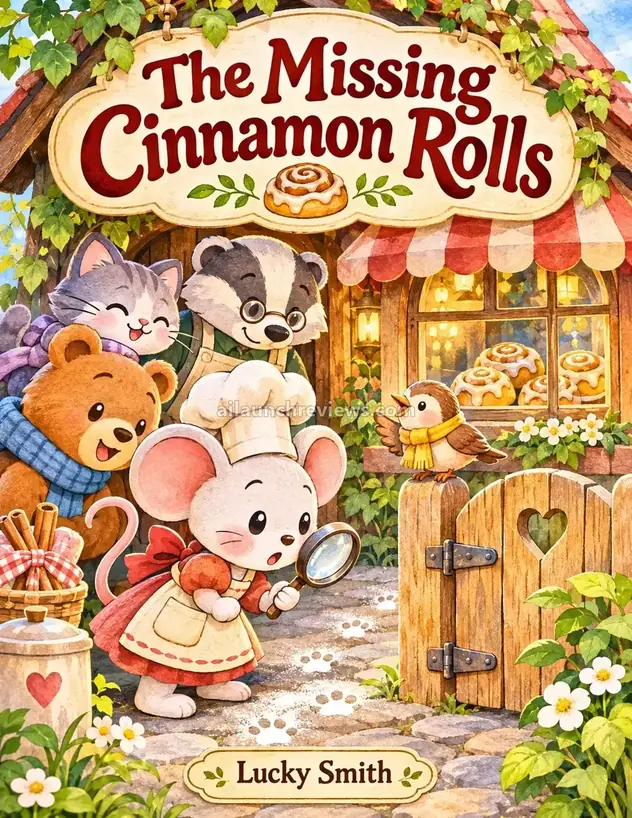
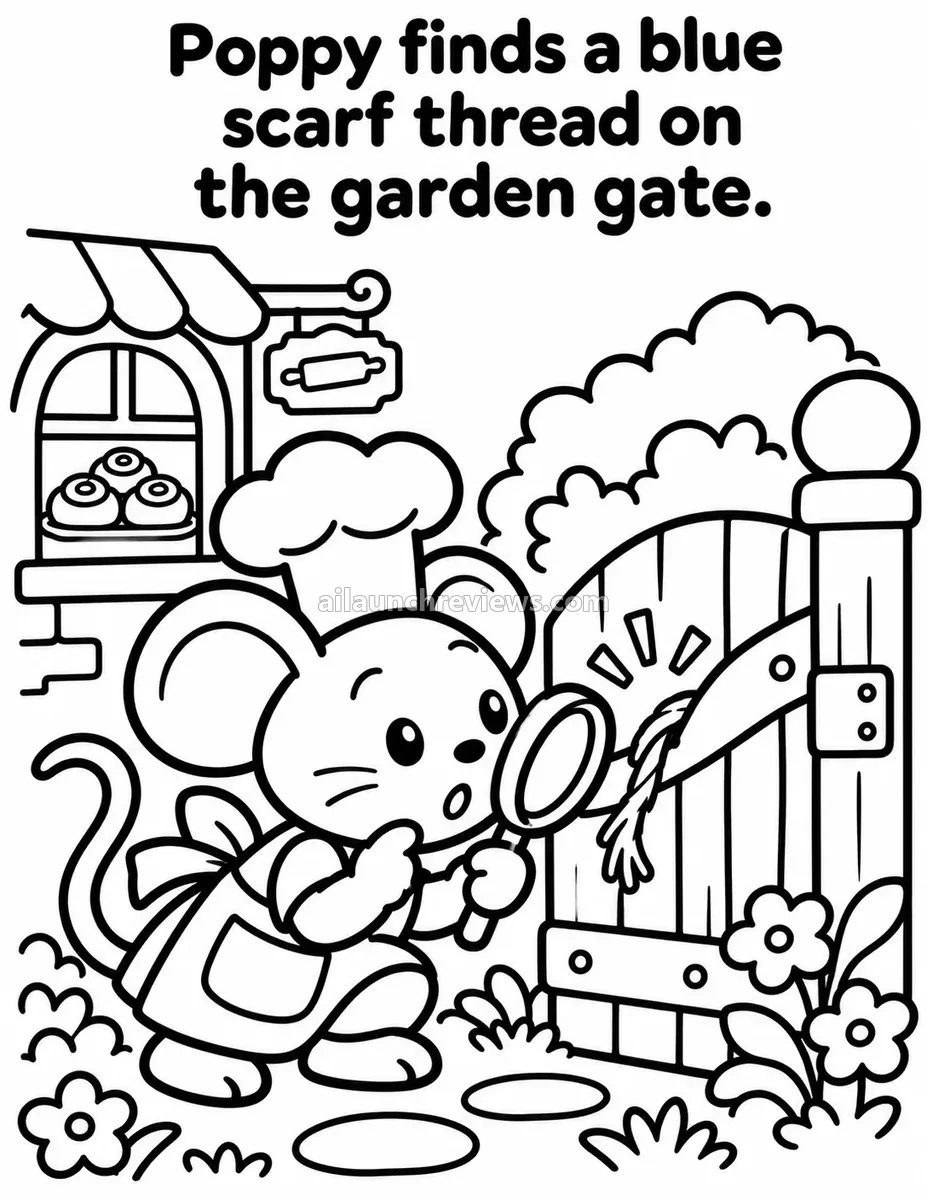
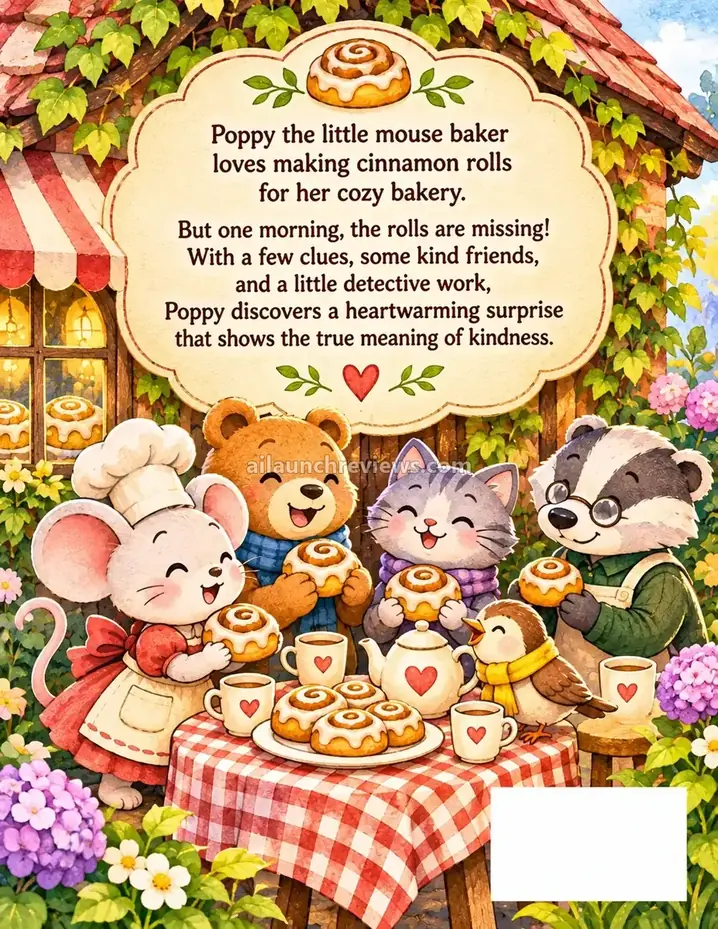
I’ll follow the vendor’s first example, “The Missing Cinnamon Rolls”, a Kids 4-8 book in 8.5 x 11 portrait. The steps come from the vendor’s sales page and install guide, not from my own test.
Phase 1: Install the Plugin in ChatGPT
Step 1: Download the Plugin File
After purchase, use the download button on the thank-you page to get Nook Tales Creator and its 3 bonuses. Keep the Nook Tales Creator plugin as a .zip file; the vendor says not to unzip it.
Step 2: Open Plugins in ChatGPT
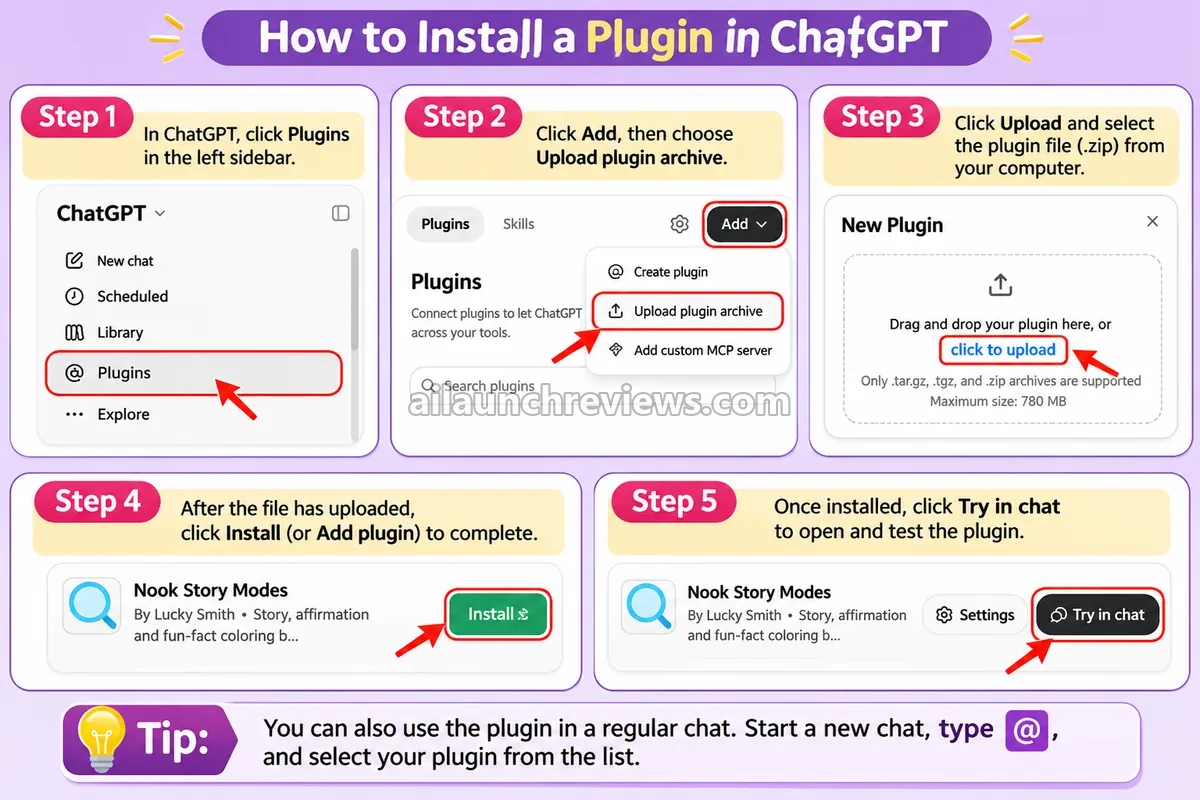
In ChatGPT, click Plugins in the left sidebar.
Step 3: Choose Upload Plugin Archive
Click Add, then choose Upload plugin archive.
Step 4: Upload the .zip File
Use click to upload and select the Nook Tales Creator file from your computer.
Step 5: Install the Plugin
Once the file uploads, click Install (or Add plugin) to finish.
Step 6: Open the Plugin
Click Try in chat to start. You can also start a new chat, type @ and pick Nook Tales Creator from the list.
Phase 2: Plan the Mystery
Step 7: Share a Short Cozy Story
Tell Nook Tales Creator your mystery in 2 to 5 sentences. In the example, the cinnamon rolls vanish from Poppy the mouse’s bakery windowsill before breakfast.
Step 8: Pick the Audience
Choose Kids 4-8 or Tweens 9-12. The line style and margin guard follow your choice.
Step 9: Choose the Page Count and Format
Pick 10, 12, 20 or 30 pages, and 8.5 x 11 portrait or 8.5 x 8.5 square.
Step 10: Review the Blueprint
You receive the KDP package, the Mystery Plan, the style anchors (Master Style Anchor and Character Anchor), the exact words for every page and one prompt per page.
Step 11: Approve and Reply “continue”
Read the plan once. If it looks right, approve it and reply continue to move on to the pages.
Phase 3: Create the Pages and Covers
Step 12: Create Each Page With One Click
Generate the Nook Tales Creator pages inside ChatGPT, one at a time. A 12-page book is quicker than a 30-page one.
Step 13: Pick the Cover Layout
Choose character portrait, cozy scene, collage or title focus, then set the title position.
Step 14: Build the Back and Full-Wrap Covers
Let Nook Tales Creator build the simple back cover and the full-wrap cover for the paperback.
Step 15: Collect Your ZIP
Gather the 300 DPI pages, the interior PDF, the full-wrap cover, the Etsy printable PDF and the two listing text files into one ZIP.
Phase 4: Check and Publish
Step 16: Proof the Book
Check the files in KDP’s Print Previewer and order a proof copy, as the vendor advises.
Step 17: Paste Your Listings
Copy the title, description, keywords and categories from KDP_Listing.txt, and the title and tags from Etsy_Listing.txt.
Step 18: Answer the AI Content Questions
KDP asks whether a book contains AI-generated content, and Etsy asks sellers to say so. Answer honestly.
Step 19: Follow the Launch Checklist
Use the Launch Checklist in Bonus 3 to upload, then plan the next book with its Series Planner and Season Calendar.
Why Should You Consider Using Nook Tales Creator?
Here are 4 reasons why I believe Nook Tales Creator could be a valuable addition to your coloring book business:
It Tackles the Character Consistency Problem
Changing characters are the complaint Nook Tales Creator was built to fix. Nook Tales Creator locks how the detective and suspects look and reuses that description in every prompt.
What I like here is that the lock is built into the workflow, so you don’t have to remember to paste a character sheet into every request.
The Story Is Planned Before the Pictures
Most AI coloring books are a stack of unrelated scenes; Nook Tales Creator books aren’t. Here the case, the suspects and every clue are planned first, chapter by chapter, with no repeated scenes.
What I like here is that this gives a coloring book a reason to turn the page, which is a real selling point in a crowded category.
Listings Arrive With the Book
The vendor estimates about 2 hours for titles and keywords and another 2 for descriptions and tags. Nook Tales Creator hands you 7 keywords, 3 categories, a 250 to 300 word description and 13 Etsy tags.
What I like here is that the listing comes from the same plan as the book, so the title, story and keywords agree.
A Low One-Time Price With Useful Bonuses
At $17 one-time, you also get 150 ready-made cases, 8 activity pages and a launch kit with calculators. There’s no subscription for Nook Tales Creator itself.
What I like here is the head start from the 150 cases. Of course, the software won’t automatically bring you customers or guarantee income.
Who Is Nook Tales Creator Best For?
Nook Tales Creator is a great fit for:
- KDP Coloring Book Sellers: You want a children’s mystery angle instead of another plain coloring book.
- Etsy Printable Sellers: You need a printable PDF and 13 tags for each listing.
- Beginners: You want a step-by-step plan and a plain Quick Start, with no design skills needed.
- Sellers Burned by Changing Characters: You gave up on other AI tools because the detective kept changing.
- Series Builders: You want to publish several books without starting from zero each time.
- Parents, Grandparents and Teachers: You want a one-of-a-kind mystery coloring book for a child.
It may not suit:
- Teen and Adult Book Publishers: This edition covers ages 4 to 12 and cozy mysteries only.
- Free ChatGPT Users Who Want Full Books: The vendor warns a free account may not finish a full book.
- Anyone Expecting Guaranteed Sales: The vendor is clear that no product can promise that.
Nook Tales Creator Pricing Breakdown: Front-End, OTOs and Coupon
Front-End Price
Nook Tales Creator is available for just $17 (one-time payment), with no subscription for the plugin. You’ll still need your own ChatGPT account, and the vendor recommends ChatGPT Plus or higher.
The front end includes Nook Tales Creator with Story DNA and Character Lock, the Mystery Plan, both age styles, matching cover prompts, the back and full-wrap covers, print-ready files with the margin guard, the KDP and Etsy listing package, and three bonuses.
Compare that with the vendor’s estimate of 20+ hours per book by hand. If Nook Tales Creator saves you even part of that on your first book, the front end has paid for itself.
The order buttons say “today only”, but the vendor hasn’t announced a date or a new price, so I wouldn’t rush on that basis.
You’re covered by a 30-day money-back guarantee. According to the vendor, if you decide within 30 days that it isn’t worth at least 10 times what you paid, email daodinhthe1989@gmail.com for a full refund, and you keep the bonuses.
No coupon code has been announced for this launch.
Click the button below to access the main sales page:
Nook Tales Creator OTO Breakdown
Here’s every upgrade in the funnel, in order:
OTO 1: Nook Story Modes ($27 One-Time)
Price: $27 (one-time payment)
Nook Story Modes is a separate plugin that sits next to Nook Tales Creator. It adds three new book types beyond cozy mysteries, for Kids 4-8 or Tweens 9-12, in portrait or square.
It pays for itself if you want to fill a catalog faster with books that aren’t mysteries.
Here’s what you’ll unlock with this upgrade: Cozy Story, Affirmation and Fun Facts modes; affirmation books with up to 30 affirmations, each with one big hollow word to color; the same KDP package, page prompts, front and back cover prompts, listing text files and 300 DPI print files per book; plus two bonuses, the Idea Vault (150 affirmations, 60 Fun Facts topics and 50 Cozy Story seeds) and the Mode Launch Sheet with title builder, keyword starters, a Safe Wording guide and price and season guides.
Who needs it: sellers who want more than one book type. Who can skip it: anyone happy publishing cozy mysteries only.
OTO 2: Nook Color Picture Book ($47 One-Time)
Price: $47 (one-time payment)
Nook Color Picture Book adds full-color picture books to your catalog, as another separate plugin. It’s a different product from a coloring book, aimed at KDP premium color and Etsy.
It pays for itself if you want to sell finished picture books, not just pages to color.
Here’s what you’ll unlock with this upgrade: six illustration styles (Soft Watercolor, Painted Gouache, Classic Cartoon, Paper Cut-out Collage, Colored Pencil and Flat Modern), each with a five-colour starting palette; Kids 4-8 or Tweens 9-12 in square or portrait; the KDP package, cover prompts, listing text files, 300 DPI pages, a full-wrap KDP cover, an Etsy printable PDF and a 24-page check; plus the Color Pricing and Launch Sheet and the Style and Palette Cheat Sheet. The vendor notes KDP paperbacks need 24 or 30 illustrations, while the 12 and 20 options are for the Etsy PDF only.
Who needs it: sellers who want full-color picture books. Who can skip it: anyone focused on coloring books.
OTO 3: Nook Commercial License ($67 One-Time)
Price: $67 (one-time payment)
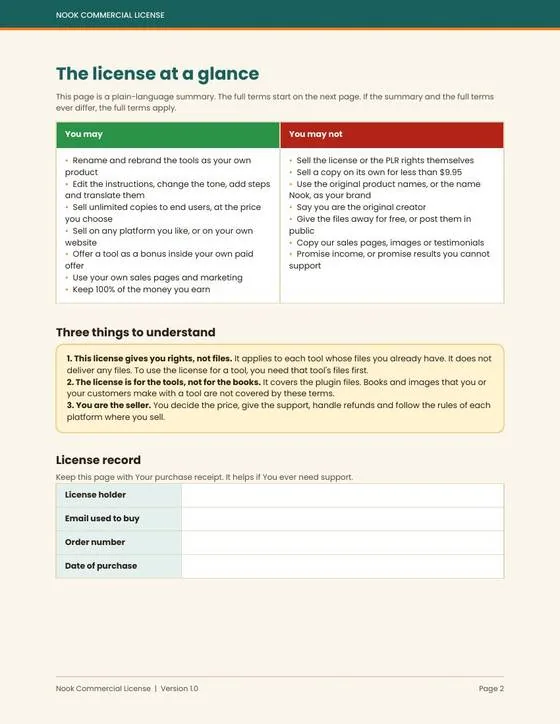
The vendor calls this the final upgrade. It gives you the right to rebrand and sell the Nook plugins you own as your own products. It doesn’t include any new tool or files.
It pays for itself if you already sell digital products and want a ready-made tool to add to your store.
Here’s what you’ll unlock with this upgrade: the right to rename and rebrand Nook Tales Creator, Nook Story Modes and Nook Color Picture Book (whichever you own), edit and translate the instructions, sell unlimited copies to end users at your own price, sell on any platform or your own site, and offer a tool as a bonus inside your own paid offer, plus the Rebrand and Launch Checklist. You can’t sell a copy for under $9.95, use the name “Nook” as your brand, resell the licence itself, give the files away or copy the vendor’s sales pages. The licence covers the plugin files, not the books you make.
Who needs it: digital product sellers who want something to rebrand. Who can skip it: anyone who only wants to publish books.
Front-end plus every upgrade comes to $158 ($17 + $27 + $47 + $67).
Which Plan Should You Pick?
Start with the $17 Nook Tales Creator front end if you only want cozy mystery coloring books; it’s complete on its own. Add Story Modes if you want more book types in the same catalog, and Color Picture Book only if you’re ready to sell full-color books. The Commercial License is for people who sell digital products, not for book publishers. I’d skip it unless reselling tools is already part of your business.
Nook Tales Creator Bonuses
According to the sales page, Nook Tales Creator comes with 3 vendor bonuses, valued by the vendor at $101 in total.
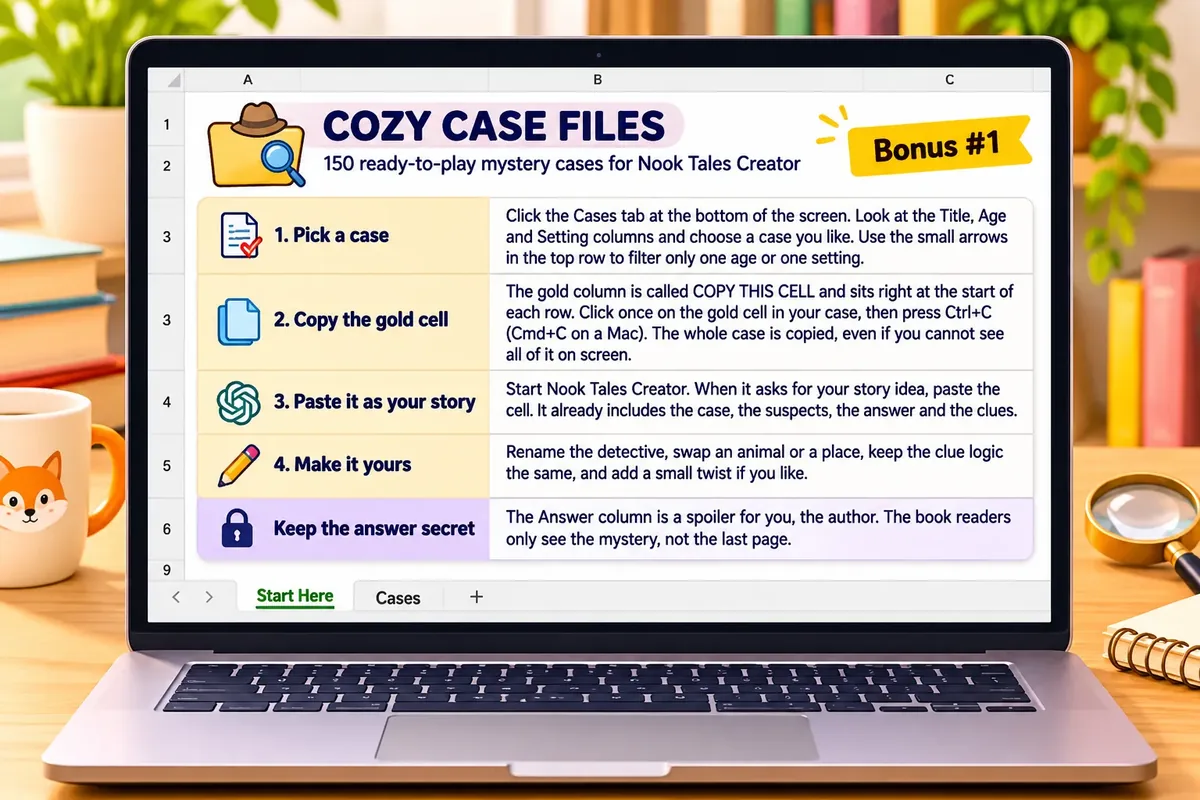
Bonus 1: Cozy Case Files: 150 Ready-Made Mystery Cases (Value $47)
78 cases for Kids 4-8 and 72 for Tweens 9-12, across 10 settings. Each case has a detective, 3 suspects, the answer and 3 clues (4 for Tweens), ready to paste in.
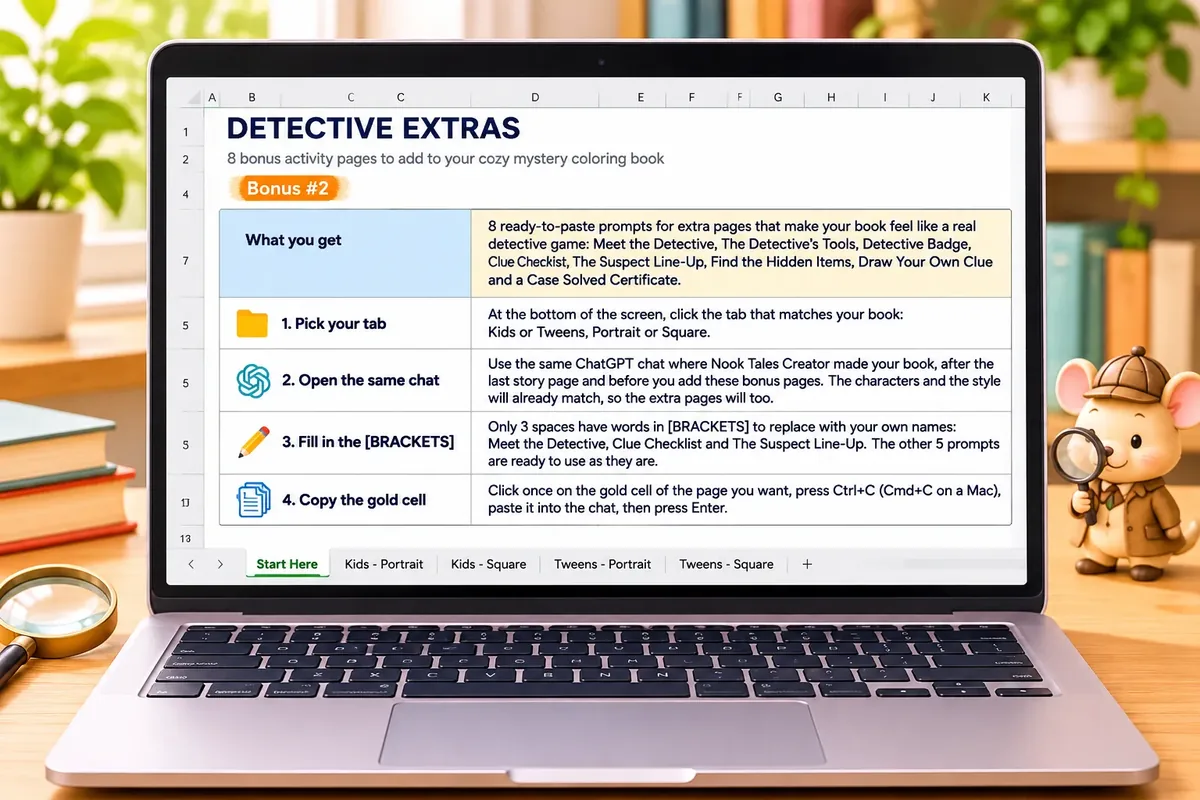
Bonus 2: Detective Extras: 8 Interactive Pages (Value $27)
Meet the Detective, Detective’s Tools, Detective Badge, Clue Checklist, Suspect Line-Up, Hidden Stars, Draw Your Own Clue and a Case Solved Certificate to add to your books.
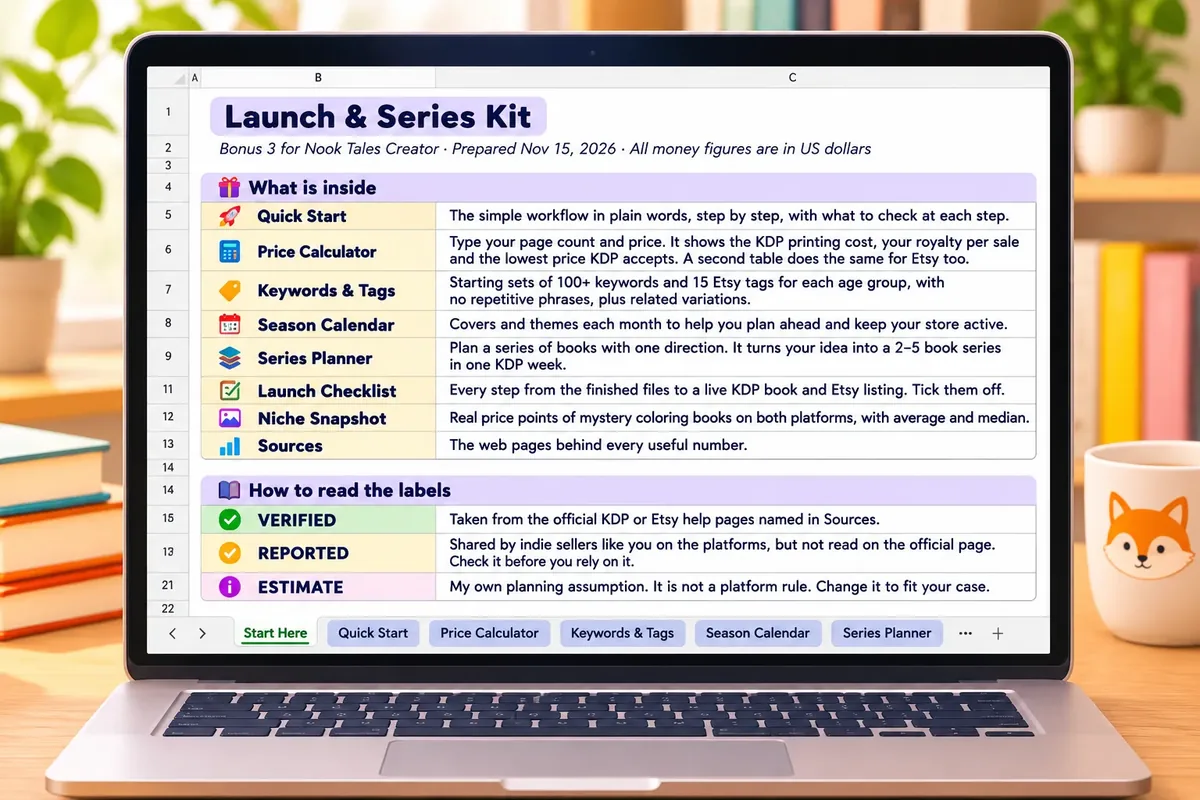
Bonus 3: Launch and Series Kit Plus Quick Start (Value $27)
A Quick Start, a KDP printing-cost and royalty calculator, an Etsy fee calculator, keyword and tag starter sets, a Season Calendar, a Series Planner, a Launch Checklist and a niche snapshot of price points.
On top of these, I’ve put together my own bonus package, which you’ll find at the end of this review.
Can You Really Make Money With Nook Tales Creator?
Yes, but the software won’t bring you customers or guarantee income on its own. The vendor says you’re the author of the story you write and you choose where to publish; the selling is your job.
Publish Cozy Mystery Coloring Books on Amazon KDP
Parents and gift buyers shop for children’s coloring books on Amazon, the main market for Nook Tales Creator books. With Nook Tales Creator, you plan the book, create the pages and covers, and upload them with the KDP listing text.
Use the royalty calculator in Bonus 3 and comparable books in your niche to set a price. Expect a few hours per book for page generation, proofing and the proof copy.
Sell Printable PDFs on Etsy
Etsy buyers download coloring pages to print at home, which suits Nook Tales Creator’s printable PDF. Use the Etsy printable PDF and the 13 tags from Etsy_Listing.txt, and check the Etsy fee calculator in Bonus 3 before you price.
You’ll still need shop setup and listing images, which takes a few evenings at the start.
Build Series and Seasonal Catalogs
One-off books are hard to grow from. The Series Planner and Season Calendar in Bonus 3 help you plan a line of Nook Tales Creator books around the same detective and holidays.
To promote a book series with short videos, my Video Traffic Engine review covers a book video planning tool. Story Modes (OTO 1) and Color Picture Book (OTO 2) add more book types to the same catalog.
Rebrand and Sell the Plugins (Commercial License Only)
Digital product buyers pay for ready-made tools. With the Commercial License (OTO 3), you can rename the plugins you own and sell them to end users at your own price, from $9.95 a copy upward.
You’ll need your own sales page, delivery and support, which is real work. Without OTO 3, reselling Nook Tales Creator isn’t allowed.
Of course, the software won’t automatically bring you customers or guarantee income.
What I Love About Nook Tales Creator (And What I'd Improve)
PROS:
- Character Lock: Nook Tales Creator reuses the same detective description in every prompt.
- Planned Mysteries: Case, suspects and clues are mapped before pages are drawn.
- Two Age Styles: Kids 4-8 and Tweens 9-12 get different line weights and margins.
- Full Listing Package: Title, subtitle, description, 7 keywords, 3 categories, a price and 13 Etsy tags.
- Cover Set Included: Four front cover layouts, a back cover and a full-wrap cover.
- Margin Guard: Safe margins are measured on the finished PDF.
- Strong Bonuses: 150 ready-made cases, 8 activity pages and a launch kit with calculators.
- Low Front-End Price: $17 one-time, with no subscription for the plugin.
- Beginner Friendly: A step-by-step plan and a plain Quick Start.
- Honest Positioning: No income promises, and clear advice to disclose AI content.
CONS:
- Needs a ChatGPT Plan: Plus or higher is recommended, and that’s a separate ongoing cost on top of the $17.
- Free Accounts Fall Short: The vendor warns a free account may drop details or stop before a full book is done.
- One Page at a Time: Each page image is created separately, so a 30-page book takes a while and uses your ChatGPT limits.
- Narrow Scope: Cozy mysteries for ages 4 to 12 only; other book types need the $27 or $47 upgrades.
- Thin Vendor Details: No company name, support runs through a Gmail address, and the Terms of Use and Privacy Policy links on the sales page don’t open a page.
- You Still Proof Everything: AI images need checking, a proof copy and an honest AI content disclosure on KDP and Etsy.
Nook Tales Creator FAQ
1. Do I need a paid ChatGPT plan?
Not necessarily. Nook Tales Creator installs on a free account, but the vendor recommends ChatGPT Plus or higher for complete books, since free plans have stricter limits.
2. Is Nook Tales Creator software I install on my computer?
No. It’s a plugin file you upload to ChatGPT, and everything runs inside ChatGPT.
3. Do I need the OTOs to make a complete book?
No. The $17 front end makes full cozy mystery coloring books. Other book types need Story Modes (OTO 1) or Color Picture Book (OTO 2).
4. Can I sell the books I make?
Yes. The vendor says you’re the author of the story you write and choose where to publish, but you must answer KDP’s and Etsy’s AI content questions honestly.
5. Are there credits or API keys to buy?
No. The vendor’s pages mention no credits or API keys, but every ChatGPT plan has its own usage limits.
6. Are the pages ready for KDP as soon as they’re made?
Not necessarily. They’re made at 300 DPI with safe margins, but you should still check KDP’s Print Previewer and order a proof copy.
7. Can I finish a 30-page book in a few minutes?
No. The plan, prompts and listings arrive in minutes, but page images are made one at a time, so longer books take longer.
8. Can I make teen or adult books?
No. This edition covers ages 4 to 12 and cozy mysteries only.
9. Can I resell Nook Tales Creator as my own product?
Not necessarily. Only with the Commercial License (OTO 3), which lets you rebrand and sell the Nook plugins you own, from $9.95 a copy.
10. Is there a refund policy, and how do I get support?
Yes. There’s a 30-day money-back guarantee. Email daodinhthe1989@gmail.com for refunds and help, and you keep the bonuses.
My Final Verdict on Nook Tales Creator
Overall, I believe Nook Tales Creator is worth considering, especially if you want children’s coloring books with a real story and a detective who looks the same on every page. In this Nook Tales Creator review, the character lock and the ready listing package stood out most.
Start with the $17 Nook Tales Creator front end. Add Story Modes for more book types, Color Picture Book for full-color titles, and the Commercial License only if you already sell digital products.
The honest caveat: this review is based on the vendor’s pages and examples, not on my own hands-on test. You’ll need a ChatGPT account (Plus is recommended), you’ll create pages one at a time, and you’ll still proof every book. With the 30-day guarantee, the risk is low.
CLAIM YOUR EXCLUSIVE BONUSES IN 3 SIMPLE STEPS
Step 1: Purchase the Nook Tales Creator directly from my website.
Step 2: Once your purchase is complete, forward your receipt to: bonus.samxavier@gmail.com
Step 3 (Final): Sit back and relax! You’ll receive all your bonuses within 24 hours, guaranteed.
Thanks for reading my Nook Tales Creator Review. Wishing you and your family continued success and prosperity!