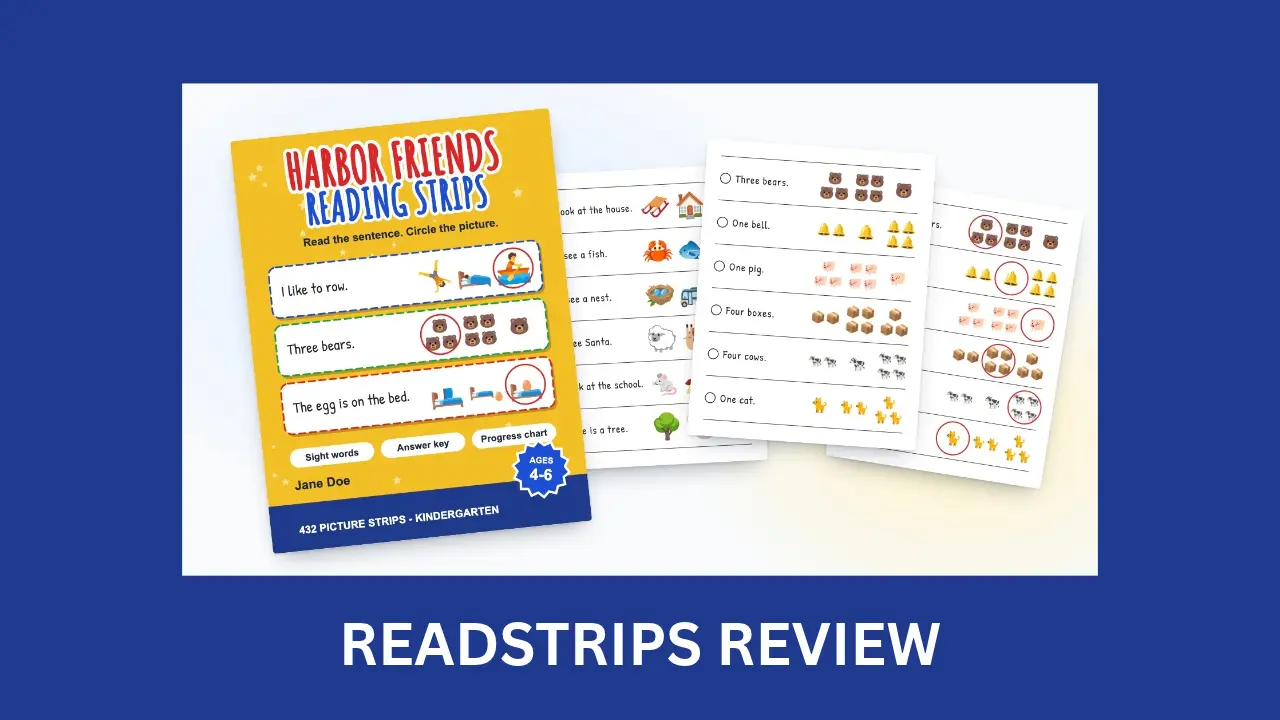
Build a full read-and-circle workbook, answer key and wrap cover included, without laying out a single strip.
Want to publish a children’s workbook that isn’t another word search? This ReadStrips review looks at a browser app that makes picture reading strip books for early readers.
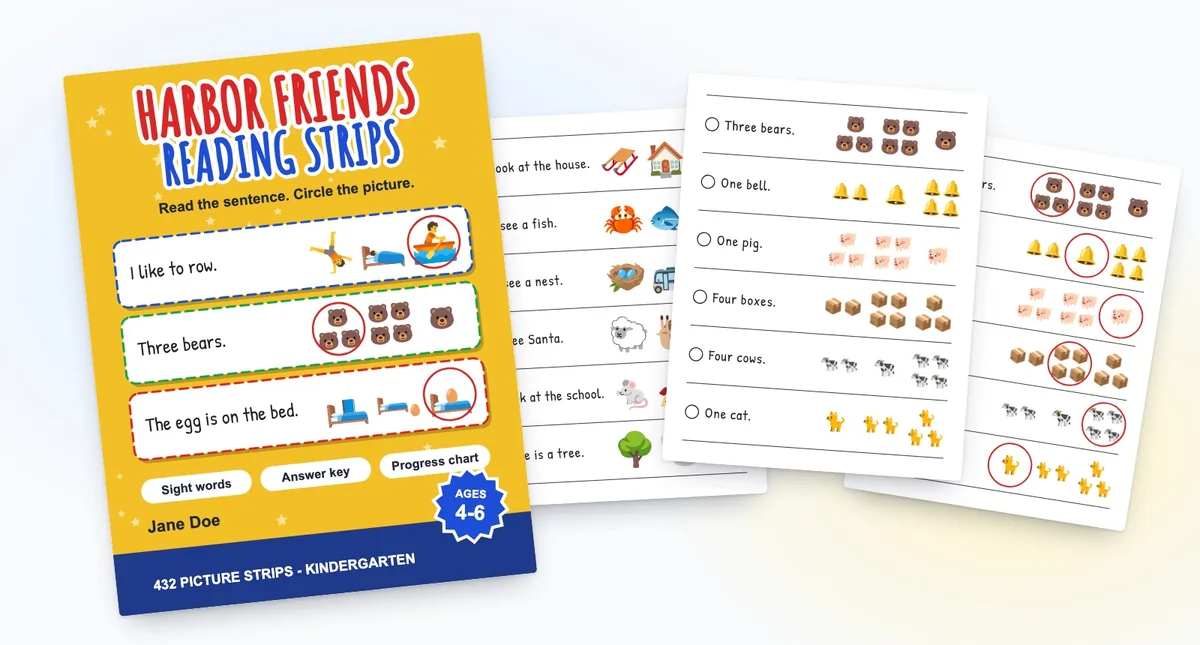
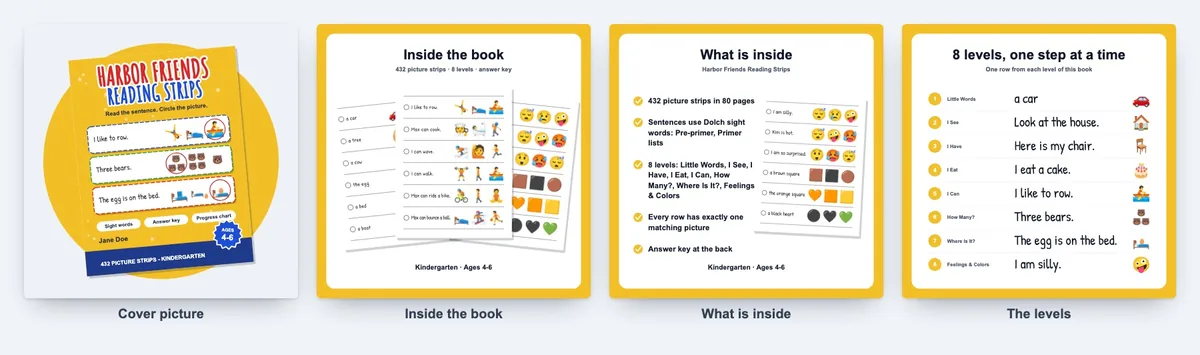
Think about it. Each row has one short sentence and three pictures, and the child circles the match. Simple for a five-year-old. Slow for you.
A 72-page book has 432 rows: 432 readable sentences, 1,296 pictures to place, and an answer key that must agree with every row. Doing that by hand means hours in design software and a second pass just for the key.
ReadStrips takes over that part. You pick the reader, the levels and the page style, and ReadStrips writes the rows, draws the pages, builds the key and makes a matching KDP wrap cover.
In this ReadStrips review, I’ll explore what the software offers, how it works, and whether it’s worth your investment.
This review contains affiliate links. If you buy through them, I may earn a commission at no extra cost to you.
Table of Contents
ToggleWhat Is ReadStrips?
ReadStrips is a browser-based workbook maker that builds picture reading strip books so KDP publishers, Etsy printable sellers and classroom-resource sellers can offer early-reader practice books without laying out pages by hand.
Every page is a stack of strips. Each strip carries one short sentence held to the Dolch sight-word list for the reader you choose, plus three pictures, and only one of them matches. You can sell the result as a paperback, a printable PDF or single PNG and SVG pages.
What sets it apart is that one book drives everything. The answer key is drawn from the printed rows, and the cover shows real rows from the book inside. If you already sell printables, my LabelForge review covers a print-ready label maker built for the same kind of seller.
ReadStrips Review: Quick Overview
| Product Creator | DT Labs LLC |
| Product Name | ReadStrips |
| Launch Date | 2026-Nov-20 |
| Launch Time | 10:00 AM ET |
| Front-end Price | $11.95 (one-time payment) |
| Number of OTOs | 3 upgrades, $37 to $67 (plus a $127 bundle) |
| Coupon | None announced |
| Official Website | >>>Visit The FE Salespage<<< |
| Bonus | Yes, Huge Bonuses |
| Guarantee | 30 Day Money Back Guarantee |
| Niche | KDP Low-Content Books and Printables |
| Vendor’s Support | support@dtlabs.app |
| Claim My Bonuses | bonus.samxavier@gmail.com |
| Recommend | Worth considering for KDP, Etsy and classroom printable sellers |
Above is the Complete Overview of ReadStrips and I mentioned the creator’s name, the launch date of the product, and the Front End price details.
About the Creator: DT Labs LLC
ReadStrips comes from DT Labs LLC, a software company based in Kalispell, Montana, USA. The product is sold through WarriorPlus, which the vendor describes as the payment and order platform only.
DT Labs runs a dashboard of browser-based makers for publishers and printable sellers. According to the sales page, the same login opens 20 other tools, such as KDP Cover Forge and Maze Studio, so ReadStrips joins an existing product family.
The vendor’s pages don’t name a founder or list earlier launches. What I can confirm is a support address (support@dtlabs.app), a public refund policy, and a plain earnings disclaimer: ReadStrips is a design tool, and the vendor promises no income. The sales page also states its limits openly, which I find reassuring.
From One Reader Choice to a Print-Ready Book: What ReadStrips Can Do
Here’s what the front end includes, feature by feature, based on the vendor’s sales page.
Complete Workbook Builder: Pages, Answer Key and Cover From One Book
Tired of building the interior, key and cover in three tools? ReadStrips makes all three from the same book.
You get the strip pages, front pages (how-to, ownership, sight words, a progress page and a copyright page), the answer key at the back and a full wrap cover.
10 Reading Levels: From Little Words to Rhyme Time
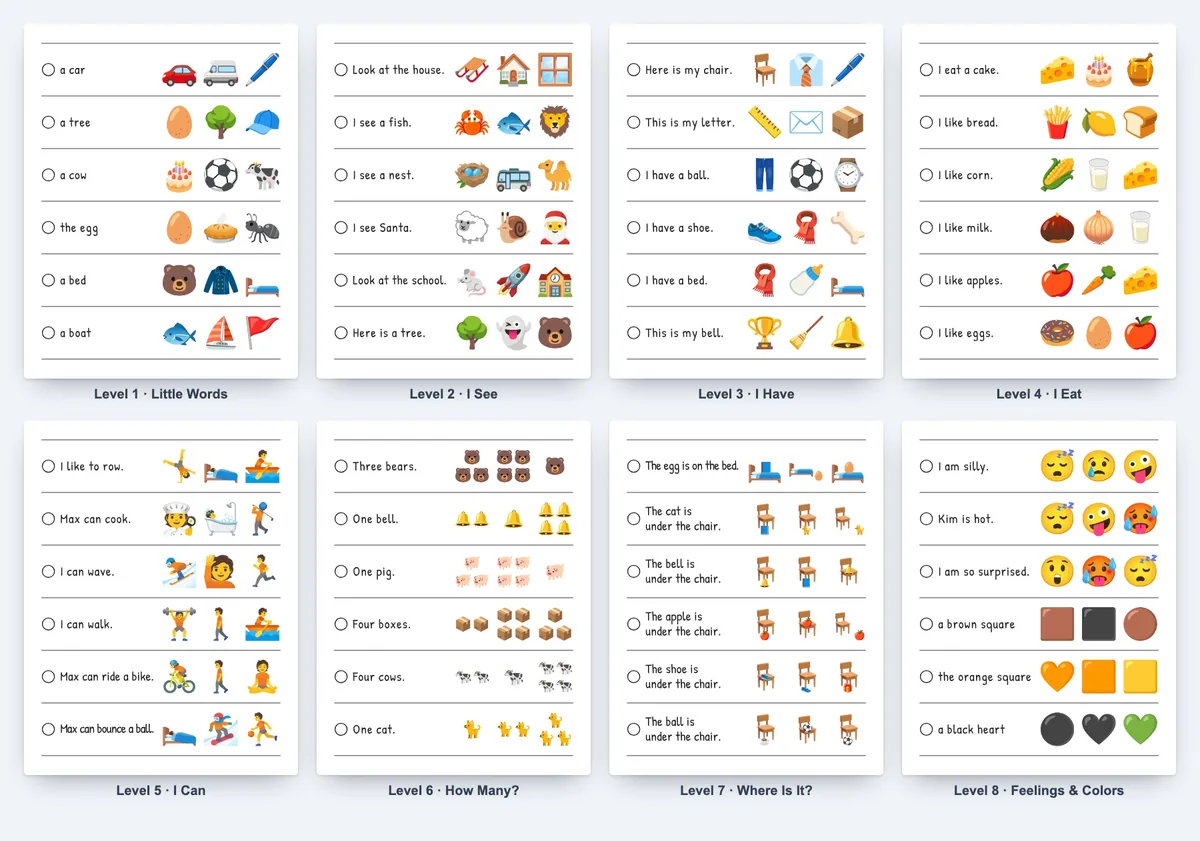
Need more than one kind of page in a book? ReadStrips has 8 sentence levels (Little Words, I See, I Have, I Eat, I Can, How Many?, Where Is It? and Feelings & Colors) and 2 phonics levels (First Sounds and Rhyme Time).
Tick the ones you want, and a ReadStrips book can climb from single words to full “where is it” sentences.
Four Readers With Dolch Sight Words: Pre-K to Grade 2
Not sure which words a Kindergarten child can read? Pick Pre-K, Kindergarten, Grade 1 or Grade 2, and ReadStrips holds the sentences to that reader’s Dolch sight-word lists.
The reader also sets word length and how high the counting goes. A Pre-K book has fewer levels than the others.
337 Pictures With One Right Answer in Every Row
Forget hunting for clipart. ReadStrips draws from 337 open-licence pictures (Noto Emoji drawings) in colour or black and white.
According to the vendor, look-alike pictures are kept out of the same row, so every row has exactly one match.
Page Layouts and Row Styles: 3 to 6 Strips a Page
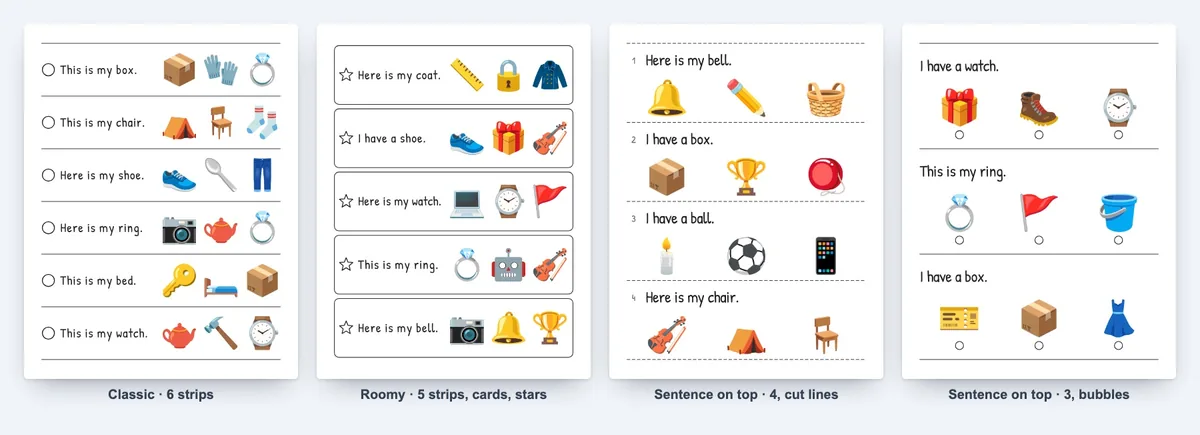
Want pages that look different from the next seller’s? ReadStrips gives you 4 page layouts with 3 to 6 strips a page, 3 row styles (lines, cards or cut lines), 4 row marks and two ways to answer: circle the picture or fill the bubble.
Even better, cut lines suit teachers who want strips they can cut apart.
Your Own Sentences: Up to 150 Lines
Have a theme the shared list doesn’t cover? Type up to 150 sentences of your own. According to the vendor, ReadStrips finds the pictured word, draws the right picture and two wrong ones, and adds them as their own level.
Lines with no pictured word, or with brand or character names, are skipped. You can also narrow the list to one of 4 word themes: animals, food, home and school things, or outdoors.
Answer Key Drawn From the Same Rows
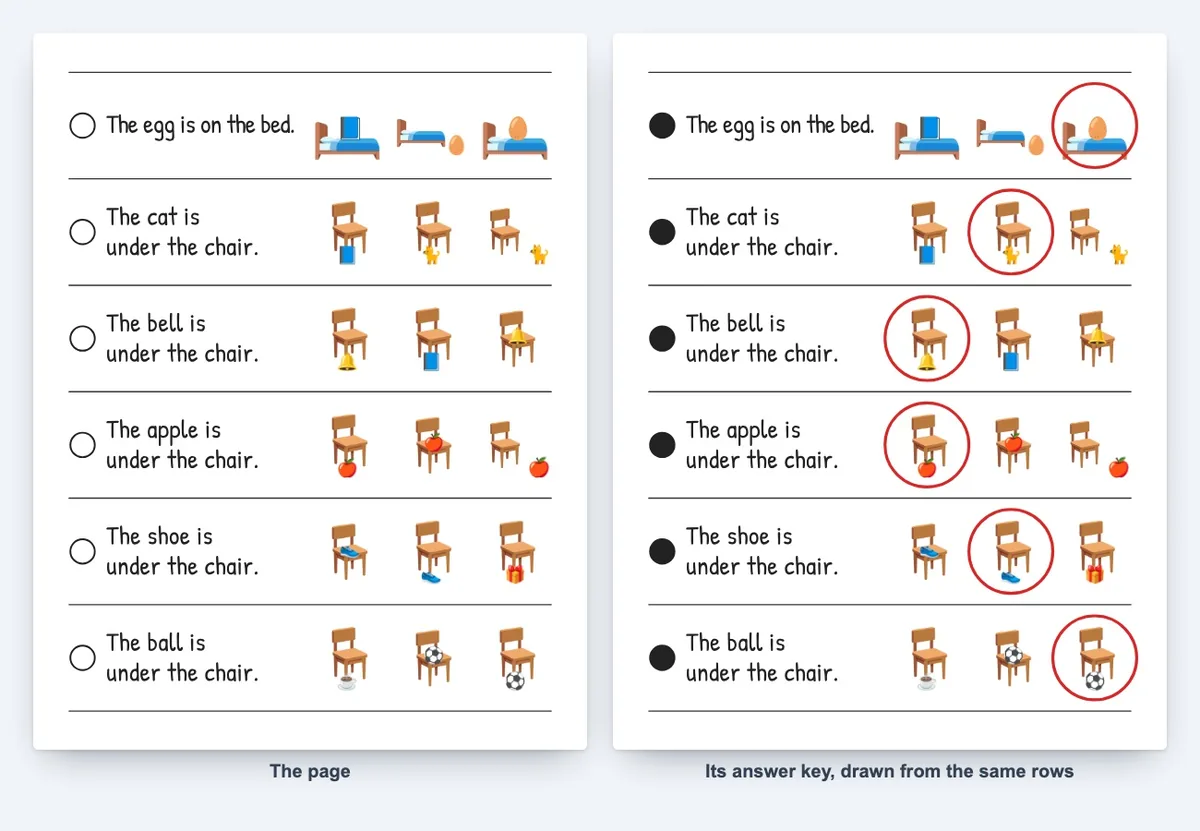
Here’s one of the biggest advantages of ReadStrips. There’s no separate key to keep in sync.
The key pages at the back are drawn from the same rows the pages were printed from, with the matching picture circled. Change a row and its key changes with it, so a parent never finds a mismatch on page 84.
Books of Up to 150 Strip Pages
A new ReadStrips book starts at 72 pages and can grow to 150 strip pages plus front pages and key. The sentence supply is finite, so long books reuse sentences with new pictures, and the print check tells you from which page.
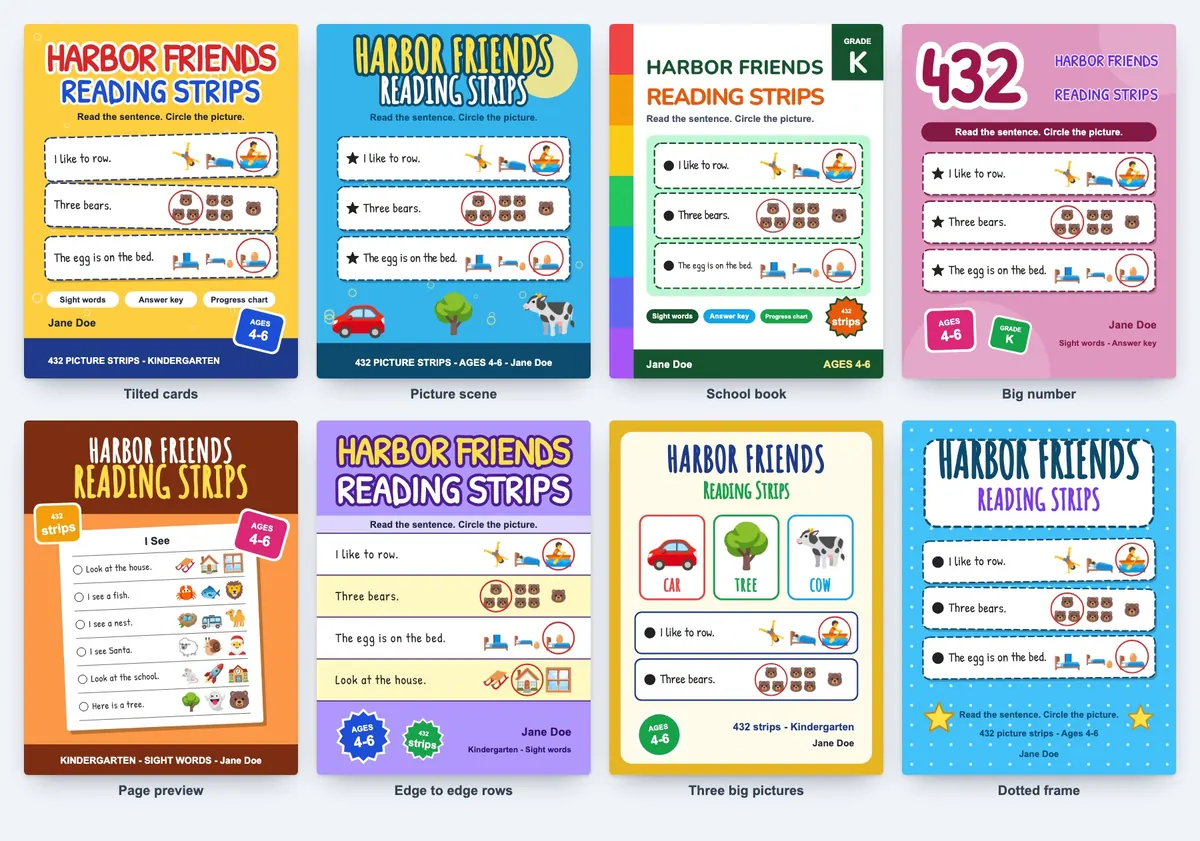
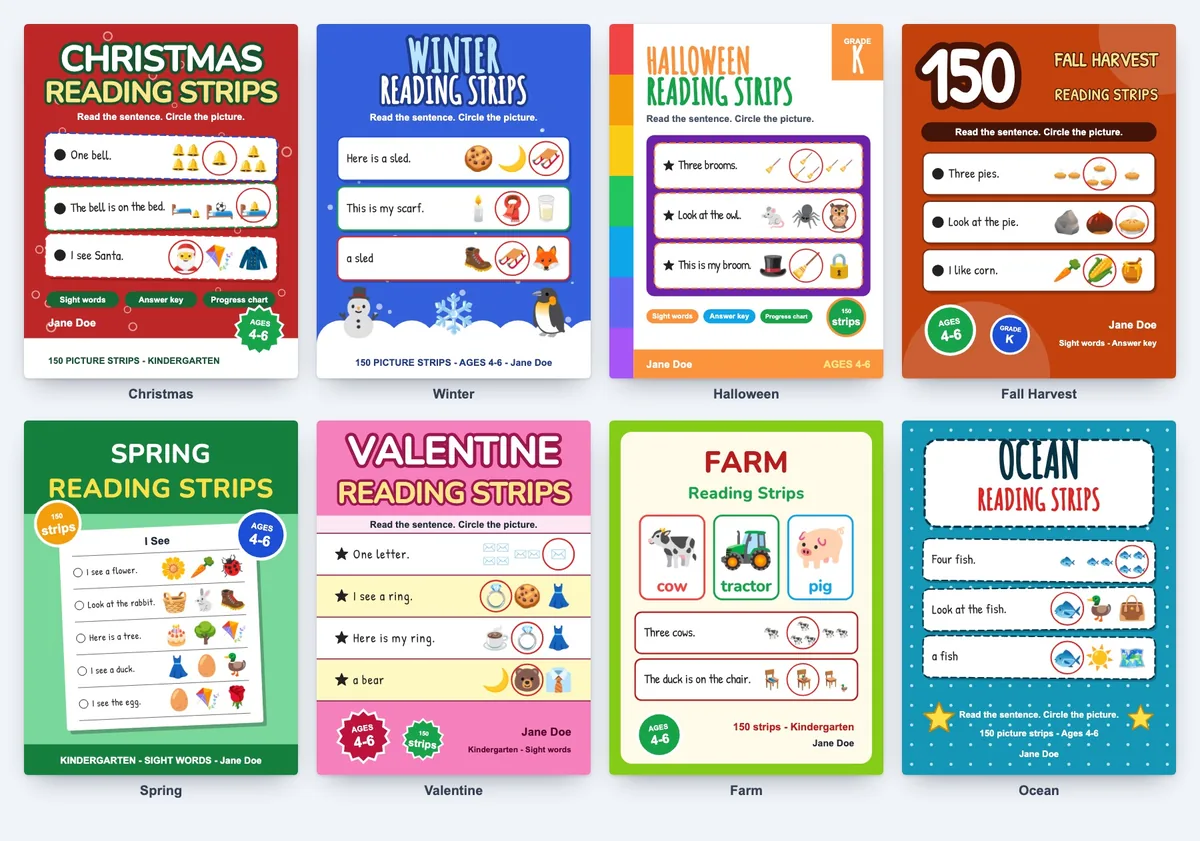
8 Cover Layouts Built From Your Book
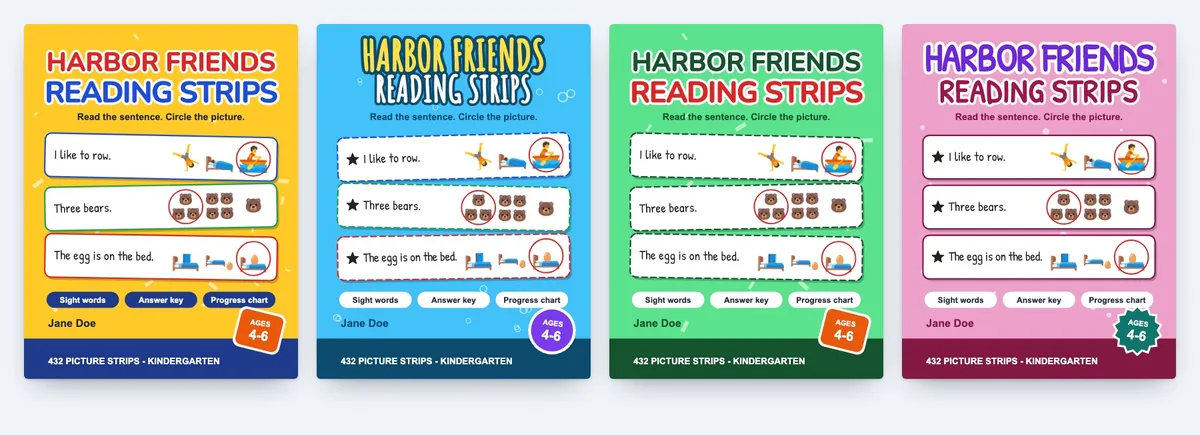
Instead of designing a cover from scratch, pick one of 8 layouts and one of 6 colours, or two of your own. The title, front strips and strip count come from the book, and the back cover lists the levels it really has.
Shuffle the Look: A Cover Kept for Your Account
Worried that your cover will match someone else’s? The Shuffle the look button changes the lettering, badge, row marks and background pattern.
According to the vendor, a cover look and a title are kept for each account, so two accounts can’t export the same cover.
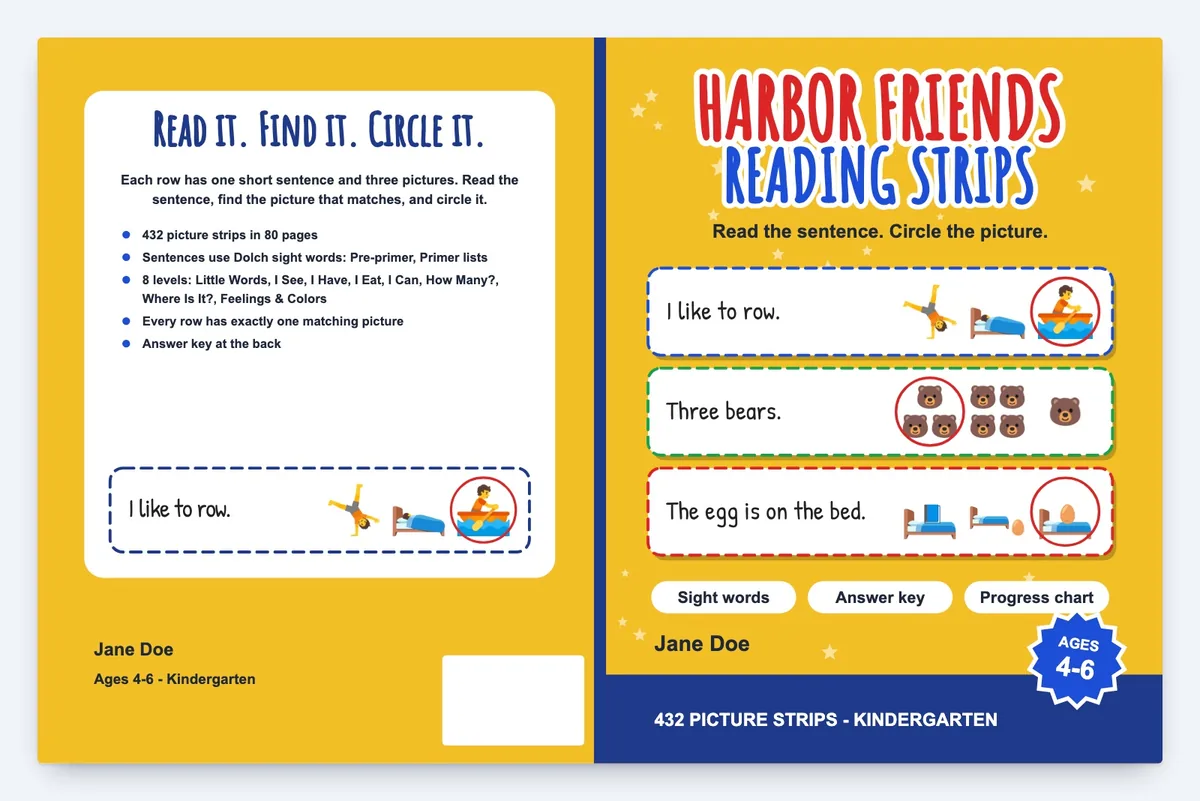
Full Wrap Cover With the Spine Worked Out
Spine maths is where many first KDP covers go wrong. ReadStrips works out the spine width from the page count and paper, and gives you back, spine and front in one PDF, plus a front cover PNG.
Print Check Against KDP Margins and Page Counts
Want to catch problems before KDP does? The ReadStrips print check measures page count, margins, gutter, lettering and picture resolution as you work.
The vendor says an 80-page interior and its wrap cover passed KDP’s Print Previewer with no issues on November 15, 2026. KDP still reviews every title by its own rules.
PDF, 300 DPI PNG and SVG Export
Selling on Etsy as well as Amazon? The whole ReadStrips book exports as a print-ready PDF, and single pages export as PDF, 300 DPI PNG or SVG, or every page as a .zip.
No AI Credits and No Subscription
No AI model runs when you make a ReadStrips book, so there are no credits and no monthly fee. Make as many books as you like; the one you’re working on is saved to your account.
Commercial Licence for the Books You Make
The front end includes a commercial licence to sell the books and printables you create, on KDP, Etsy or elsewhere. You can’t resell ReadStrips itself or its pictures on their own, and you must keep the copyright page with picture and font credits.
Ready to try it? Grab ReadStrips through the button below.
No coupon code has been announced for this launch.
ReadStrips in Action: A Complete Step-by-Step Software Walkthrough
I’ll follow the vendor’s example, a 96-page Kindergarten book. The steps come from the vendor’s screenshots and tour, not my own test.
Phase 1: Set Up the Reader and the Pages
Step 1: Log In to Your Account
Sign in at dtlabs.app in a desktop browser and open ReadStrips from the dashboard.
Step 2: Choose the Reader
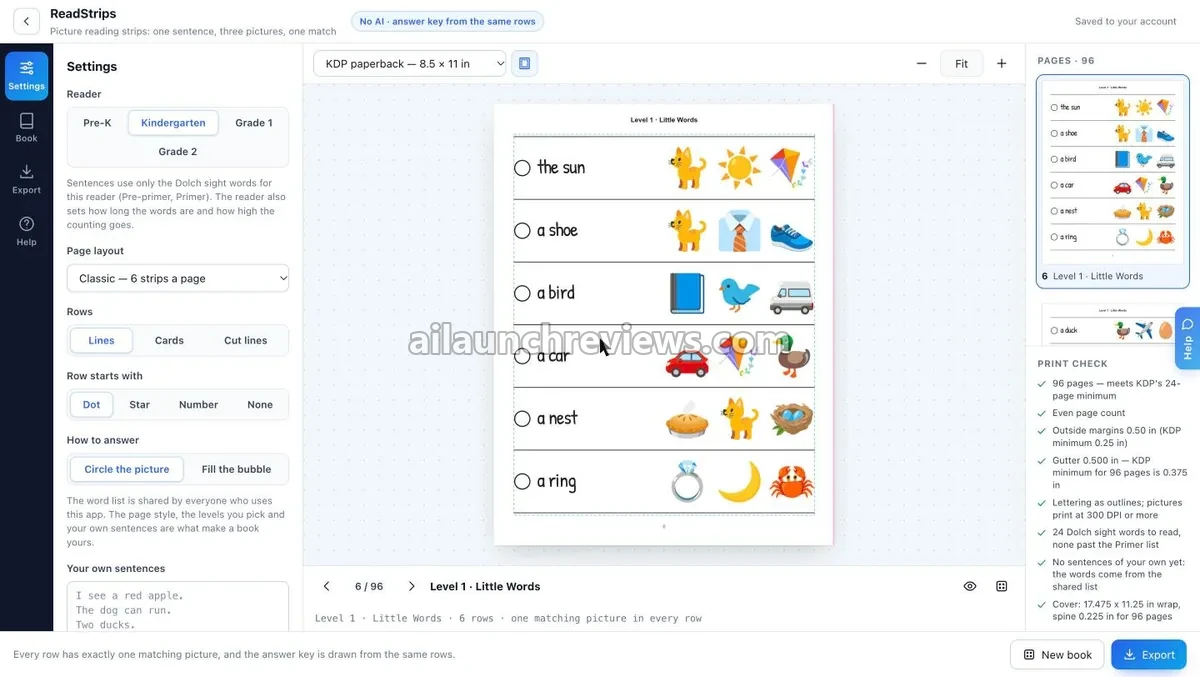
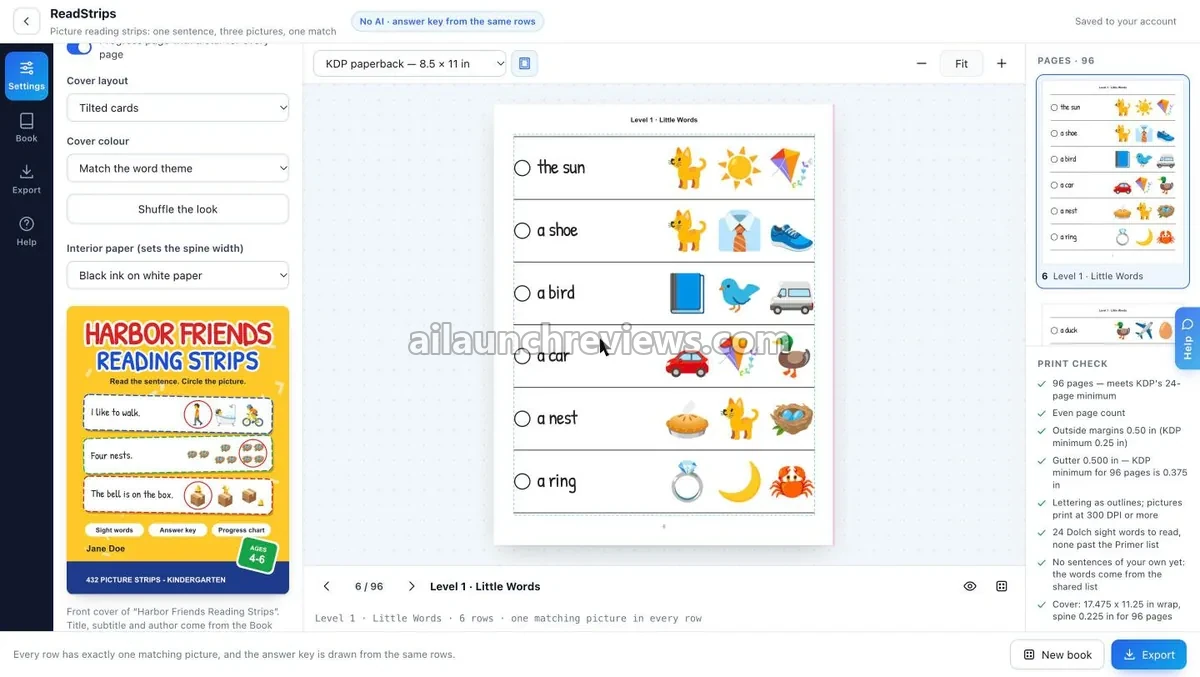
In the Settings panel, pick Kindergarten under Reader. This sets the sight words, the word length and how high the counting goes.
Step 3: Tick the Levels
Choose the levels you want, from Little Words to Rhyme Time.
Step 4: Set the Page Layout
Open Page layout and pick 3 to 6 strips a page. The screenshot uses 6.
Step 5: Style the Rows
Under Rows, choose Lines, Cards or Cut lines. Then pick what each row starts with under Row starts with: Dot, Star, Number or None.
Step 6: Choose How Children Answer
Under How to answer, pick Circle the picture or Fill the bubble. Bubbles suit worksheet-style printables.
Step 7: Add Your Own Sentences (Optional)
Type up to 150 lines into Your own sentences. ReadStrips adds a picture for each line and gives them their own level.
Phase 2: Name the Book and Build the Cover
Step 8: Give the Book Its Title
Open the Book panel and enter the title, subtitle and author. These feed straight into the cover.
Step 9: Pick a Cover Layout
Scroll to Cover layout and choose one of the 8 layouts. The vendor’s example uses Tilted cards.
Step 10: Set the Cover Colour
Use Cover colour to match the word theme, pick one of the 6 colours or set your own two.
Step 11: Shuffle the Look
Press Shuffle the look until the lettering, badge and pattern feel right. The live preview updates as you go.
Step 12: Choose the Interior Paper
Set Interior paper to the paper you’ll print on, such as Black ink on white paper. This choice sets the spine width.
Phase 3: Check and Export the Files
Step 13: Read the Print Check
Look at the Print check panel on the right. In the example, it confirms 96 pages, an even page count, the margins and the gutter, and gives the wrap size and spine width.
Step 14: Page Through the Book
Use the arrows under the preview to check each level.
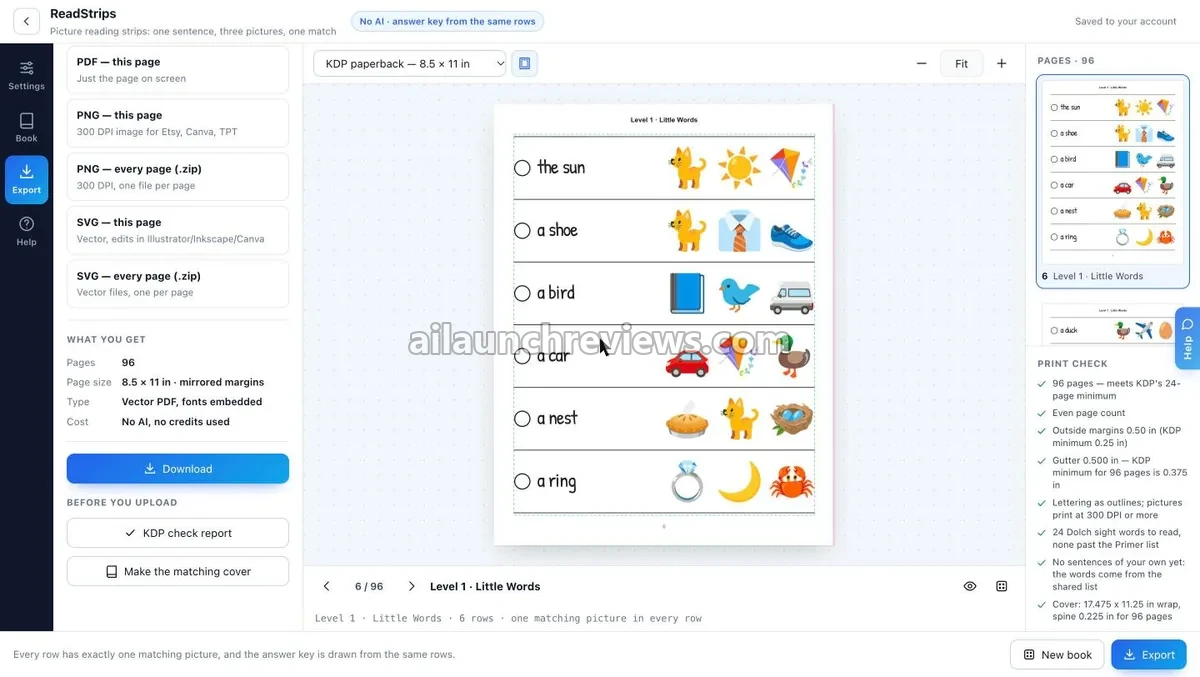
Step 15: Open the Export Panel
Click Export. You’ll see options for the page on screen, every page as PNG or SVG in a .zip, and the whole book.
Step 16: Download the Interior
Pick the whole-book PDF and press Download. The export panel lists the page count, the page size with mirrored margins and a vector PDF with fonts embedded.
Step 17: Download the Wrap Cover
Use Make the matching cover to get the full wrap cover PDF, plus the front cover PNG for your listing.
Step 18: Save the KDP Check Report
Press KDP check report to keep a record of the print check.
Phase 4: Review and Repeat
Step 19: Read the Book Before You Publish
The vendor asks you to read your book before uploading, since KDP still reviews every title.
Step 20: Start the Next Book
Click New book to start another title with a different reader, levels or style.
Why Should You Consider Using ReadStrips?
Here are 4 reasons why I believe ReadStrips could be a valuable addition to your publishing business:
It Handles the Slowest Part of the Workbook
The hard part of this book type is the rows: 432 sentences and 1,296 pictures in a 72-page book, each row with one clear match.
ReadStrips writes and checks those rows for you. What I like here is that sentences stay inside the reader’s sight words, the part beginners most often get wrong.
The Answer Key Can't Drift Away From the Pages
Answer keys are where workbook reviews turn sour. Because the ReadStrips key is drawn from the printed rows, it changes when they change. What I like here is that this removes a whole proofreading pass.
The Cover Matches the Book Inside
The ReadStrips cover shows real rows from the book, counts the strips, and works out the spine from the page count. What I like here is that you never rebuild the cover when pages change.
A Low One-Time Price With No Credits
At $11.95 one-time, with no AI credits and no subscription, ReadStrips costs nothing more to run. What I like here is that you can test several books without watching a credit meter. Of course, the software won’t automatically bring you customers or guarantee income.
Who Is ReadStrips Best For?
ReadStrips is a great fit for:
- KDP Low-Content Publishers: You want a children’s activity book type that isn’t another word search or sudoku.
- Etsy Printable Sellers: You need 300 DPI PNG, SVG and PDF pages you can bundle as downloads.
- Teachers Pay Teachers Sellers: You want reading practice pages with cut lines, bubbles and black and white options for classroom printing.
- Sellers Building a Series: You plan several books by reader level and want a cover style that stays consistent.
- Beginners Without Design Skills: You’d rather pick settings than lay out pages in design software.
- Parents and Tutors: You want printable reading pages for your own child or students, with the key ready.
It may not suit:
- Non-English Publishers: ReadStrips is English only, with US spelling.
- Sellers With Their Own Art Style: You can’t upload your own pictures, clipart or fonts.
- Tablet or Phone Users: Books are made in a desktop browser only.
ReadStrips Pricing Breakdown: Front-End, OTOs and Coupon
Front-End Price
ReadStrips is available for just $11.95 (one-time payment), with no monthly subscription required.
The ReadStrips front end includes all 10 levels, 4 readers, 337 pictures, every page layout and row style, up to 150 of your own sentences, books of up to 150 strip pages with the key, 8 cover layouts with the wrap PDF, the print check, PDF, PNG and SVG export, and the commercial licence.
Compare that with laying out a 72-page workbook and its key by hand, or paying a designer many times this price for one interior and cover.
The vendor hasn’t announced a price increase or a deadline for this launch.
You’re covered by a 30-day money-back guarantee. According to the vendor, if ReadStrips doesn’t do what the sales page says, or it isn’t for you, you can email support@dtlabs.app within 30 days of purchase or use your WarriorPlus purchase page to get a full refund.
No coupon code has been announced for this launch.
Click the button below to access the main sales page:
ReadStrips Bundle Deal
The vendor offers all three upgrades together as a bundle for $127 (one-time). It includes Series & Seasons, the Format Pack and the Listing Kit.
There’s a catch worth knowing. The bundle is shown only to buyers who decline all three upgrades, just before the thank-you page. If you buy any single upgrade, you won’t see it.
ReadStrips OTO Breakdown
Here’s every upgrade in the funnel, in order:
OTO 1: ReadStrips Series & Seasons ($37 One-Time)
Price: $37 (one-time payment)
This upgrade turns one ReadStrips book into a product line, with no sentence repeated between books in a series while the supply lasts. It pays for itself if you plan seasonal listings or several books per reader level.
Here’s what you’ll unlock with this upgrade: 8 season word lists (Christmas, Winter, Halloween, Fall harvest, Spring and Easter, Valentine’s Day, On the farm and Under the sea), name books that put one first name inside the I See, I Can and Feelings sentences, series of 2 to 6 books with a book number and colour per cover, and one .zip with every interior and cover of a series or of all 8 seasons. Without repeats, a series holds 1 Pre-K, 3 Kindergarten, 4 Grade 1 or 5 Grade 2 books of 60 pages.
Who needs it: sellers planning seasonal or series catalogs. Who can skip it: anyone testing one or two books first.
OTO 2: ReadStrips Format Pack ($47 One-Time)
Price: $47 (one-time payment)
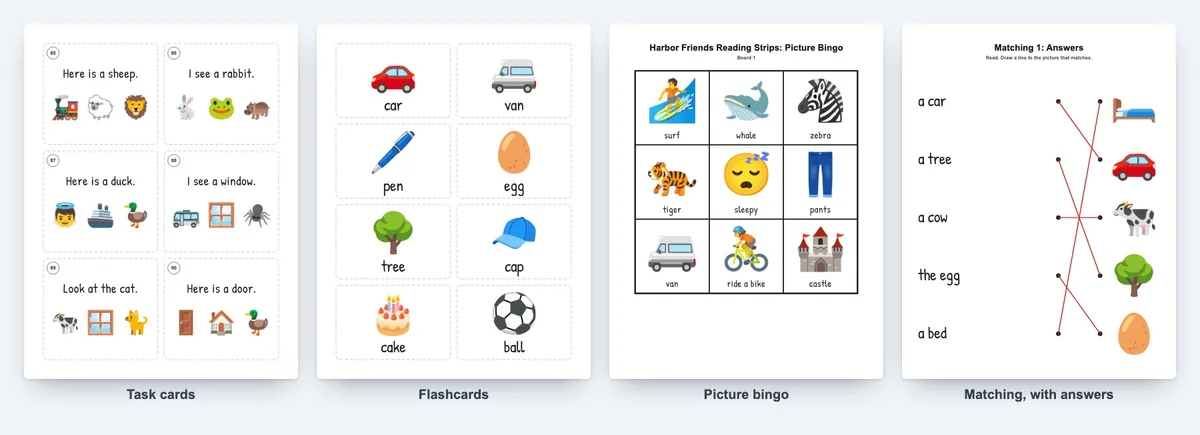
The Format Pack turns the open ReadStrips book into other classroom products. It pays for itself when one book becomes a bundle of printables for Etsy or Teachers Pay Teachers.
Here’s what you’ll unlock with this upgrade: task cards (six a page, numbered, with an answer key), flashcards (picture and word, eight a page), picture bingo (6, 12, 24 or 30 boards, no two alike, with calling cards) and matching worksheets, each with its answer page, all made from the open book.
Who needs it: printable and classroom-resource sellers. Who can skip it: KDP publishers who only sell paperbacks.
OTO 3: ReadStrips Listing Kit ($67 One-Time)
Price: $67 (one-time payment)
The ReadStrips front end makes the files but doesn’t write your listing. The Listing Kit fills that gap, and pays for itself if descriptions, keywords and tags slow your uploads down.
Here’s what you’ll unlock with this upgrade: KDP subtitle, description (plain and formatted), 7 keywords, 3 suggested categories, reading age and grade; an Etsy title, 13 tags and description; a Teachers Pay Teachers title, grade, subjects and description; and 4 square listing pictures at 2000 x 2000 px drawn from the real cover and pages.
Who needs it: sellers who list on two or three platforms. Who can skip it: anyone comfortable writing their own listings.
Front-end plus every upgrade comes to $162.95 ($11.95 + $37 + $47 + $67). If you decline the three upgrades and take the bundle instead, the total is $138.95 ($11.95 + $127).
Which Plan Should You Pick?
To test the book type, the $11.95 ReadStrips front end is enough; it makes complete books. KDP publishers planning a catalog get the most from Series & Seasons, while Etsy and classroom sellers should start with the Format Pack. I’d add the Listing Kit last. If you want all three, the $127 bundle is cheaper.
ReadStrips Bonuses
According to the sales page, ReadStrips comes with 20 vendor bonuses: the other DT Labs makers, included free on your account on the same login. The vendor doesn’t give a dollar value for them. Free exports from these makers carry a watermark, and clean exports need a separate paid DT Labs plan.
Bonus 1: KDP Cover Forge
Enter the trim size, page count and paper, and it builds the spine and full cover.
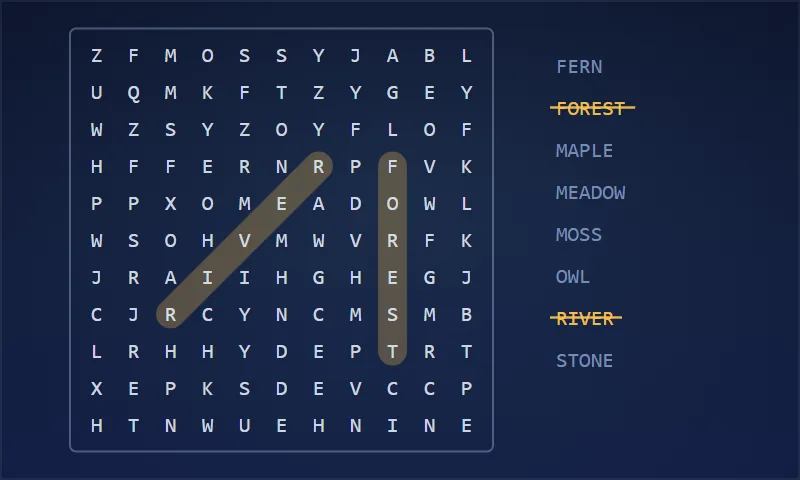
Bonus 2: Word Search Forge
Makes word search pages with answer keys.
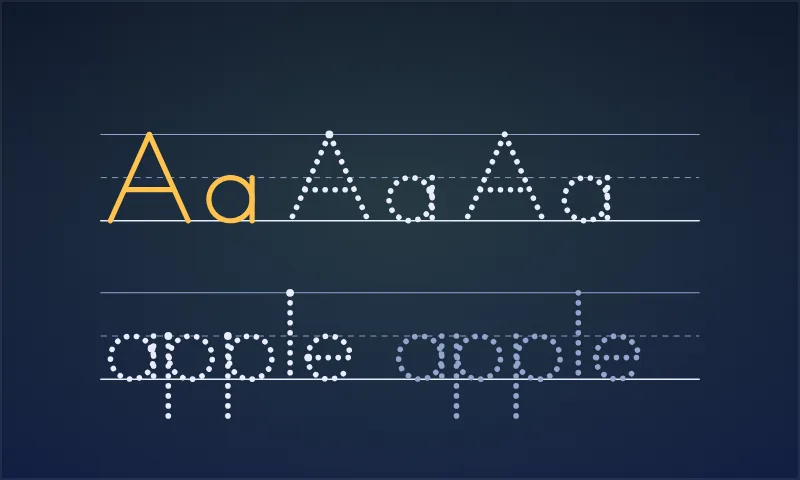
Bonus 3: Tracing & Handwriting Press
Builds handwriting pages and workbooks.
Bonus 4: Coloring Page Mill
Makes line-art coloring pages.
Bonus 5: Math Worksheet Mill
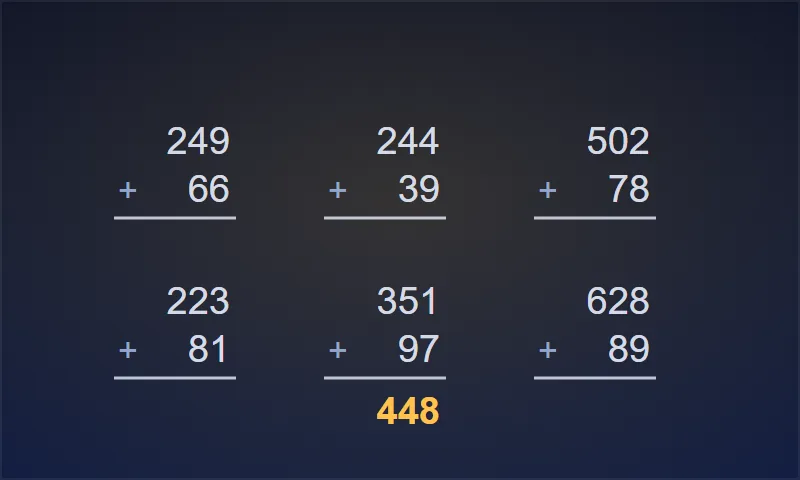
Makes math worksheets and workbooks with answer keys.
Bonus 6: Dot-to-Dot Draft
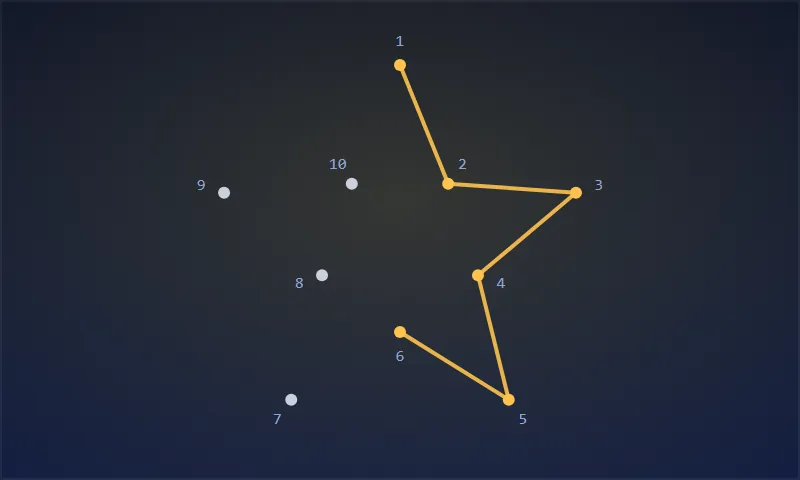
Makes connect-the-dots pages.
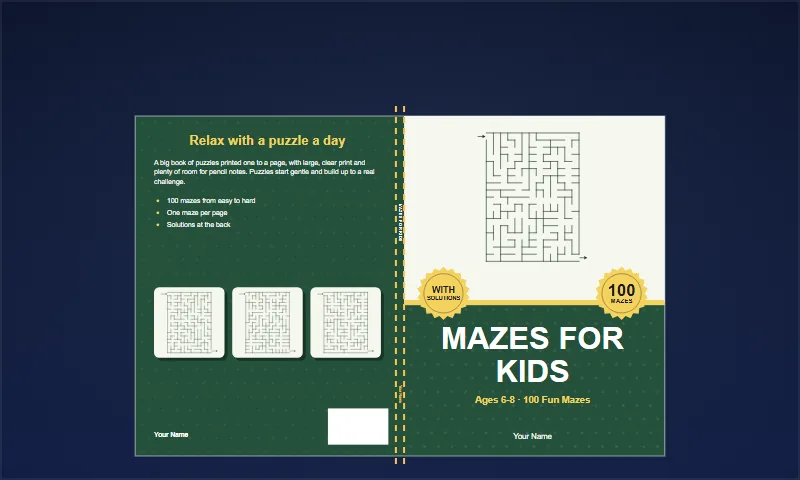
Bonus 7: Maze Studio
Makes mazes in 46 shapes, with solution pages.
Bonus 8: Sudoku Press
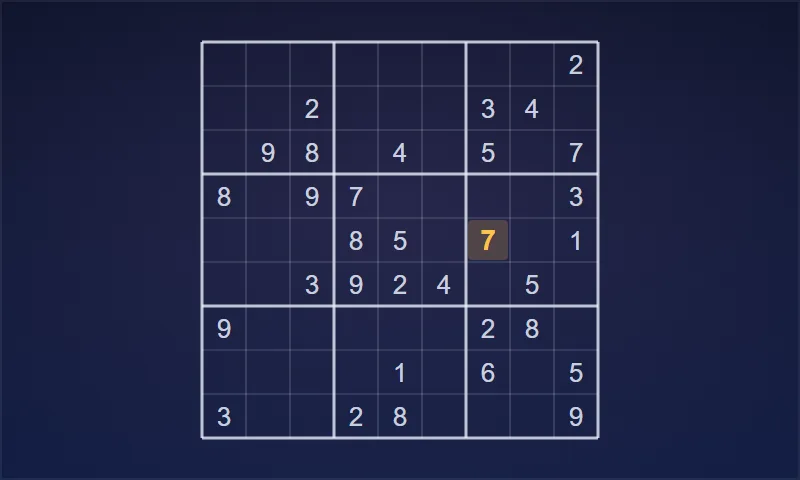
Makes sudoku pages with solutions.
Bonus 9: PinPress AI
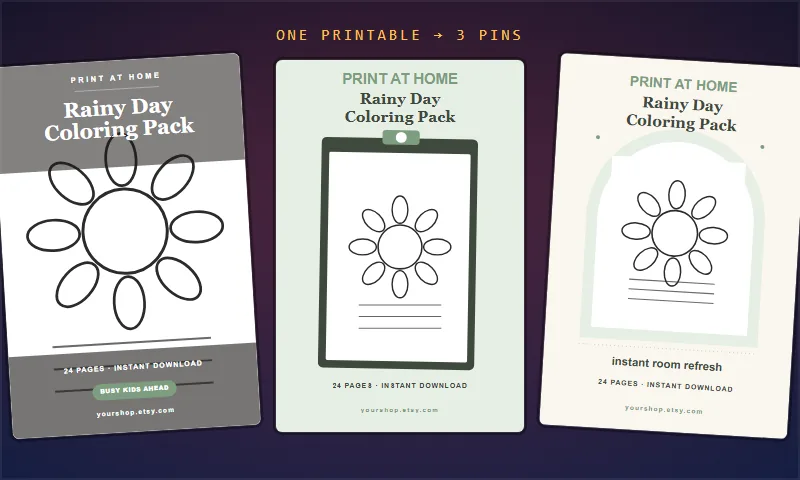
Turns a printable into Pinterest pins. Its AI captions use your own AI key.
Bonus 10: Lullabet
Makes a personalised alphabet book from a child’s name.
Bonus 11: ShadowPress
Helps you draft thriller and spooky novels. Its AI drafting uses your own AI key.
Bonus 12: Crossword Compositor
Makes clue and fill-in crosswords.
Bonus 13: Kakuro Bench
Makes kakuro puzzles.
Bonus 14: Nonogram Works
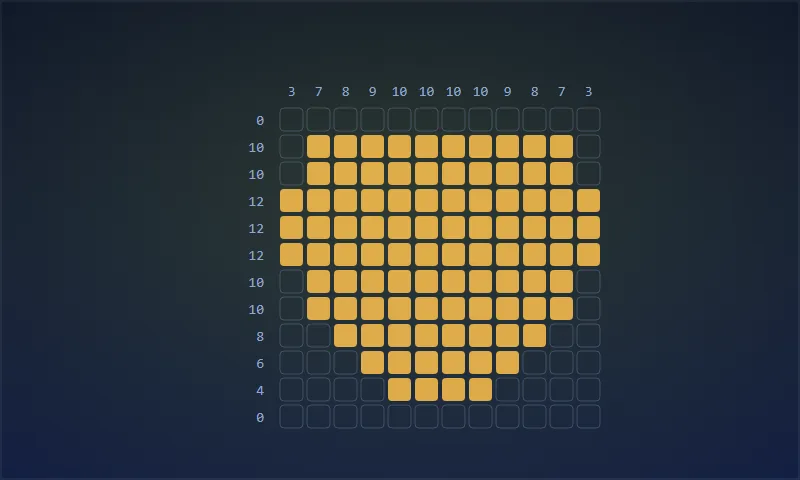
Makes nonograms from your own image or one from the library.
Bonus 15: Cryptogram Desk
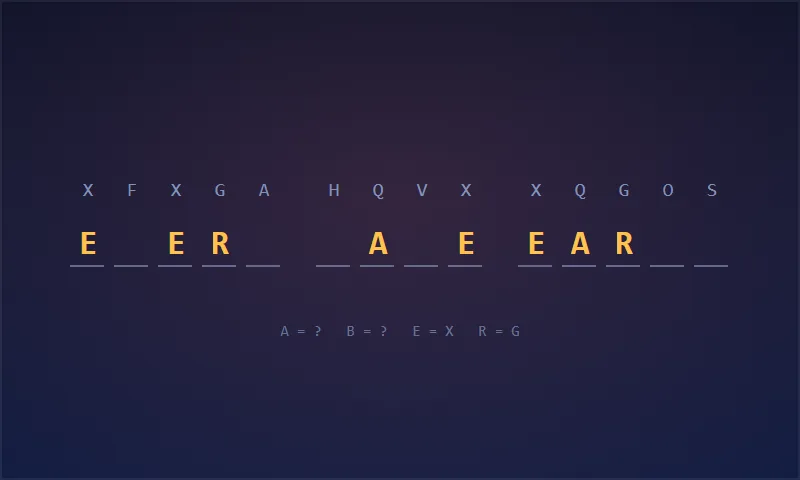
Makes cryptogram puzzles.
Bonus 16: Bingo Card Studio
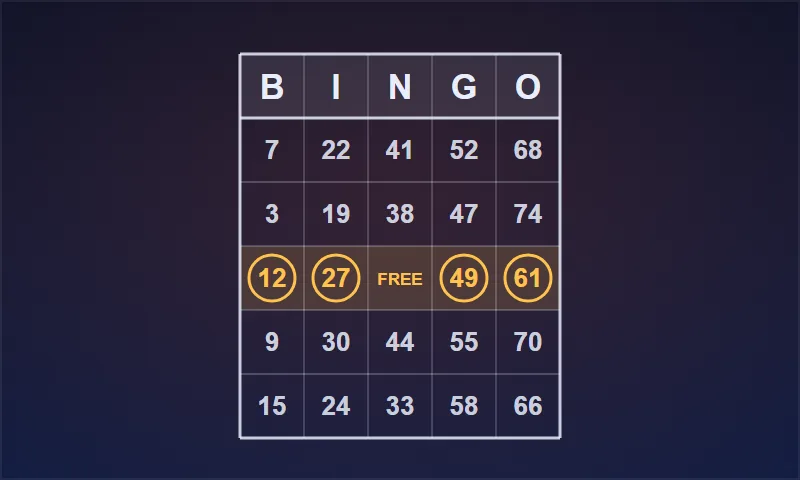
Makes bingo card sets with a caller sheet.
Bonus 17: Mathdoku Bench
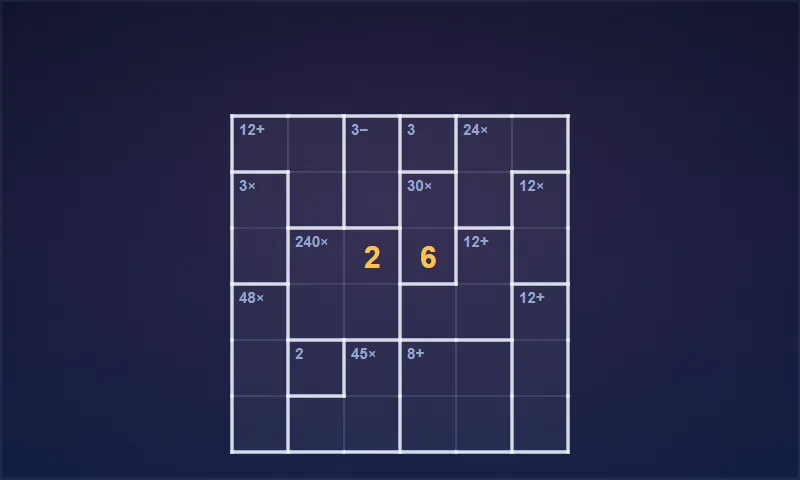
Makes Mathdoku and Calcudoku puzzles.
Bonus 18: Bimaru Yard
Makes Bimaru puzzles.
Bonus 19: Mandala Drafter
Makes mandala coloring pages.
Bonus 20: Planner Plate
Makes undated planner pages.
On top of these, I’ve put together my own bonus package, which you’ll find at the end of this review.
Can You Really Make Money With ReadStrips?
Yes, but the software won’t bring you customers or guarantee income on its own. The licence lets you sell the books and printables you make, and the selling is still your job.
Sell Reading Workbooks as KDP Paperbacks
Parents and gift buyers shop for early-reader activity books on Amazon. With ReadStrips, you make the interior, key and wrap cover, then upload them to KDP yourself.
Price against comparable workbooks and your printing cost for the page count. Expect to spend time on titles and keyword research for each book.
Sell Printable Reading Pages on Etsy
Etsy buyers want PDF downloads they can print at home. Export a ReadStrips book as a PDF, or single pages as 300 DPI PNG, in colour or black and white.
Price against similar printable bundles. The Format Pack (OTO 2) adds task cards and bingo to the same listing, and the Listing Kit (OTO 3) writes the title and tags. Shop setup still takes a few evenings.
Sell Classroom Resources to Teachers
Teachers buy practice pages they can cut apart and reuse. Use cut lines, bubbles and black and white ReadStrips pages, and sell them on Teachers Pay Teachers.
Price by page count and what similar resources charge. A store with several grade levels takes weeks of steady work.
Build Seasonal and Series Collections
Holiday shoppers look for themed books. Series & Seasons (OTO 1) adds 8 season word lists, numbered series and name books, so one ReadStrips setup becomes a shelf of related titles.
To promote those books with short videos, my Video Traffic Engine review covers a book video planning tool. Plan uploads weeks before each holiday.
Of course, the software won’t automatically bring you customers or guarantee income. You also can’t resell ReadStrips itself or its pictures on their own.
What I Love About ReadStrips (And What I'd Improve)
PROS:
- One Book Drives Everything: Pages, answer key and wrap cover all come from the same rows.
- Answer Key Always Matches: The key is drawn from the printed rows, so it changes when they do.
- Sight-Word Control: Sentences stay inside the Dolch lists for the reader you pick.
- One Match per Row: Look-alike pictures are kept out of the same row.
- Real Variety in Layouts: 4 layouts, 3 row styles, 4 row marks and two answer types.
- Spine Worked Out for You: The wrap cover uses the page count and paper you choose.
- Built-In Print Check: Margins, gutter and page counts are checked against KDP’s rules as you work.
- Flexible Export: PDF, 300 DPI PNG and SVG, single pages or every page in a .zip.
- No Credits or Subscription: $11.95 one-time, with no AI model running in the background.
- Commercial Licence Included: You can sell the books and printables you make.
- Honest Sales Page: The vendor lists the limits and makes no income claims.
CONS:
- English Only: Sentences use US English, so other markets are out.
- Shared Picture Library: All users draw from the same 337 emoji pictures, and you can’t upload your own art, clipart or fonts.
- Desktop Browser Only: You can’t make books on a phone or tablet.
- Finite Sentence Supply: Long books reuse sentences with new pictures, and Pre-K books get fewer levels.
- Key Formats Locked Behind OTOs: Season lists, series, task cards, bingo and listing text cost extra, up to $162.95 for the full funnel.
- Watermarked Bonus Tools: The 20 free makers export with a watermark unless you buy a separate DT Labs plan, and two of them need your own AI key.
ReadStrips FAQ
1. Do I need design skills or design software?
No. You pick the reader, the levels and the page style, and ReadStrips lays out the pages and the cover in your browser.
2. Do I need to install anything?
No. It runs in your browser inside your dtlabs.app account. There’s nothing to download or install.
3. Do I need the OTOs to make a complete book?
No. The $11.95 front end makes the interior, answer key and wrap cover. Seasons and series need OTO 1, extra printable formats need OTO 2, and listing text needs OTO 3.
4. Can I sell the books I make, or make them for clients?
Yes. You can sell the books and printables you make to your own customers. The vendor’s pages don’t spell out done-for-you client work, so ask support before you take on client orders. You can’t resell ReadStrips or its pictures on their own.
5. Does it use AI or need credits?
No. No AI model runs when you make a book, and there are no credits or API keys. The vendor notes the word lists were drafted with help from AI tools, so read its note on KDP’s AI-content question.
6. Will KDP accept the files?
Not necessarily. The print check flags what it can measure, and the vendor says a test book passed KDP’s Print Previewer, but KDP reviews every title by its own rules.
7. Can I use ReadStrips on a phone or tablet?
No. Books are made in a desktop browser on a computer.
8. Can I upload my own pictures or fonts?
No. Every book uses the shared library of 337 pictures and the ReadStrips lettering. You can type your own sentences, up to 150 lines.
9. Is my work saved, and how do I back it up?
Yes. The book you’re working on is saved to your account. To keep copies, download the PDF, PNG or SVG files to your computer.
10. Is there a refund policy, and how do I get support?
Yes. There’s a 30-day refund policy. Email support@dtlabs.app within 30 days of purchase or use your WarriorPlus purchase page.
My Final Verdict on ReadStrips
Overall, I believe ReadStrips is worth considering, especially if you want a children’s workbook type that isn’t another word search and you don’t want to build answer keys by hand. In this ReadStrips review, the stand-out was how the pages, key and cover all come from one book.
KDP publishers testing the idea can start with the $11.95 front end. Add Series & Seasons for a catalog, the Format Pack for Etsy and classroom bundles, and the Listing Kit only if you list on several platforms.
The honest caveat: this review is based on the vendor’s sales page, screenshots and documents, not on my own hands-on test. ReadStrips is English only, uses a shared picture library, and won’t publish or sell your books for you. With the 30-day refund policy, you can try it with little risk.
CLAIM YOUR EXCLUSIVE BONUSES IN 3 SIMPLE STEPS
Step 1: Purchase the ReadStrips directly from my website.
Step 2: Once your purchase is complete, forward your receipt to: bonus.samxavier@gmail.com
Step 3 (Final): Sit back and relax! You’ll receive all your bonuses within 24 hours, guaranteed.
Thanks for reading my ReadStrips Review. Wishing you and your family continued success and prosperity!