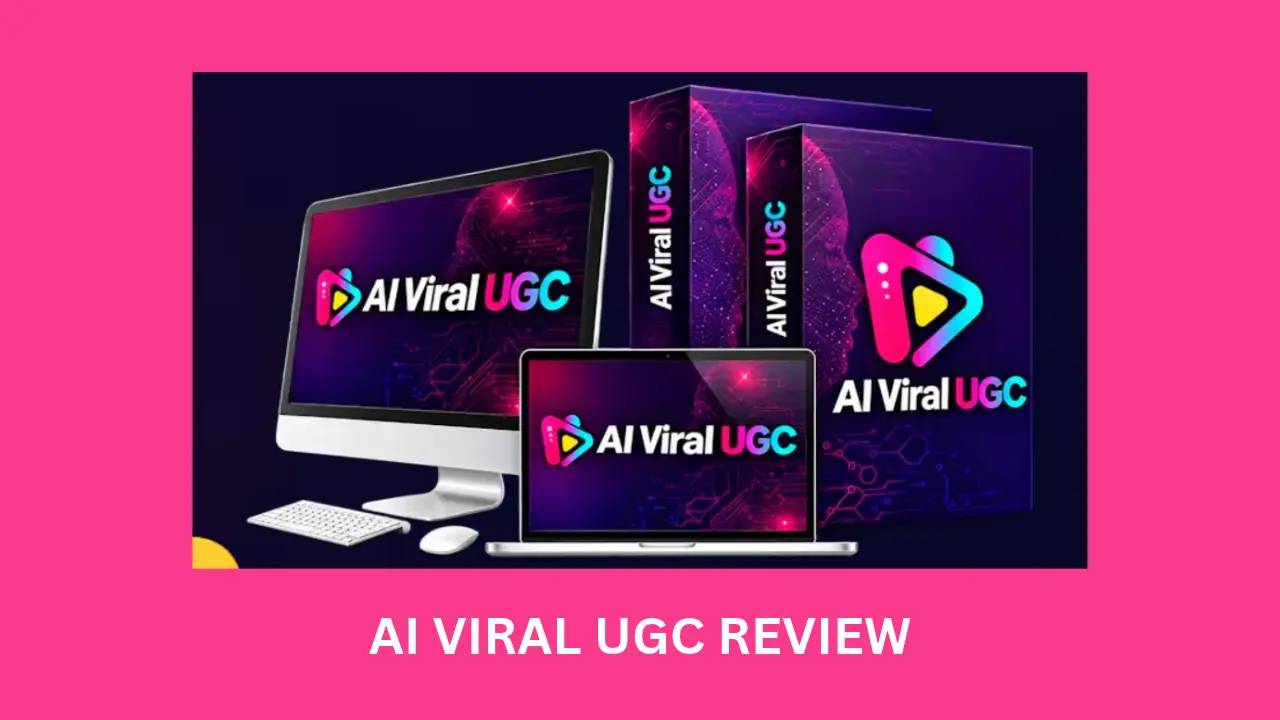
AI Viral UGC Review: Is This $17 UGC Video AI Worth It?

Turn a product name or link into a talking, captioned UGC-style video without hiring a single creator.

Want fresh UGC ads every week but can’t justify paying a creator $500 or more per clip? This AI Viral UGC review looks at whether one app can close that gap.

Think about it. You need ten ad variations to test, and every one means another script, shoot and edit.

The old way means hiring creators, waiting weeks for delivery and chasing reshoots.

AI Viral UGC uses AI actors, AI voices, lip-sync and an AI script writer to build short vertical videos around your product in a browser dashboard.

In this AI Viral UGC review, I’ll explore what the software offers, how it works, and whether it’s worth your investment.

This review contains affiliate links. If you buy through them, I may earn a commission at no extra cost to you.

AI Viral UGC is a cloud-based AI video app that turns a product name, product link or rough idea into a UGC-style video with an AI presenter, so marketers, store owners and freelancers can produce short ads without cameras, actors or editing skills.

According to the vendor, you can make testimonials, unboxings, product demos, before-and-after clips, reviews and storytelling videos, then export them in a vertical format for TikTok, Instagram Reels, YouTube Shorts, Facebook and online stores.

What sets it apart from a general video editor is the focus. Everything is built around one job: a believable person holding, talking about and recommending your product. If you want a wider look at this category first, my guide to AI video software for faster video creation covers the main tool types.

AI Viral UGC Review: Quick Overview

Owerview
Product CreatorAkshat Gupta
Product NameAI Viral UGC
Launch Date2026-Nov-25
Launch Time11:00 AM ET
Front-end Price$17 (one-time payment)
Number of OTOs9 upgrades, $37 to $197
CouponVUGC3 for $3 off
Official Website>>>Visit The FE Salespage<<<
BonusYes, Huge Bonuses
Guarantee30 Day Money Back Guarantee
NicheAI Video, UGC Ads
Vendor’s Supporthttps://digisprout.live/supportsystem/c/viralugc
Claim My Bonusesbonus.samxavier@gmail.com
RecommendWorth considering for marketers who need many short UGC-style ads

Above is the Complete Overview of AI Viral UGC and I mentioned the creator’s name, the launch date of the product, and the Front End price details.

About the Creator: Akshat Gupta

AI Viral UGC is made by Akshat Gupta, who introduces himself on the sales page and signs every upgrade page. He says the idea came from watching a friend pay a UGC creator $1,400 for one 30-second video that took two weeks, two reshoots and still flopped.

He says he and his team spent months combining AI actors, voice cloning, lip-sync and script writing into one dashboard.

The vendor’s pages don’t list his years in the space or name his previous launches. What I can confirm is a support desk at digisprout.live with an AI assistant and a human support email, a 30-day money-back guarantee on every AI Viral UGC page, and an earnings disclaimer stating that results vary.

From One Product Name to a Finished UGC Ad: What AI Viral UGC Can Do

Here’s what the vendor says is inside the front end of AI Viral UGC, one feature at a time.

AI Viral UGC app shown on desktop, laptop and tablet screens

Unlimited Video and Ad Creation: No Per-Video Fees

Tired of paying per video? The sales page says AI Viral UGC lets you make as many videos and ads as you want, with no caps and no per-video charges.

Of course, the vendor’s own demo dashboard shows a credit counter, so I cover what that might mean in the cons section.

100+ Realistic AI Actors: Cast a Presenter in Seconds

Forget casting calls. AI Viral UGC gives you a library of more than 100 AI actors, male and female, across ages and ethnicities.

You pick a face from the template grid or upload your own. Even better, the vendor says the actors come with lifelike expressions, gestures and eye contact, so the video reads like a real person talking to camera.

AI Viral UGC library of AI actor faces across ages and ethnicities

URL-to-Video Engine: Turn a Product Link Into an Ad

Found a product you want to promote? Paste its link or type the idea, and the vendor says AI Viral UGC reads it, writes a script and builds a finished video around it. Dropshippers and affiliates will care about this one most.

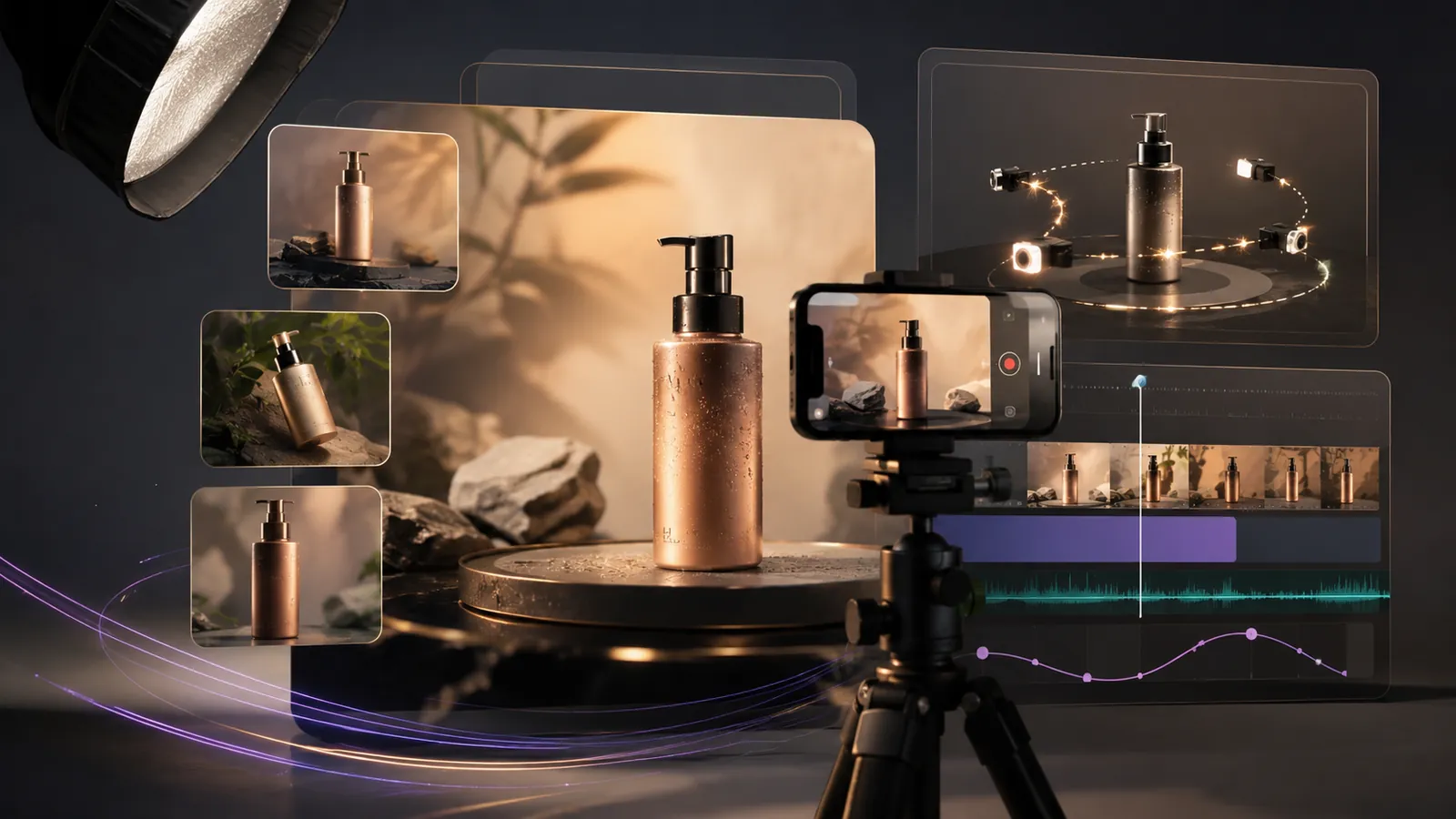
AI Viral UGC turning a product into a UGC-style video ad

AI Script Writer: Hooks and CTAs Built on Proven Frameworks

Not sure what to say in the first two seconds? The built-in script writer uses the PAS, AIDA and Problem-Solution frameworks to write the full script for you.

AI Viral UGC also includes a trending hooks generator and a smart CTA creator, and you can edit every line before you render.

Natural AI Voices and Lip-Sync: Presenters That Actually Speak

A silent avatar won’t sell anything. The app pairs each actor with a natural-sounding AI voice and lip-sync that matches the mouth to the words.

According to the vendor, the voices carry emotion and accent, and viewers won’t spot the lip-sync. That’s a bold claim, so watch the AI Viral UGC sample videos on the sales page first.

Multiple Video Styles: Testimonials, Unboxings, Demos and More

Want variety without new shoots? You can switch between testimonial, unboxing, product demo, before-and-after, review and storytelling styles.

A skincare serum suits a before-and-after clip, while a gadget suits an unboxing.

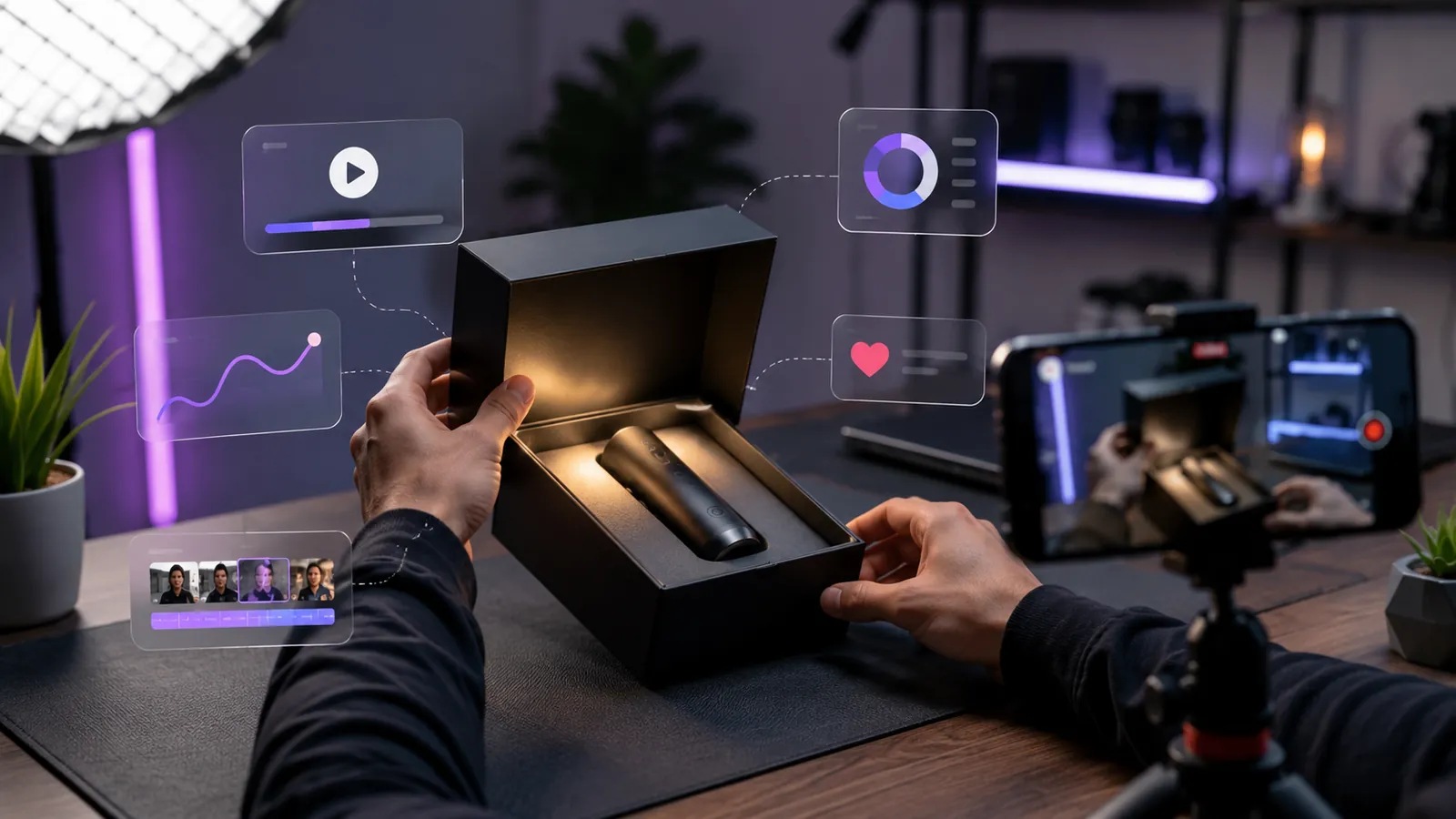
AI Viral UGC unboxing-style video with an AI creator

One-Click Auto Captions: Keep Viewers Watching

Most people scroll with the sound off. AI Viral UGC adds auto captions and subtitles in one click, so your message lands on mute without a separate caption subscription.

Multi-Language and Accent Support: Sell in Other Markets

Want to reach buyers outside your home market? AI Viral UGC supports multiple languages and accents, so the same product can get versions for other markets without a translator or voice artist. For freelancers, that’s an easy upsell.

Batch Video Creation: Test Dozens of Angles at Once

Instead of building one video at a time, AI Viral UGC lets you batch-create several at once. If you run paid ads, volume is what finds a winner, so this is one of the more practical features.

Full HD 9:16 Export: Ready for Every Short-Form Platform

Every video exports as a Full HD MP4 in the 9:16 vertical format, sized for TikTok, Reels, Shorts, Facebook and eCommerce product pages.

If you’d rather start from ready-made clips than generate your own, my Stickman Reels Bundle review covers a pack of 1,000+ pre-made reels for faceless channels.

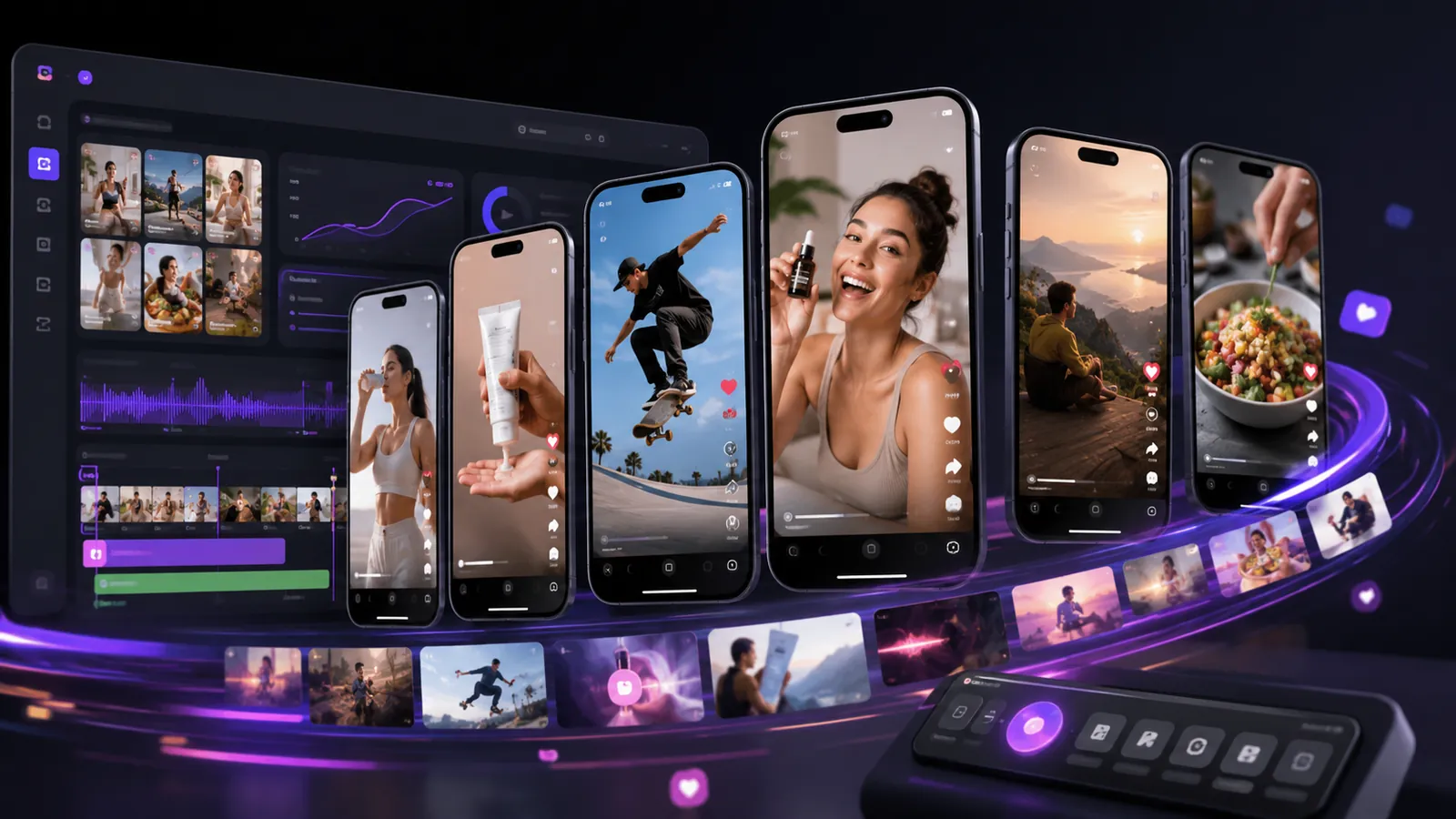
AI Viral UGC vertical videos for TikTok, Reels and Shorts on phone screens

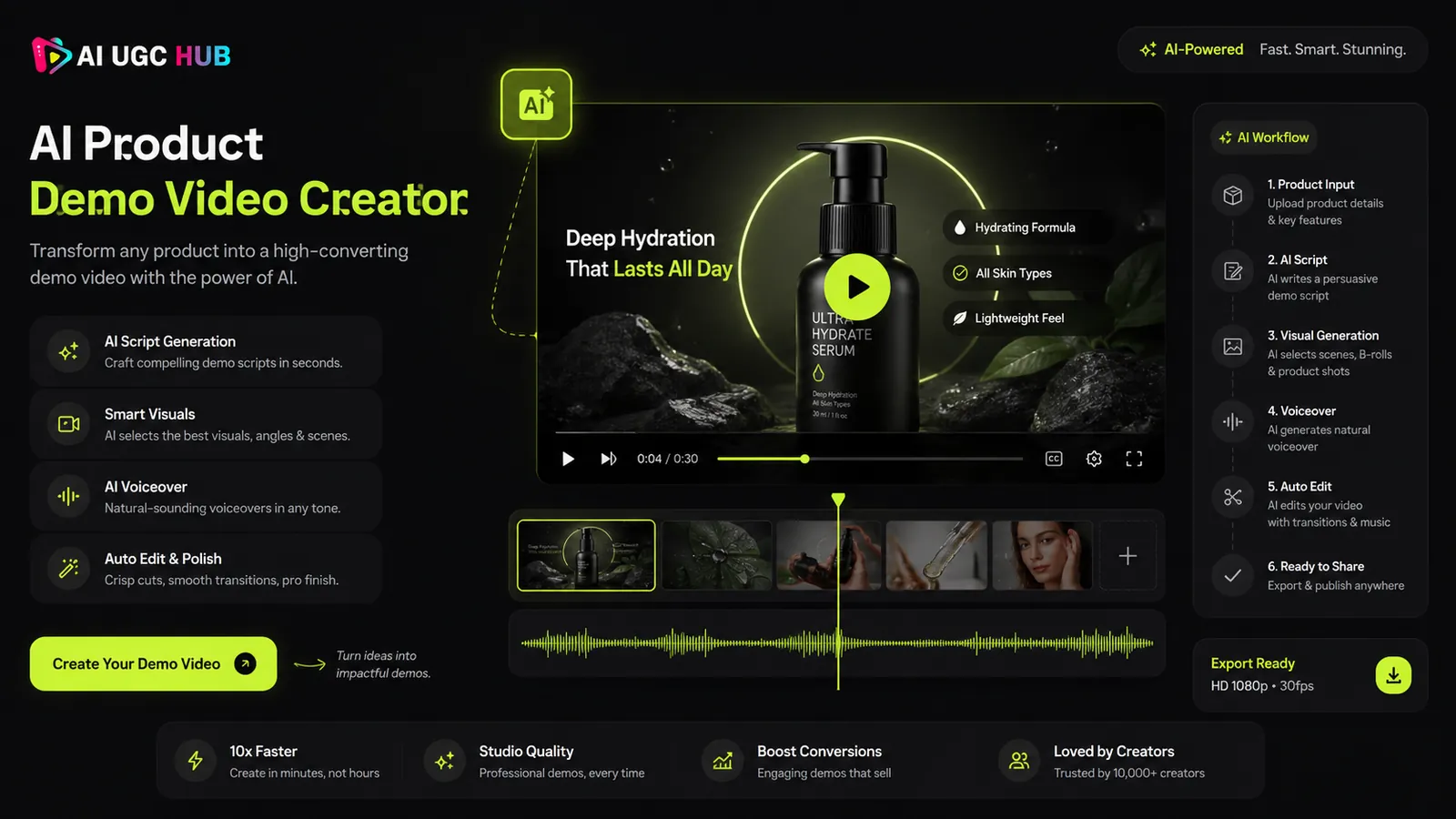
AI Product Demo Video Creator: Show the Product in Use

Need a clean demo rather than a talking head? The product demo creator builds a video that walks viewers through your product’s benefits.

AI Viral UGC AI Product Demo Video Creator screen

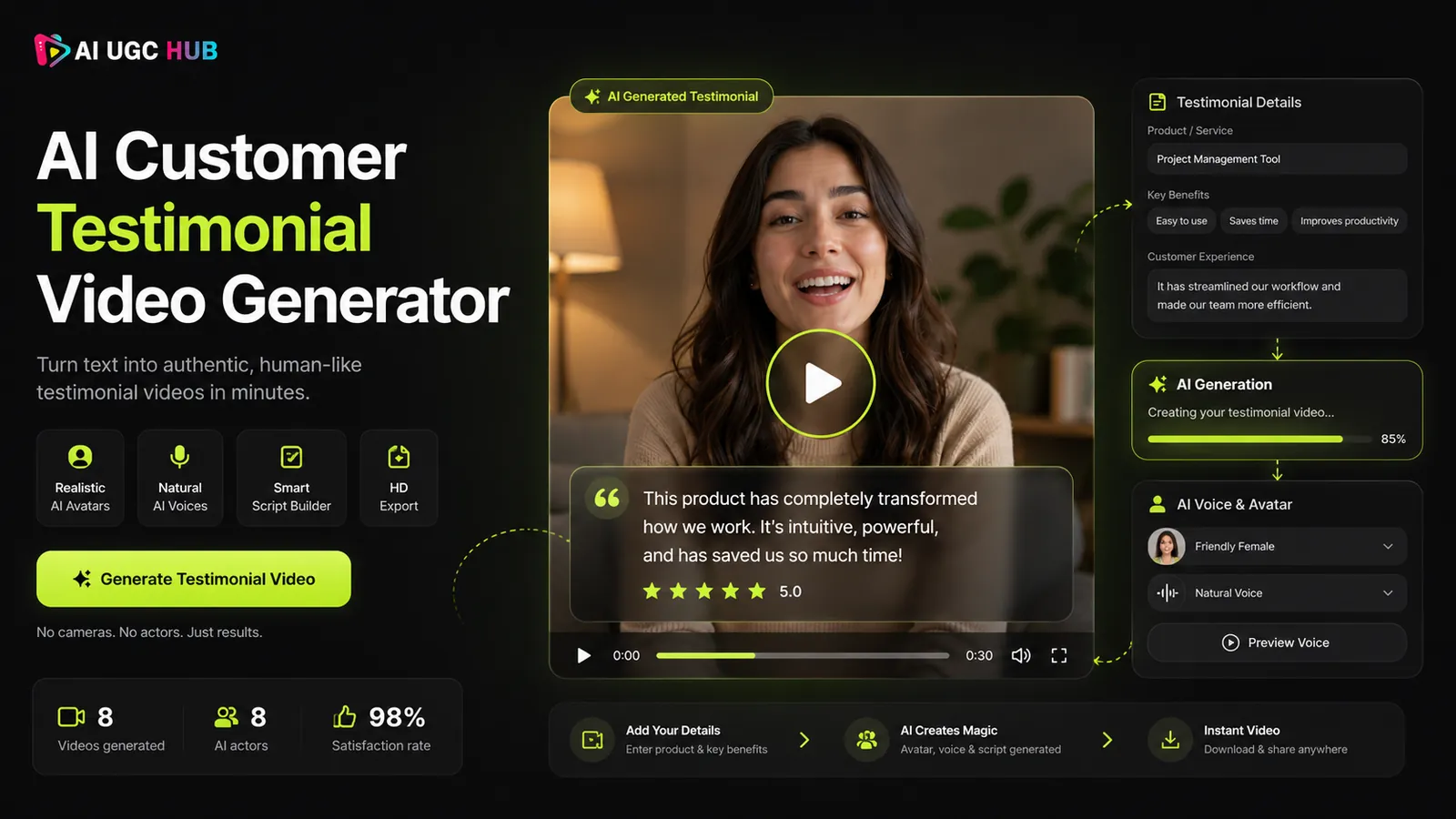
AI Customer Testimonial Video Generator: Testimonial-Style Clips

This tool creates testimonial-style videos where an AI presenter talks about the product as a happy user would.

Of course, these are AI presenters, not real customers, so use them as explainers in a testimonial format, not as genuine reviews.

AI Viral UGC AI Customer Testimonial Video Generator screen

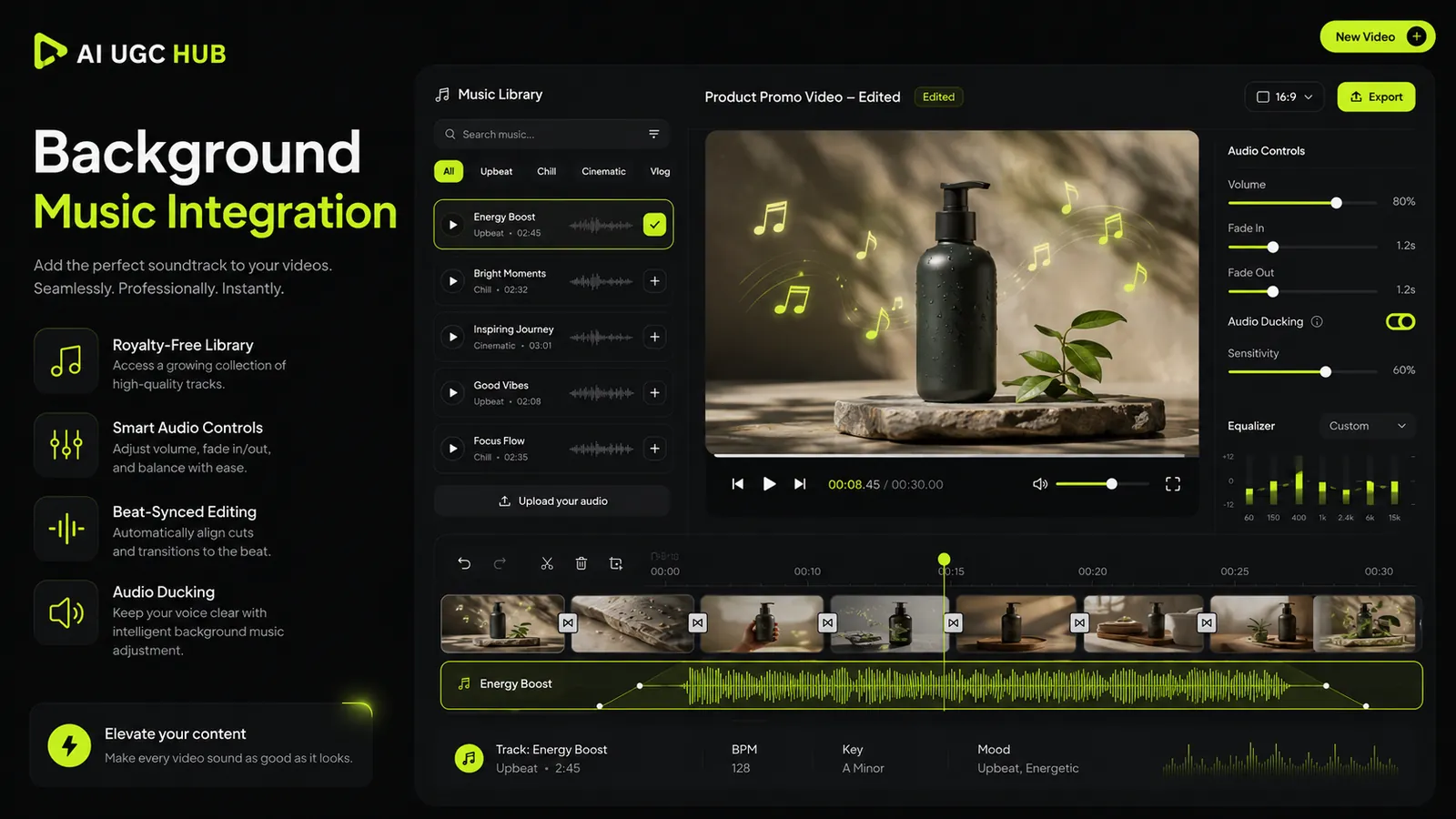
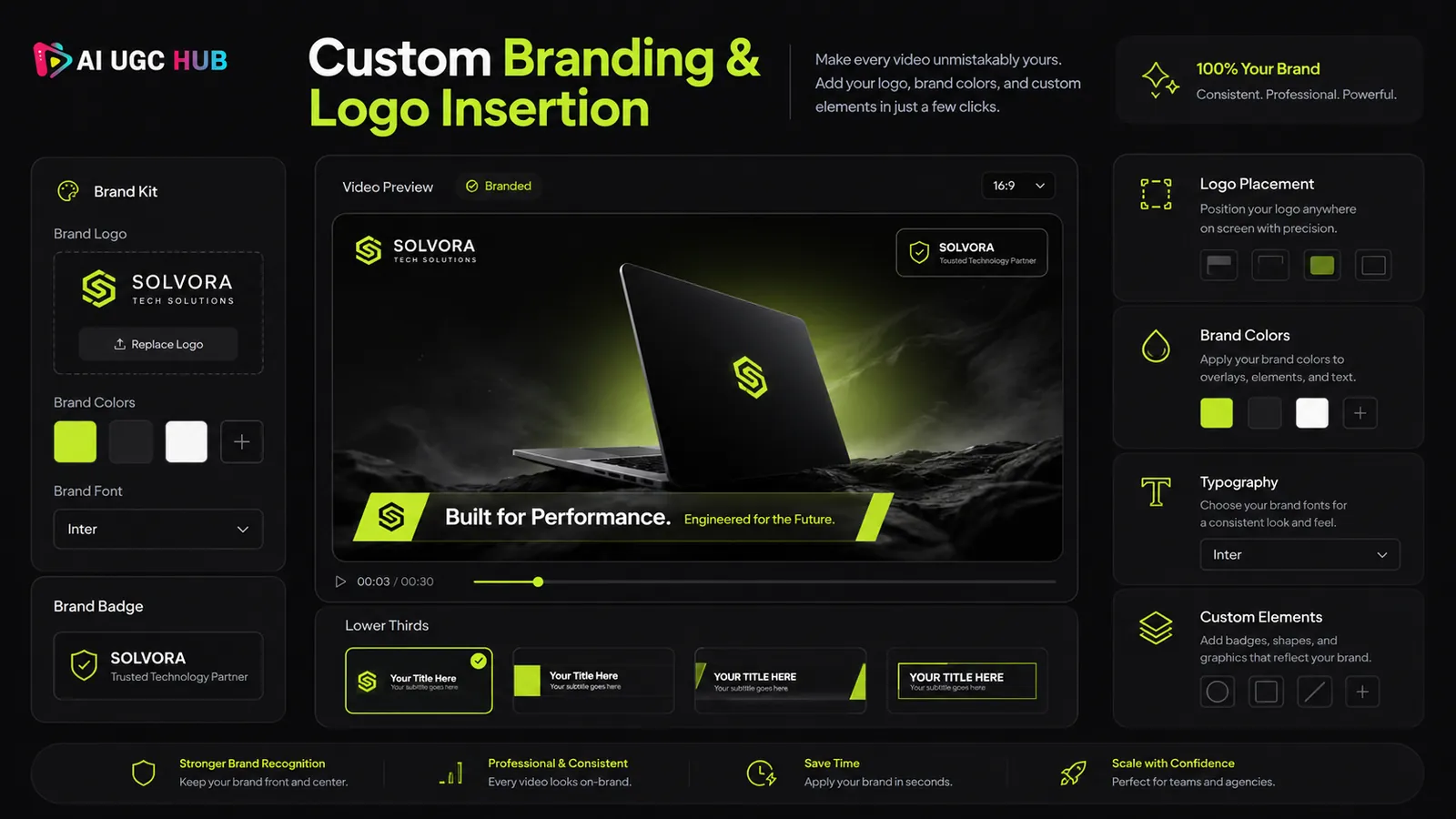
Background Music, Branding and Text Overlays: The Finishing Touches

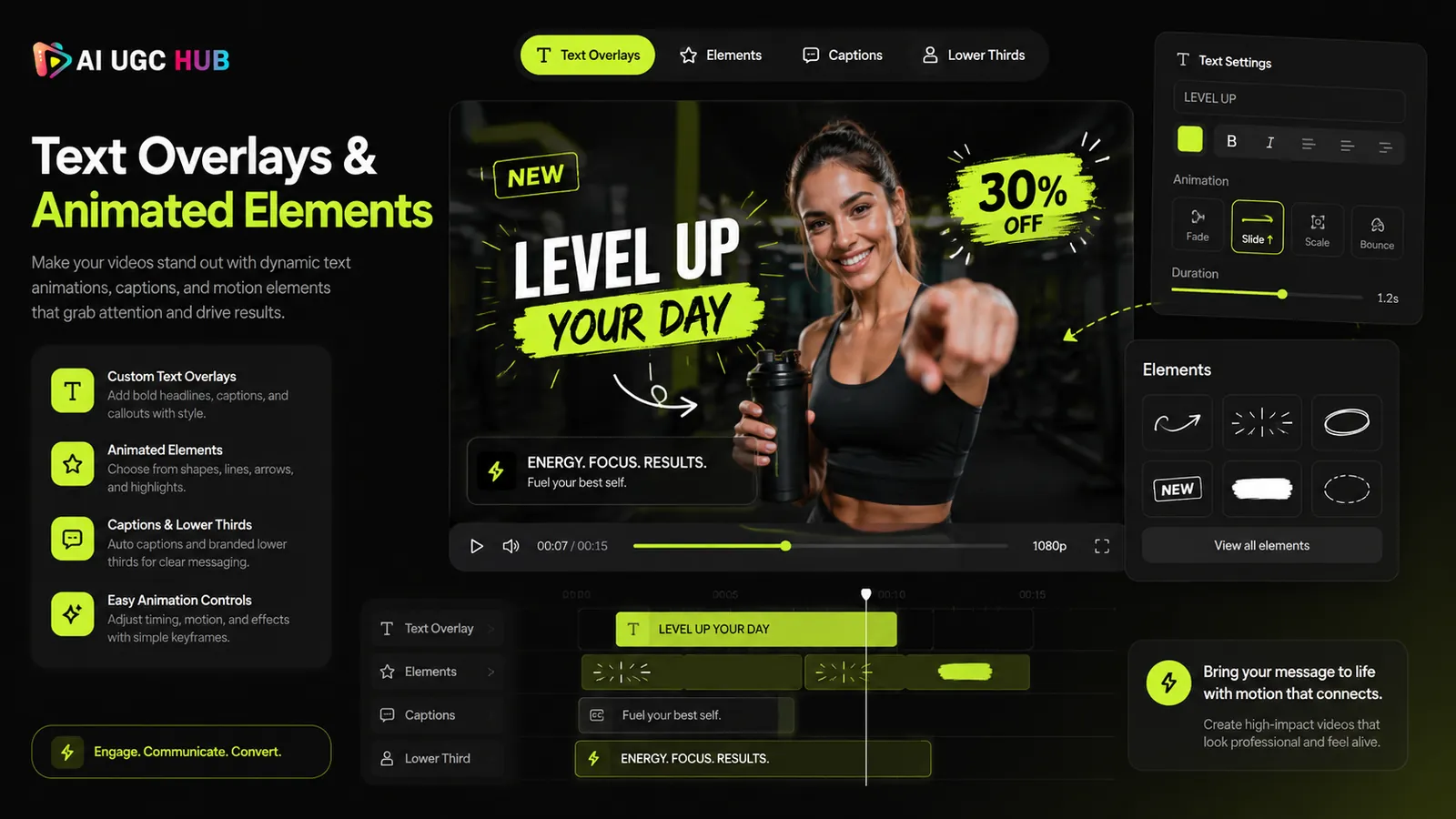
A raw clip rarely looks like a finished ad. The app lets you add background music, insert a logo and place text overlays and animated elements, so a client’s video carries their branding without a separate editor.

AI Viral UGC background music integration screen
AI Viral UGC custom branding and logo insertion screen
AI Viral UGC text overlays and animated elements screen

Done-For-You Video Templates: Start From a Proven Layout

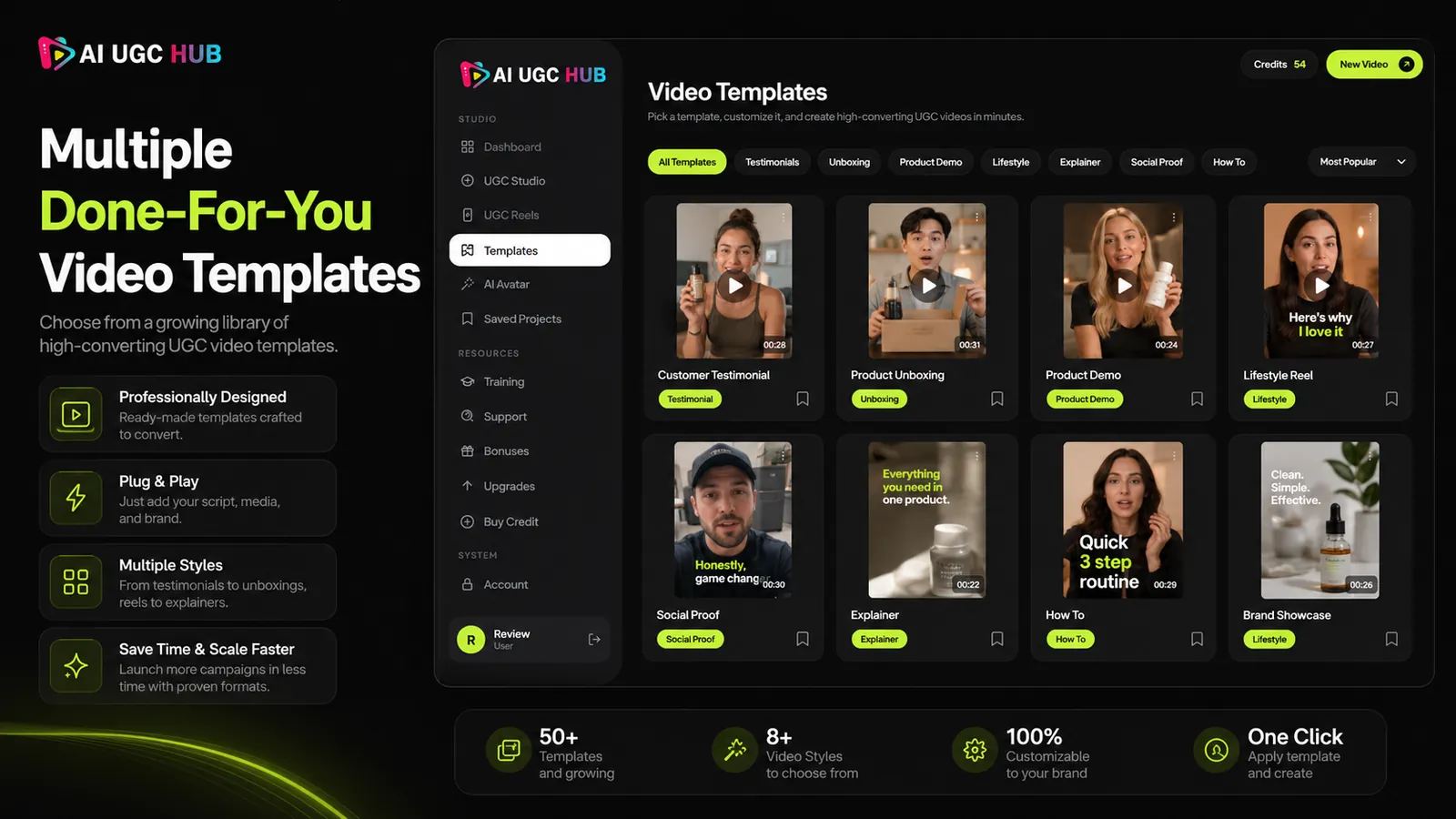
Don’t want to start from a blank screen? The sales page lists multiple done-for-you video templates you can pick and adapt.

Templates are where beginners will save the most time, because the structure is already decided.

AI Viral UGC done-for-you video templates screen

Cloud Dashboard With Commercial License, Training and Support

Everything runs in the browser, so there’s nothing to install and, according to the vendor, no API keys to set up. It works on a laptop, tablet or phone.

The front end also includes a commercial license to sell the videos you make, step-by-step training and 24/7 support.

Ready to try it? Grab AI Viral UGC through the button below.

Apply code VUGC3 for $3 off the front end.

AI Viral UGC in Action: A Complete Step-by-Step Software Walkthrough

For this walkthrough, I’ll follow the vendor’s own demo, which builds a UGC ad for an Apple MacBook Air M2 laptop. The demo recordings are on the vendor’s sales page; I haven’t used the app myself. In the demo, the dashboard carries the name AI UGC HUB, so don’t be surprised if that’s what you see after login.

Phase 1: Log In and Get Your Bearings

Step 1: Log In to the Dashboard

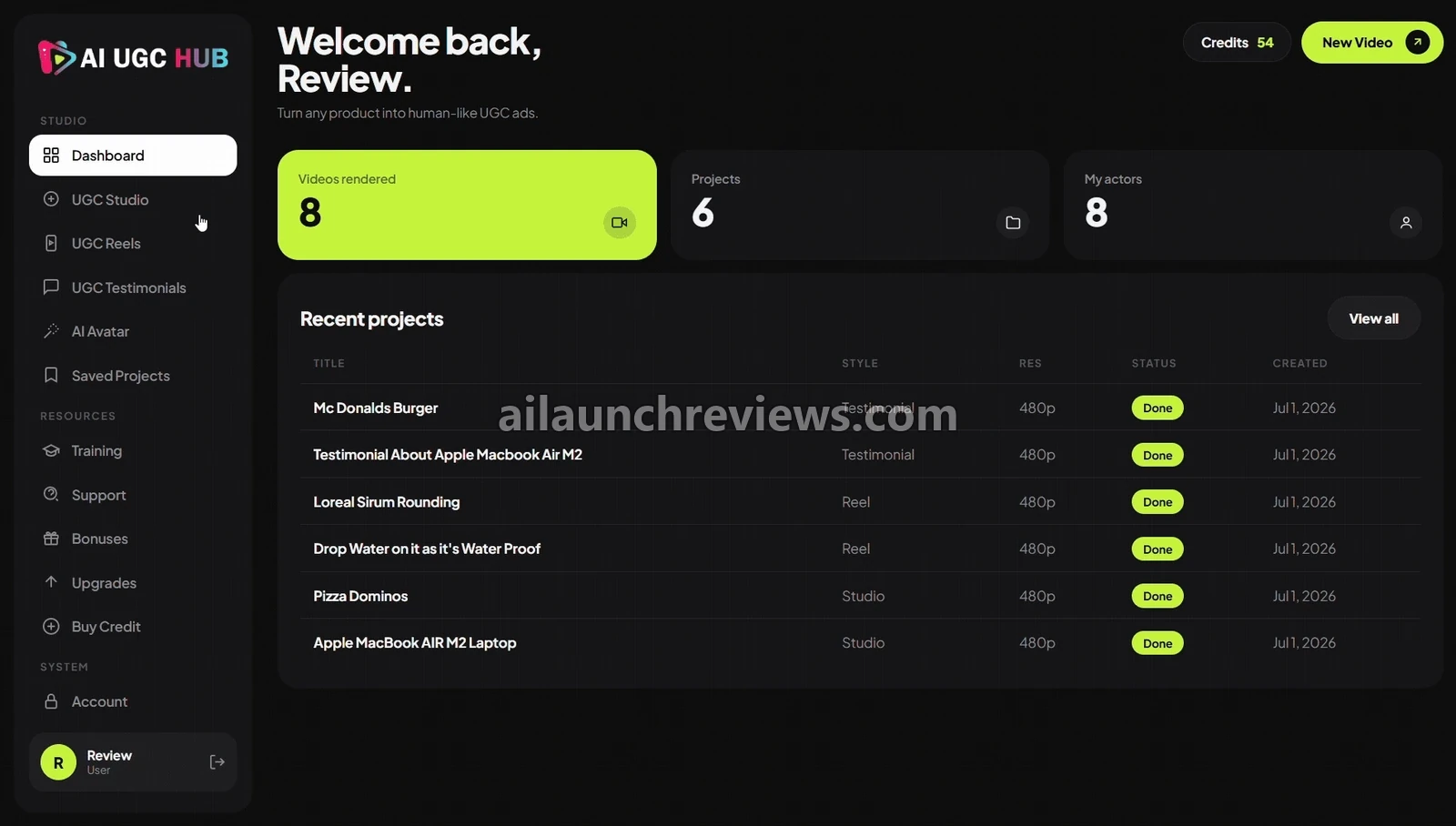
Open the app in your browser and log in. The home screen greets you with a welcome message and the tagline “Turn any product into human-like UGC ads.”

AI Viral UGC dashboard with videos rendered, projects and recent projects

Step 2: Check Your Stats

The top row shows Videos rendered, Projects and My actors, plus a Credits counter in the top-right corner.

Step 3: Review Recent Projects

The Recent projects table lists each video’s title, style, resolution, status and date. Click View all to see the full list.

Step 4: Pick the Right Studio

The sidebar splits the work into UGC Studio, UGC Reels, UGC Testimonials and AI Avatar, with Saved Projects underneath.

Step 5: Start a New Video

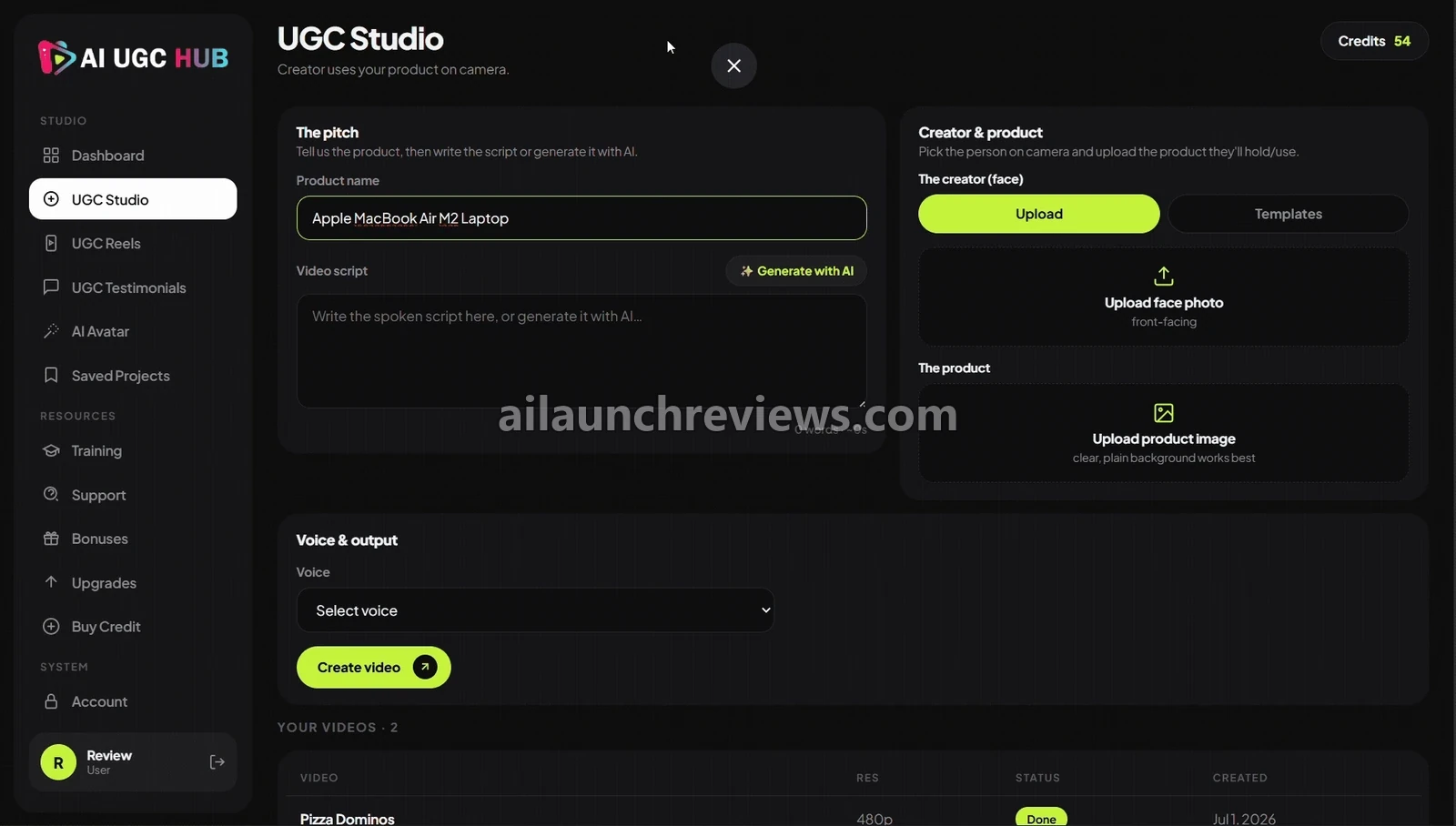
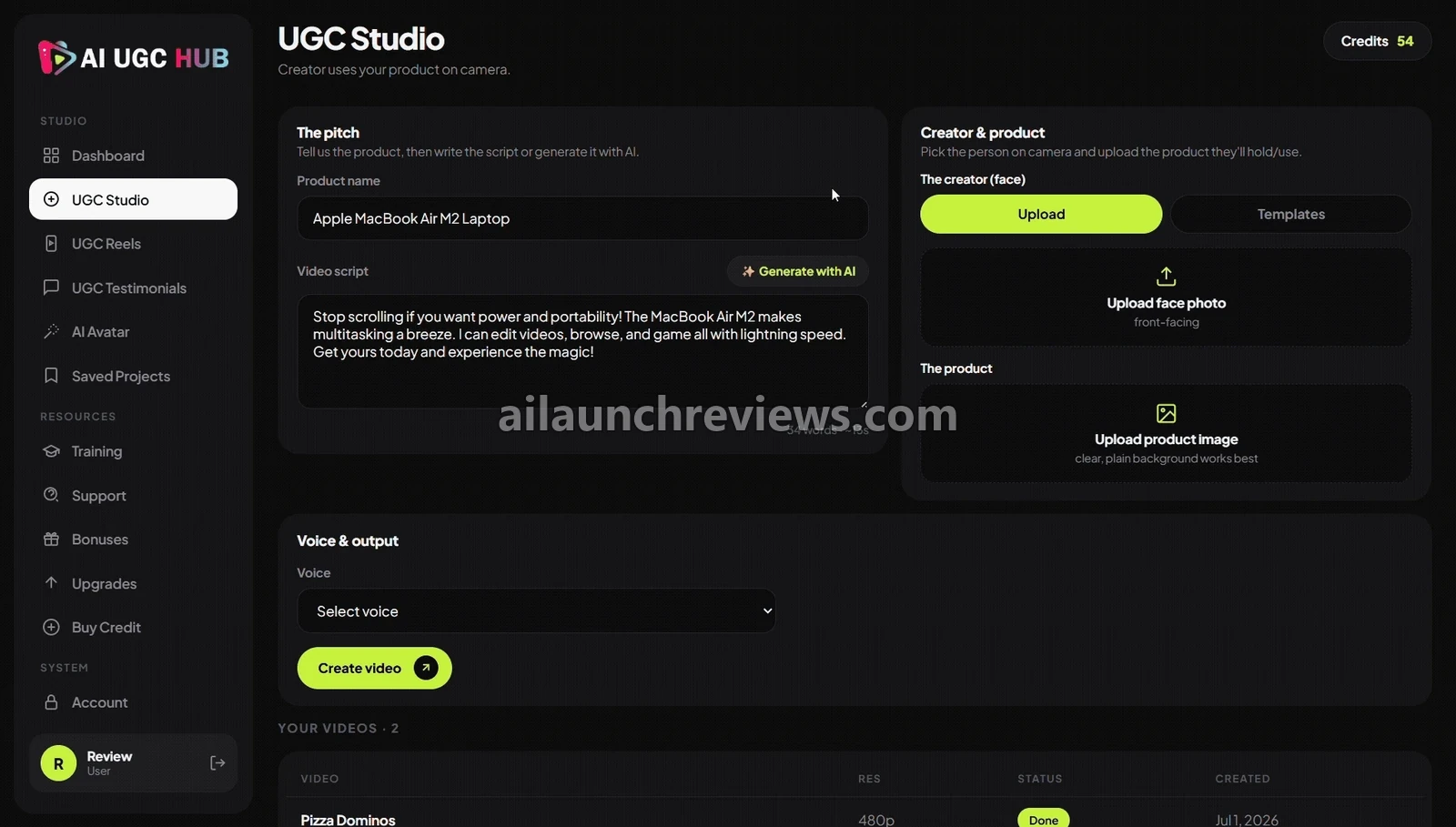
Click New Video or open UGC Studio. This studio is described as “Creator uses your product on camera,” which is the classic UGC ad.

Phase 2: Write the Pitch and Cast the Creator

Step 6: Enter the Product Name

In The pitch panel, type the product into Product name. The demo uses “Apple MacBook Air M2 Laptop.”

AI Viral UGC UGC Studio with the product name entered

Step 7: Generate the Script With AI

Click Generate with AI next to Video script. In the demo, the app writes a 34-word script and estimates it at about 13 seconds.

AI Viral UGC AI-generated video script for a laptop ad

Step 8: Edit the Script

Read the script and adjust anything that doesn’t sound like your brand. You can also skip the AI and write your own from scratch.

Step 9: Choose the Creator’s Face

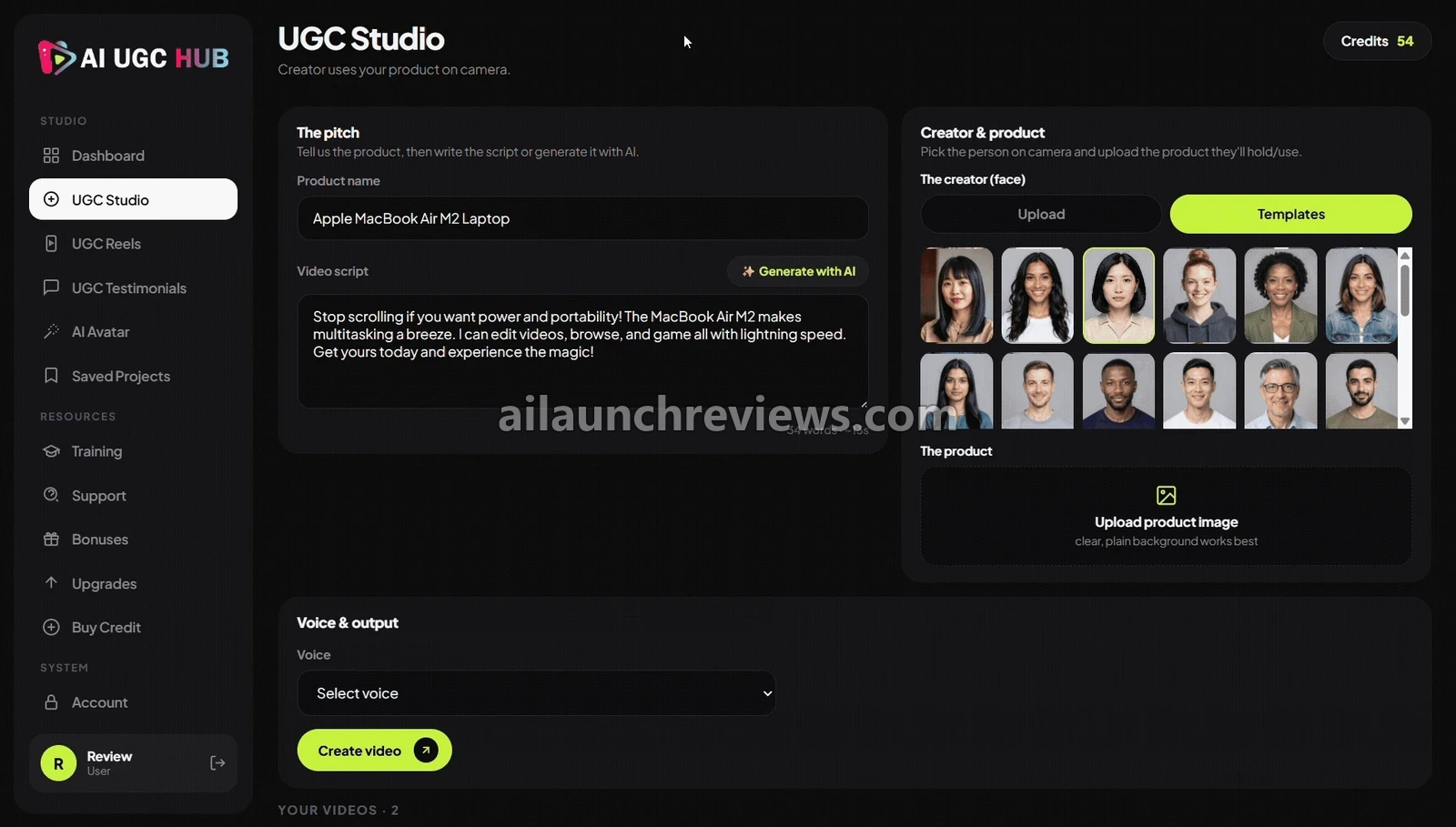
Under Creator & product, open The creator (face). Pick a face from Templates, or switch to Upload to use your own.

AI Viral UGC creator face templates in UGC Studio

Step 10: Upload the Product Image

In The product, click Upload product image. The app’s hint says a clear, plain background works best, so use a clean product shot.

Step 11: Select a Voice

In Voice & output, open Select voice and choose the voice that fits your presenter and market.

Phase 3: Create, Review and Reuse

Step 12: Create the Video

Click Create video. The app renders the clip with your script, presenter, voice and product.

Step 13: Find It in Your Library

New videos appear in the Your Videos list below the studio, so you can review them without leaving the page.

Step 14: Track Its Status

Back on the dashboard, each project shows its status. In the demo, finished videos are marked Done.

Step 15: Try Other Formats

Switch to UGC Reels or UGC Testimonials to make the same product in a different style. The demo’s project list includes Testimonial, Reel and Studio videos.

Step 16: Use the Built-In Resources

The sidebar also holds Training, Support, Bonuses, Upgrades and Buy Credit, so help and add-ons are one click away.

For more details, watch the vendor’s AI Viral UGC demo video.

Why Should You Consider Using AI Viral UGC?

Here are 3 reasons why I believe AI Viral UGC could be a valuable addition to your video marketing:

It Removes the Biggest Cost in UGC Ads

Hiring a UGC creator means paying per video and waiting for delivery; the vendor puts a single creator video at $500 to $2,000. With AI Viral UGC, the script, presenter, voice and captions come from one dashboard. What I like here is that a one-time launch price replaces a cost you’d pay again for every new ad.

It Gives You Volume for Testing

Paid ads rarely win on the first try. The sales page pitches batch creation as a way to test 50 angles in the time one used to take. I think this is the strongest practical case for the tool.

It Opens a Service You Can Sell

The AI Viral UGC front end includes a commercial license, and the vendor suggests local restaurants, gyms, salons and dentists as buyers. Of course, the software won’t automatically bring you customers or guarantee income.

Who Is AI Viral UGC Best For?

AI Viral UGC is a great fit for:

  • eCommerce and Shopify store owners: fresh ad creatives for every product without paying creators.
  • Dropshippers: fast product ads to test winners before you scale.
  • Affiliate marketers: short promo videos for the offers you push.
  • Freelancers on Fiverr and Upwork: a UGC or AI presenter video service with a low setup cost.
  • Small agencies: extra video deliverables for existing clients.
  • Faceless content creators: daily short-form posts without showing your face.
  • Coaches and course sellers: explainer and demo clips for your own offers.

It may not suit:

  • Brands that need real customer testimonials: AI presenters can’t replace genuine reviews.
  • Long-form video makers: the app is built for short vertical clips.
  • Buyers who want every feature for one price: many extras sit in the upgrades.

AI Viral UGC Pricing Breakdown: Front-End, OTOs and Coupon

Front-End Price

AI Viral UGC is listed at $17 (one-time payment) in the vendor’s launch details, with no monthly subscription required. The sales page preview showed $14.95 before launch, so check the final price on the checkout page.

The front end includes the full cloud web app, the 100+ AI actor library, the AI script writer, AI voices with lip-sync, auto captions, the hooks and CTA creator, multi-platform templates, Full HD MP4 export, a commercial license, step-by-step training and 24/7 support.

The vendor’s own cost table puts one UGC creator video at $500 to $2,000, so replacing even one creator video covers the front end.

The vendor states the one-time price is a launch offer and that it switches to $97 a month when the sales page timer ends. The launch is scheduled to close on November 29, 2026.

You’re covered by a 30-day money-back guarantee. The vendor says you can email support within that window for a full refund if you’re not happy.

At checkout, the sales page also offers an optional “AI Viral UGC Business Edition” add-on for $9.97. The vendor says it adds longer clips, premium avatar and product-video templates, 4K renders, more realistic presenters and priority support.

Click the button below to access the main sales page:

Apply code VUGC3 for $3 off.

AI Viral UGC OTO Breakdown

Here’s every upgrade in the funnel, in order. Prices are the vendor’s launch prices; some upgrade pages show tier prices that differ, so confirm the figure on each page. The vendor’s upgrades page also lists the code VUGC30 for 30% off upgrades you skipped.

OTO 1: AI Viral UGC Unlimited ($37 One-Time)

Price: $37 (one-time payment)

Its page says the front-end account can only create a limited number of videos, scripts and avatars, and this upgrade lifts those caps.

Here’s what you’ll unlock with this upgrade: unlimited videos, actor generations, scripts, voices and DFY templates, publishing in 120+ languages, 4K downloads with no watermarks, unlimited client work and cloud storage, priority rendering and future updates. The page shows Silver and Gold tiers.

Who needs it: anyone making videos every day or for several clients. Who can skip it: testers making a handful of videos for their own store.

OTO 2: AI Viral UGC Pro ($47 One-Time)

Price: $47 (one-time payment)

Pro pays for itself if you run a store with many products or deliver branded videos to clients. It adds an ultra-realistic actor engine, a bulk generator for 50+ products at once, 4K export without watermarks, a custom actor cloner for a signature face and voice, a multi-scene story builder, animated captions in 50+ languages and a white-label agency mode, in Regular and Full Access tiers.

Who needs it: dropshippers and agencies working at volume. Who can skip it: solo users happy with single videos.

OTO 3: AI Viral UGC DFY ($67 One-Time)

Price: $67 (one-time payment)

The funnel lists a DFY upgrade here, but the vendor’s pages didn’t describe its contents when I checked; the page at this step was promoting a different product called AI Workers.

Who needs it: decide once the upgrade page shows what’s included. Who can skip it: anyone who won’t buy without a feature list.

OTO 4: AI Viral UGC Profit Templates ($47 One-Time)

Price: $47 (one-time payment)

Profit Templates is in the funnel, but the vendor’s pages don’t say what the templates cover; the page at this step showed a “1st Page Ranker” SEO offer instead.

Who needs it: buyers who want ready-made material, once details appear. Who can skip it: anyone happy with the front end’s DFY templates.

OTO 5: AI Viral UGC 10X Traffic ($47 One-Time)

Price: $47 (one-time payment)

This upgrade gives you access to what the vendor calls its personal pool of buyer traffic. The page says you can send 1,000 to 3,000 clicks a day to a link of your choice, such as an affiliate link, funnel or opt-in page.

The vendor doesn’t name the traffic source, so treat it as an experiment and track results closely. If you want to understand the options first, my guide to traffic generation software for businesses explains how different traffic sources compare.

Who needs it: affiliates with an offer ready and no traffic yet. Who can skip it: anyone selling videos to local clients.

OTO 6: AI Viral UGC Reseller ($97 One-Time)

Price: $97 (one-time payment)

The funnel lists a Reseller license here, but the vendor’s pages don’t state its terms, such as how many accounts you can sell.

Who needs it: people who want to sell app access, once the terms are published. Who can skip it: anyone selling videos rather than software.

OTO 7: AI Viral UGC Agency ($97 One-Time)

Price: $97 (one-time payment)

The Agency upgrade lets you sell app accounts as your own service. According to the page, you get an admin panel to create unlimited customer accounts by entering their email, and the vendor’s sales pages, funnel and videos to use for your offer.

You collect payment through PayPal, Stripe or a bank account, and the vendor says it handles support for your clients. You can charge customers monthly, yearly or one time.

Who needs it: marketers with an audience who want recurring software income. Who can skip it: video freelancers.

OTO 8: AI Viral UGC Whitelabel ($197 One-Time)

Price: $197 (one-time payment)

Whitelabel gives you your own branded version of the app, with your name, logo and domain. The vendor says it hosts and updates the software, handles support, designs a logo, sets up the domain and helps with sales pages and videos.

It also mentions built-in PayPal payments and training on launching your product on WarriorPlus or JVZoo.

Who needs it: anyone who wants to launch a software product without building one. Who can skip it: almost everyone else, since this is a business in itself.

OTO 9: AI Viral UGC Live Workshop ($37 One-Time)

Price: $37 (one-time payment)

The funnel ends with a Live Workshop. The vendor’s pages don’t give the date, length or topics, so check the upgrade page before you buy.

Who needs it: beginners who learn best from live training. Who can skip it: anyone comfortable learning from the included training.

Front-end plus every upgrade comes to $690 ($17 + $37 + $47 + $67 + $47 + $47 + $97 + $97 + $197 + $37), before coupons and the optional $9.97 add-on.

Which Plan Should You Pick?

If you only need videos for your own store or affiliate offers, the $17 front end is enough to start, and you can see whether the output works for you within the 30-day refund window. If you plan to sell videos to clients every week, add OTO 1 Unlimited and OTO 2 Pro for higher volume, 4K export and bulk creation. Agency and Whitelabel only make sense if you want to sell the software itself, and I’d wait on DFY, Profit Templates, Reseller and the Live Workshop until their pages explain what’s inside.


AI Viral UGC Bonuses

According to the sales page, AI Viral UGC comes with 5 fast-action bonuses:

AI Viral UGC free bonus bundle

“Winning Hooks” Swipe File (Value $97): 200+ proven hooks you can drop into any video.

UGC Agency Starter Kit (Value $397): client contracts, pricing sheets and cold-outreach scripts to land paying clients.

Viral Video Formula Cheat Sheet (Value $67): a seven-part structure for short UGC videos.

100 Done-For-You Niche Video Ideas (Value $77): ready-made angles for profitable niches.

Commercial License Upgrade (Value $197): sell every video and ad you create and keep the profit.

The sales page also lists 5 launch bonuses: a $1K-A-Day Live Mastermind, a 100 DFY Viral UGC Niches and Scripts Library, an AI UGC Agency Builder Kit with 26 resources, a Traffic Domination Blueprint and a TikTok, Reels and YouTube Monetization Vault.

Want more? Scroll to the end of this review for my own bonus package, which you get on top of the vendor’s bonuses.

Can You Really Make Money With AI Viral UGC?

Yes, but the software won’t bring you customers or guarantee income on its own. The commercial license in the front end lets you sell the videos, so here are the realistic ways to use it.

Sell UGC Video Packages to Local Businesses

Restaurants, gyms, salons and dentists need short social videos but rarely have time to film them. Create a set with an AI presenter, add their logo, and deliver the MP4 files.

Price by monthly package, based on what local video freelancers charge. Expect most of the effort to go into outreach, not production.

Offer an AI Presenter Video Service on Fiverr and Upwork

Many sellers want UGC-style ads but can’t afford human creators. List a gig for AI presenter product videos, use the script writer and template faces to deliver, and offer extra language versions as an add-on.

Set your price by checking similar gigs and adjusting for your delivery time. Reviews take time to build, so the first orders are the hardest.

Make Ad Creatives for Your Own Store or Affiliate Offers

The quickest return is often your own products. Use the batch feature to create several hooks for one product, run them as test ads, and keep the ones that perform.

There’s no price to set here, but you’ll still need an ad budget and the patience to test. If you’d rather sell accounts than videos, that needs OTO 7 Agency or OTO 8 Whitelabel.

Run a Faceless Short-Form Channel

You can post product reviews or niche explainers daily on TikTok, Reels or Shorts without showing your face, and earn through affiliate links or platform payouts where you qualify. This route takes the longest, and growth depends on consistency more than on the tool.

What I Love About AI Viral UGC (And What I'd Improve)

PROS

  • Low Entry Price: the front end is a one-time payment during launch, not a monthly plan.
  • Large Actor Library: 100+ AI actors across ages and ethnicities, plus the option to upload a face.
  • AI Script Writer: scripts, hooks and CTAs built on PAS, AIDA and Problem-Solution frameworks.
  • Simple Workflow: the demo shows one screen for pitch, creator, product and voice.
  • Many Video Styles: testimonials, unboxings, demos, reviews and storytelling from one app.
  • Multi-Language Output: reach other markets without translators or voice artists.
  • Auto Captions Included: no separate caption subscription needed.
  • Vertical Export: 9:16 MP4 files sized for TikTok, Reels, Shorts and Facebook.
  • Commercial License in the Front End: you can sell videos to clients without buying an upgrade.

  • Cloud-Based: nothing to install, and the vendor says it works on any device.
  • 30-Day Guarantee: time to test the output before you commit.

CONS

  • Credits Aren’t Explained: the vendor’s demo dashboard shows a Credits counter and a Buy Credit menu item, but the sales page says there are no hidden credits and doesn’t say how many credits the front end includes.
  • Front-End Limits Are Unclear: the sales page says “unlimited,” while the Unlimited upgrade page says the base account is limited without stating the limits.
  • Resolution in the Demo: the sample projects in the vendor’s dashboard are listed at 480p, while 4K and watermark-free downloads appear in the upgrades.
  • Long, Partly Undocumented Funnel: nine upgrades total $690 with the front end, and four of them (DFY, Profit Templates, Reseller, Live Workshop) had no description on the vendor’s pages.
  • Inconsistent Sales Materials: some upgrade pages show different prices or different products from the funnel list, and the dashboard is branded AI UGC Hub.
  • AI Testimonials Need Care: AI presenters aren’t real customers, so presenting their clips as genuine reviews can mislead buyers and break advertising rules on endorsements.

AI Viral UGC FAQ

1. Do I need video editing skills to use AI Viral UGC?

No. According to the vendor, you type a product or idea, pick a creator and voice, and the app handles the script, presenter and captions.

2. Is AI Viral UGC cloud-based, or do I install it?

Yes, it’s cloud-based. The vendor says there’s nothing to install and it runs in your browser.

3. Do I need the OTOs to get value from it?

Not necessarily. The front end covers the core workflow, but OTO 1 Unlimited removes the base account’s limits and OTO 2 Pro adds bulk creation and 4K export.

4. Can I sell the videos I make?

Yes. The sales page says a commercial license is included in the front end, so you can sell videos and ads to clients.

5. Are there API keys or credit costs?

Not necessarily. The vendor says no API keys are needed. However, the demo dashboard shows a credit counter and a Buy Credit option, so ask support how credits work before you rely on high volume.

6. What format do the videos export in?

Yes, they export as files you can keep. The vendor says videos export as Full HD MP4 in the 9:16 vertical format, with 4K downloads listed in OTO 1 and OTO 2.

7. Does it work on a phone or tablet?

Yes. The vendor says the app works on any device, including laptops, tablets and phones.

8. Can I use it for client work?

Yes. The commercial license covers client videos; OTO 1 adds unlimited client work and OTO 7 Agency lets you sell app accounts.

9. How do I get support?

Yes, support is available through the vendor’s support desk at digisprout.live, which has an AI assistant and a human support email, and the sales page promises 24/7 support.

10. Can I get a refund?

Yes. The front end and each upgrade page carry a 30-day money-back guarantee; the vendor says you only need to email support.

My Final Verdict on AI Viral UGC

Overall, I believe AI Viral UGC is worth considering, especially if you want a low-cost way to produce UGC-style product videos at volume for your own ads or for clients. This AI Viral UGC review found a focused workflow: product, script, creator, voice and render on one screen.

Start with the front end if you’re testing ads for your own store, and add Unlimited and Pro only once you know you’ll create videos every day. Agency and Whitelabel are for people who want to sell the software, not the videos.

My honest caveat: this review is based on the vendor’s sales page, upgrade pages and demo recordings, not hands-on testing. The credit counter, 480p demo renders and undocumented upgrades are worth checking during your 30-day refund window.

GENERAL BONUS

CLAIM YOUR EXCLUSIVE BONUSES IN 3 SIMPLE STEPS

Step 1: Purchase the AI Viral UGC directly from my website.

Step 2: Once your purchase is complete, forward your receipt to: bonus.samxavier@gmail.com

Step 3 (Final): Sit back and relax! You’ll receive all your bonuses within 24 hours, guaranteed.

Thanks for reading my AI Viral UGC Review. Wishing you and your family continued success and prosperity!

Author

  • Sam

    I’m Sam, an SEO, digital marketing, and affiliate marketing specialist. Through ailaunchreviews.com, I promote and review AI tools, plugins, themes, and software, helping beginners choose high-quality, efficient products that deliver real value, productivity, and trustworthy results.

Leave a Comment