CIAgent Review: Is This $47 AI Marketing Team Worth It?

Brief one AI team once, and get a matching offer, sales page, emails and a week of posts back.

How many AI chats have you opened this month, and how many of them turned into something you actually launched? In this CIAgent review, I want to look at a tool that tries to fix that exact gap.

Think about it. You explain your business to one tool for the sales page, again to another for the emails, and again for your social posts. Then you spend the evening fixing a price that doesn’t match and a tone that sounds like three different people.

The old way costs money or hours: hire a copywriter, a designer and an email writer, or become all three yourself.

CIAgent takes a different angle: a team of named AI marketing specialists who share one brief, so every piece they produce matches what you already approved.

In this CIAgent review, I’ll explore what the software offers, how it works, and whether it’s worth your investment. Read on to find out if CIAgent fits your plan to launch your first offer.

This review contains affiliate links. If you buy through them, I may earn a commission at no extra cost to you.

CIAgent is a web-based AI marketing team that turns one short brief into your offer, sales page, welcome emails and a week of social posts, so beginners and small business owners can get a first campaign ready without writing prompts.

The front-end package, called the Starter Squad, gives you 7 AI specialists. Steven is the campaign manager who interviews you. Miriam shapes the offer, Boris writes the sales copy, Marina designs the landing page, Florence writes the emails, Ben plans the posts, and Cora checks the claims before anything reaches you.

What sets CIAgent apart is the shared brief. Instead of ten separate chats that each start from zero, every specialist works from the same approved facts. If you’ve compared general AI writing tools for business content before, this is the main difference: CIAgent is built around a team and a workflow, not a single blank prompt box.

CIAgent Review: Quick Overview

Owerview
Product CreatorEsai (CIAgent)
Product NameCIAgent
Launch Date2026-Nov-24
Launch Time10:00 AM ET
Front-end Price$47 (one-time payment)
Number of OTOs3 upgrades plus 1 order bump and 3 downsells, $27 to $497
CouponNone announced
Official Website>>>Visit The FE Salespage<<<
BonusYes, Huge Bonuses
Guarantee14 Day Money Back Guarantee
NicheAI Marketing Software
Vendor’s Supportsupport@ciagent.io
Claim My Bonusesbonus.samxavier@gmail.com
RecommendWorth considering for beginners who want a matching first campaign

Above is the Complete Overview of CIAgent and I mentioned the creator’s name, the launch date of the product, and the Front End price details.

About the Creator: Esai

CIAgent is built by Esai, the founder of the company. According to the vendor, he created it because he was tired of watching people with good ideas get stuck at the blank page, and he runs the live Launch Sprint sessions with buyers himself.

The vendor says this is CIAgent’s first WarriorPlus launch, and its pages don’t list earlier products or years in the space. What I can confirm is the paperwork: a public refund policy, terms of service, an earnings and AI disclaimer, and a support address at support@ciagent.io. The terms are governed by the laws of Ontario, Canada.

That matters here because a “lifetime” upgrade depends on the company staying around. The vendor is open about it: its terms define lifetime as “for as long as CIAgent operates”, and promise at least 30 days’ notice to download your work if the service ever shuts down.

From One Brief to a Full Campaign: What CIAgent Can Do

Here’s what the Starter Squad includes, feature by feature, based on the vendor’s sales page.

Steven the Campaign Manager: One Question at a Time

Not sure what to ask an AI first? CIAgent removes that problem by starting with an interview.

Steven asks one simple question at a time, and each question comes with his recommended answer. You can accept it, change it, or just say “go with your pick”. There’s also a microphone button, so you can talk instead of typing.

Even better, Steven routes every job to the right specialist, so you only ever talk to one person.

CIAgent Steven, the AI campaign manager who interviews you and routes jobs

The One Brief Method: Never Re-Explain Your Business

Forget pasting your business description into every new chat. With CIAgent, you brief Steven once, and that brief becomes the shared source for the whole team.

When you approve a piece of work, it becomes official, and every next piece builds on it. That’s how the page, the emails and the posts end up with the same price, the same promise and the same voice.

CIAgent One Brief Method illustration with Steven sending one brief to the whole team

Miriam: An Offer People Understand in Seconds

Have an idea but can’t explain it in one line? Miriam is the offer specialist who shapes your offer and hook.

According to the vendor, the goal is an offer people understand in about 5 seconds instead of scrolling past. For beginners, this is the step most people skip, and it’s the one that makes the rest of the copy easier to write.

CIAgent Miriam, the AI offer and hook specialist

Boris: Sales Copy Built on a Classic-Ads Playbook

Boris writes your sales page. The vendor says his playbook is distilled from 440 classic ads by copywriters such as Barton, Ogilvy, Schwartz, Suarez and Abbott.

What I like here is the direction: the copy is written from your own interview answers, not from a generic template. If a section doesn’t sound like you, you tell the team what to change and it’s redone.

CIAgent Boris, the AI sales copywriter who writes your sales page

Marina: A Designed Landing Page Without Designing It

Can’t design a page yourself? Marina takes Boris’s approved copy and designs the landing page with images.

The finished page lands in your chat, ready to move onto the website builder you already use. Of course, CIAgent doesn’t host the page for you, so you’ll still need a place to put it online.

CIAgent Marina, the AI web designer who builds your landing page

Florence: A 5-Email Welcome Sequence

Florence writes your welcome sequence. The sales page describes it as a 5-email sequence, written and ready to paste into your email tool.

If you don’t have an email tool yet, our guide to email marketing software for businesses covers the main options. Even better, because Florence works from the same brief, your emails repeat the same offer your page makes.

CIAgent Florence, the AI email writer for welcome sequences

Ben: A Week of Social Posts, Planned and Written

Ben plans and writes a week of posts for you. The vendor’s promise is simple: you open your phone on Monday knowing exactly what to post.

You still copy the posts to your own accounts, because the CIAgent front end doesn’t publish anything for you.

CIAgent Ben, the AI social media specialist who plans a week of posts

Cora: A Claims Check Before You Publish

Worried about saying something you can’t back up? Cora reviews every page and post before it reaches you.

According to the vendor, she flags claims that can get ads rejected, which is useful if you plan to run paid traffic later. You still need to fact-check health, money and legal claims yourself, and the vendor’s own disclaimer says so.

CIAgent Cora, the AI claims checker who reviews every piece before publishing

Seven Specialists, Each With Their Own Chat

Each specialist in CIAgent has their own chat and memory of your brief, so you can go back to Florence about one email without reopening the page discussion.

CIAgent Starter Squad team of seven AI marketing specialists working from one brief

The "Use This" Button: An End to Endless Drafts

Instead of collecting twenty versions of the same headline, you say use this and that version becomes official. Every later piece builds on it.

It’s a small CIAgent feature that stops the “is this good enough?” loop.

Paste Any Link for a Competitor Study

Found a competitor page you like? Paste the link, and the vendor says the team opens it in a real browser, on desktop and phone, and studies it for you.

This works for your own page too, before you rewrite anything.

1,000 Credits, No API Keys, Works on Your Phone

CIAgent runs in your browser on desktop or phone. You don’t need API keys or a ChatGPT subscription.

The front end includes 1,000 one-time credits, which the vendor says is enough for about two full campaigns with images. You see the credit cost before every job, and the credits stay in your account until you use them.

You Own What the Team Makes

The vendor says you own the work the team creates, and its terms allow you to use it for your business and your clients. That opens the door to client work, which I cover in the money section below.

Ready to try it? Grab CIAgent through the button below.

No coupon code has been announced for this launch.

CIAgent in Action: A Complete Step-by-Step Software Walkthrough

I haven’t used CIAgent myself, so this walkthrough follows the workflow the vendor describes on its sales page and the screens it shows. For the example, imagine you want to launch a beginner sourdough baking course.

Phase 1: Set Up and Brief Steven

Step 1: Complete your purchase. Buy the Starter Squad through WarriorPlus. The vendor says access arrives right after purchase.

Step 2: Create your account at app.ciagent.io. Sign up with the same email you used at checkout. The vendor’s terms say this lets your purchase unlock automatically.

Step 3: Start a conversation with Steven. Tell him about your idea in a sentence or two: a short online course that teaches busy beginners to bake their first sourdough loaf.

Step 4: Answer his questions one by one. Steven asks about your buyer, your price and your angle, and suggests an answer each time. Type, or use the microphone to talk.

CIAgent walkthrough: briefing Steven, the AI campaign manager, on a laptop

Phase 2: Build the Offer and the Sales Page

Step 5: Let Miriam shape the offer. In CIAgent, she turns “sourdough course” into a clear offer and hook that a stranger can grasp in seconds.

Step 6: Approve the offer with use this. Once you’re happy, say use this. The offer becomes official and the rest of the team builds on it.

Step 7: Paste a competitor’s link. If you know a baking course you admire, paste its URL. The team studies the page and tells you what it does well and where it falls short.

Step 8: Ask Boris for the sales page copy. He writes the page from your brief and your approved offer. Ask for changes in plain words if any section doesn’t sound like you.

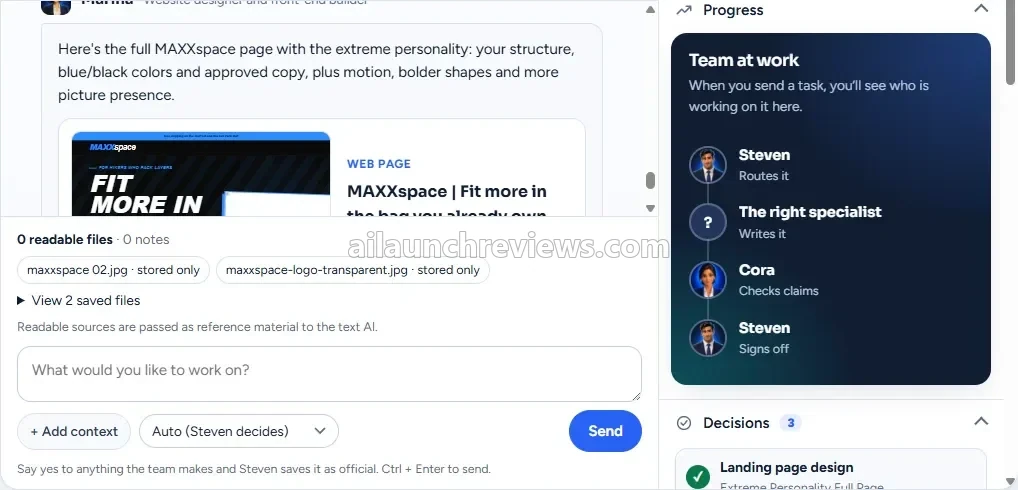
Step 9: Let Marina design the landing page. She builds the designed page with images, and it lands in your chat. The screen shown by the vendor has a Progress panel that shows who is working, plus a Decisions list of what you approved.

CIAgent walkthrough: the finished landing page lands in the chat with the Team at work progress panel

Phase 3: Emails, Posts and the Claims Check

Step 10: Request your welcome emails from Florence. She writes the 5-email welcome sequence using the same offer and price as your page.

Step 11: Ask Ben for a week of posts. Tell him your main platform, and he plans and writes the week.

Step 12: Add files or context when needed. The chat box in the vendor’s screenshot includes + Add context for extra material, such as a photo of your bread or your logo.

Step 13: Let Steven route the work. The model selector in the screenshot shows Auto (Steven decides), so you can leave the routing to him and press Send.

Step 14: Review Cora’s claims check. Before the work reaches you, Cora flags anything risky. For a baking course, that might be a promise like “perfect bread every time”.

Phase 4: Publish It Yourself

Step 15: Copy the page to your website builder. The CIAgent front end doesn’t host pages, so paste the finished page into your builder.

Step 16: Load the emails into your email tool. Paste the 5 emails into your autoresponder and connect them to your sign-up form.

Step 17: Schedule your posts. Copy Ben’s posts to your social accounts and schedule them for the week.

Why Should You Consider Using CIAgent?

Here are 3 reasons why I believe CIAgent could be a valuable addition to your first launch:

It Stops You From Being the Glue Between Ten Tools

The biggest problem with using many AI tools is that none of them know what the others said. CIAgent shares one brief across 7 specialists, and every approved piece feeds the next one.

What I like here is that consistency is built into the workflow instead of being a cleanup job at midnight.

It Gives Beginners a Recommended Answer at Every Step

Most beginners don’t get stuck on writing. They get stuck on decisions: who to sell to, what to charge, what to say first. Steven asks one question at a time and offers a recommended answer each time.

That’s a practical way to keep a first-timer moving instead of staring at a blank box.

It Costs a One-Time $47 Instead of a Monthly Bill

The Starter Squad is $47 once, with 1,000 credits included. After the launch, the vendor says CIAgent moves to monthly or yearly plans, with the full team priced at $97 a month.

For a first campaign, a one-time CIAgent price is easy to justify.

Who Is CIAgent Best For?

CIAgent is a great fit for:

  • Complete beginners: Steven’s step-by-step interview means you don’t need prompt skills to get started.
  • Side hustlers with an idea: you get an offer, page, emails and posts instead of another folder of drafts.
  • AI tool buyers who still do all the work: the shared brief removes the copy, paste and fix routine.
  • Coaches and course creators: the welcome sequence and sales page cover the basics of a course launch.
  • Small business owners: you can brief the team on an existing business and build a campaign around it.
  • Freelancers offering marketing services: the terms let you use the work for clients, and the Agency upgrade adds client workspaces.

It may not suit:

  • Anyone who wants hands-off income: the vendor itself says the Squad builds marketing, but you still choose what to sell and hit publish.
  • Marketers who want auto-posting: on the front end, nothing is posted, sent or hosted for you.
  • Buyers who need ads, video or SEO on day one: those specialists are part of the Full Team upgrade.

CIAgent Pricing Breakdown: Front-End, OTOs and Coupon

Front-End Price

CIAgent Starter Squad is available for just $47 (one-time payment), with no monthly subscription required.

The front end includes the 7-specialist Starter Squad, 1,000 one-time credits, the One Brief method, browser and phone access with no API keys, and 3 launch bonuses.

Compare that with hiring a copywriter, a designer and an email writer for one launch. The vendor puts that at hundreds to thousands of dollars.

The launch special ends on December 1, 2026 at 11:59 PM ET, according to the vendor. After that, CIAgent moves to monthly or yearly plans.

You’re covered by a 14-day money-back guarantee, no questions asked. The vendor’s policy covers one refund per product per person, and access and credits are removed after a refund.

No coupon code has been announced for this launch.

Click the button below to access the main sales page:

CIAgent OTO Breakdown

Here’s every upgrade in the funnel, in order:

Order Bump: CIAgent Brand Kit Setup ($27 One-Time)

Price: $27 (one-time payment)

This checkout bump unlocks Jessa, the brand designer. The vendor describes her job as building your full brand system, so everything you publish looks like one brand.

It pays for itself if you don’t have a logo, colors and fonts yet and would otherwise hire a designer for them.

Who needs it: anyone starting a brand from scratch. Who can skip it: anyone who already has a logo and brand style.

CIAgent Brand Kit Setup order bump unlocks Jessa, the AI brand designer

OTO 1: CIAgent Full Team Lifetime ($497 One-Time)

Price: $497 (one-time payment)

This upgrade adds 22 more specialists, taking your team from 7 to 29, plus 600 fresh credits every month for as long as CIAgent operates. The vendor says the same full team costs $97 a month or $970 a year after the launch, and lifetime seats are capped at 150 Founding Members.

Here’s what you’ll unlock with this upgrade: paid ads planning with Melissa and Rachel, video scripts with Ariana, TikTok scripts with Linda, an affiliate program with Parker, PR pitches with Medina, Reddit and Quora answers with Quinn, SEO articles with Marc, Pinterest content with Gabrielle and Ariel, LinkedIn with Cristopher, X with Rita, memberships with Branden, email automation maps with Bryan, page conversion fixes with Chad, Oscar’s Autopilot calendar, ebooks with Clark, webinars with Tina, brand design with Jessa, visuals with Ana, business picking with Sam and niche research with Erika. The vendor also lists AI video in the app and app connections such as Gmail, Instagram and systeme.io as live today.

Several items on the same page are marked as coming later, with no release dates: direct posting to social media, sending pages to your site, built-in email sending and live keyword data. I wouldn’t buy this upgrade for those.

Who needs it: anyone who plans to use CIAgent every month for ads, video and traffic. Who can skip it: anyone who only wants one launch campaign.

CIAgent Full Team Lifetime upgrade with all 29 AI specialists

OTO 1 Downsell: CIAgent Full Team Lifetime, 3 Payments (3 x $177)

Price: 3 x $177 (three monthly payments, $531 in total)

This is the same lifetime deal, split over three months, and it shares the same 150 seats. The vendor’s refund policy counts the 14 days from your first payment, and access pauses if a payment stops before the plan is paid.

Who needs it: buyers who want the full team but not a $497 charge today. Who can skip it: anyone who can pay once, since the split costs $34 more.

OTO 2: CIAgent Agency ($297 One-Time)

Price: $297 (one-time payment)

Agency gives you 10 separate client workspaces, each with its own brief, brand voice, audience, files and library, so one client’s facts never leak into another’s work. It also adds 2,500 bonus credits once and 30% off every credit pack for life.

It pays for itself the moment you sign a second or third marketing client, because you no longer have to juggle notes for each business. It works with whichever team you have: 7 specialists on the Starter Squad, or all 29 with Full Team. If you’re building client funnels, our sales funnel builder guide is a useful companion for where those pages will live.

Who needs it: freelancers, coaches and consultants serving several businesses. Who can skip it: anyone marketing one business only.

CIAgent Agency upgrade with 10 client workspaces

OTO 2 Downsell: CIAgent Agency Lite ($147 One-Time)

Price: $147 (one-time payment)

Agency Lite gives you 3 client workspaces and the same 30% off credit packs for life. It doesn’t include the 2,500 bonus credits.

Who needs it: someone with their first 2 or 3 clients, or a few personal brands. Who can skip it: anyone who took Agency or works on one brand.

OTO 3: CIAgent Launch Sprint ($297 One-Time)

Price: $297 (one-time payment)

This is a 60-minute live 1:1 session with Esai, booked on your schedule and recorded for you. Together you build your first full campaign inside CIAgent.

Here’s what you’ll unlock with this upgrade: your One Brief, your offer and hook, your first landing page, your first email sequence, a first week of posts, a claims check on everything, a 30-day plan handed to Oscar and the session recording. The vendor promises an extra session at no cost if the campaign isn’t finished in the hour, and the Launch Sprint carries a 30-day refund.

Who needs it: beginners who learn best by watching it done once. Who can skip it: anyone who has run campaigns before.

CIAgent Launch Sprint live 1:1 session with the founder

OTO 3 Downsell: CIAgent Sprint Replay ($47 One-Time)

Price: $47 (one-time payment)

The Sprint Replay is a recording of Esai building a sample campaign for a travel-gear brand, split into 7 chapters: brief, offer, page, emails, posts, claims check and 30-day plan. It comes with the One Brief template, his exact requests to the team and a “who to call” cheat sheet.

The Replay page mentions a 30-day refund, while the vendor’s refund policy lists it under the 14-day rule, so I’d plan around 14 days.

Who needs it: beginners who want the method without a live call. Who can skip it: anyone who bought the live Sprint.

CIAgent Sprint Replay recorded training illustration

Front-end plus every upgrade comes to $1,165 ($47 + $27 + $497 + $297 + $297).

Which Plan Should You Pick?

If you want to test one campaign, the $47 front end is enough, and the $27 bump makes sense only if you need a brand built. If you’ll use CIAgent every month for ads, video and traffic, Full Team Lifetime is the upgrade that matters. Agency or Agency Lite fits freelancers with clients, and the Launch Sprint or its Replay suits beginners who’d rather watch the method once than figure it out alone.

CIAgent Bonuses

According to the sales page, CIAgent comes with 3 vendor bonuses for every buyer. The vendor doesn’t state a dollar value for them, so I’ve left values out.

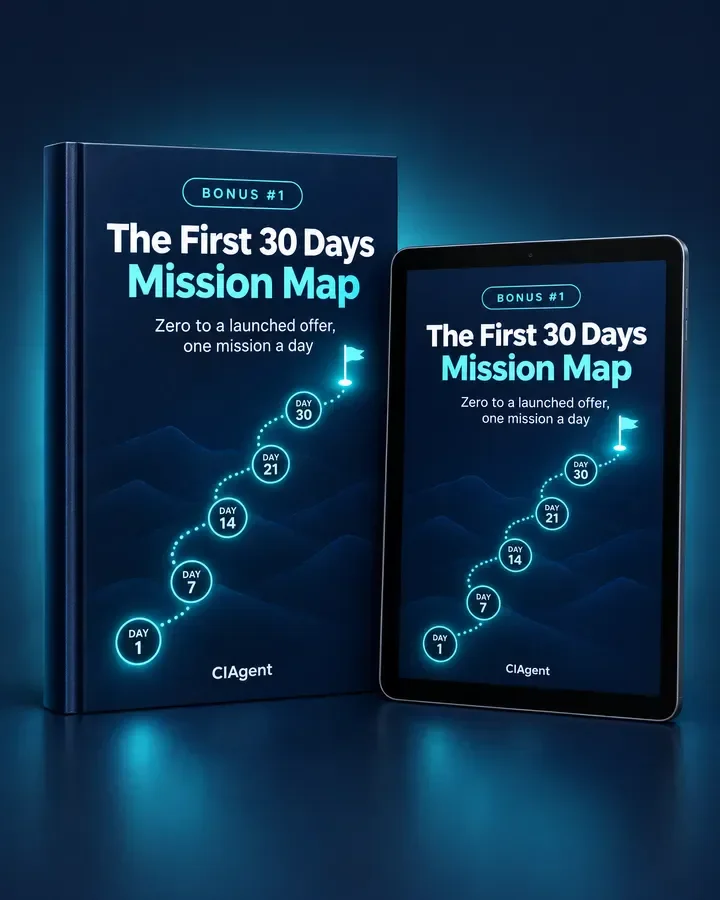
Bonus 1: The First 30 Days Mission Map

One small mission a day, with the exact message to send Steven, so you always know what to do next.

CIAgent Bonus 1: The First 30 Days Mission Map

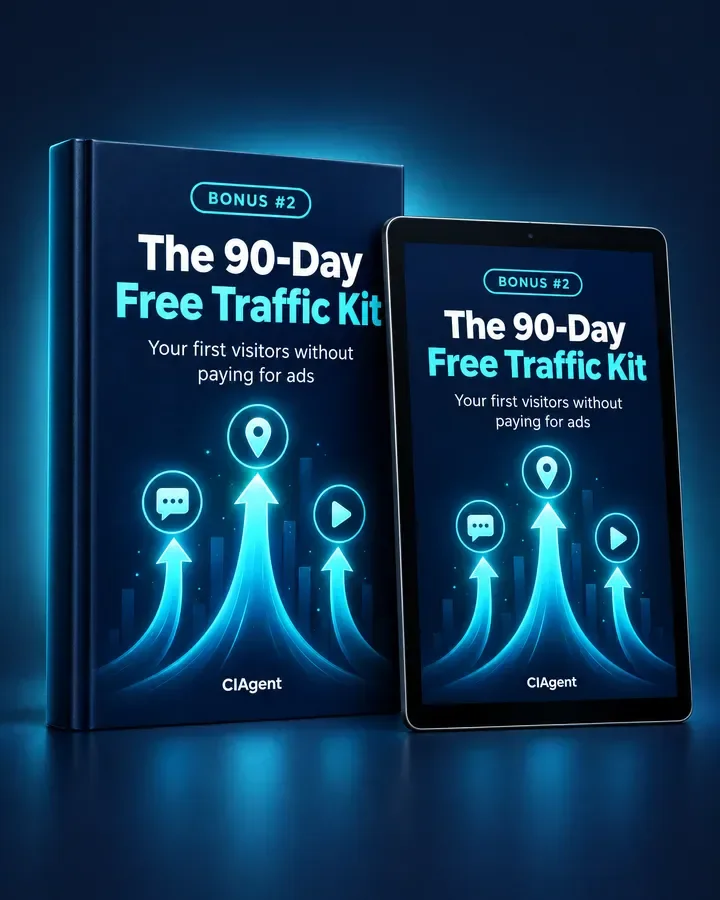
Bonus 2: The 90-Day Free Traffic Kit

Reddit, Pinterest and TikTok plans for your first visitors, so your new page gets seen without paying for ads.

CIAgent Bonus 2: The 90-Day Free Traffic Kit

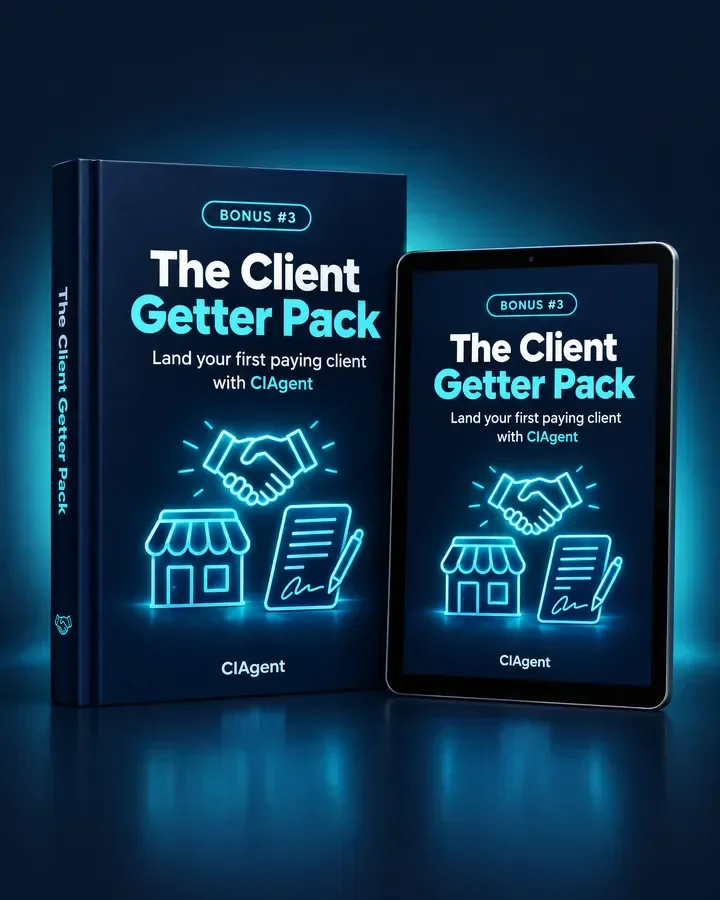
Bonus 3: The Client Getter Pack

Three service offers, outreach messages and a one-page proposal, so you can use your team to land paying clients.

CIAgent Bonus 3: The Client Getter Pack

You’ll also find my own bonus package at the end of this review.

Can You Really Make Money With CIAgent?

Yes, but the software won’t bring you customers or guarantee income on its own. CIAgent builds marketing material. Sales depend on your offer, your market and the work you put in, and the vendor’s disclaimer says the same.

Sell Done-For-You Launch Packages to Local Businesses

Local businesses such as cafes, salons and coaches often need a simple offer page, a welcome sequence and a week of posts. You brief CIAgent on each business, review the output and deliver the finished files.

Set your price by what local freelancers charge for a page plus emails. The Agency upgrade keeps each client’s brief separate, and Bonus 3 gives you offers and outreach messages to start with.

Launch Your Own Small Digital Product

If you have a skill, CIAgent can help turn it into a short course or guide with a matching page, emails and posts. Price it by checking similar products in your niche.

Expect to spend most of your effort on creating the product itself and getting it seen.

Offer Monthly Content and Email Retainers

Once a client trusts you, a monthly package of posts and emails is easier to sell than one-off pages. The Full Team upgrade adds LinkedIn, Pinterest and X specialists for this kind of ongoing work.

Charge a flat monthly fee you can deliver within your CIAgent credit budget. Of course, you still need to find and keep those clients yourself.

What I Love About CIAgent (And What I'd Improve)

PROS:

  • One Shared Brief: every specialist works from the same approved facts, so pieces match.
  • Beginner-Friendly Interview: Steven asks one question at a time and suggests an answer.
  • Finished Deliverables: you get an offer, page, emails and posts, not a pile of prompts.
  • Built-In Claims Check: Cora reviews every piece before it reaches you.
  • One-Time Price: $47 with no monthly fee during the launch.
  • No API Keys: everything runs inside CIAgent in your browser.
  • Works on Phone: you can brief the team from your phone, including by voice.
  • Client Use Allowed: the terms let you use the work for your business and your clients.
  • Competitor Study: paste a link and the team analyses the page on desktop and phone.
  • Clear Policies: a public refund policy, terms and an honest earnings disclaimer.

CONS:

  • Only 7 Specialists on the Front End: ads, video, SEO, books and branding need the $497 Full Team upgrade.
  • One-Time Credits: the 1,000 front-end credits don’t refill, and top-ups cost extra.

  • Manual Publishing: the Starter Squad doesn’t post, send emails or host pages, so you copy everything over yourself.
  • Logo Design Costs Extra: Jessa, the brand designer, needs the $27 Brand Kit bump.
  • New Vendor: this is CIAgent’s first WarriorPlus launch, and “lifetime” means for as long as CIAgent operates.
  • Roadmap Features Not Ready: direct posting, email sending and site publishing are listed as coming, with no dates.

CIAgent FAQ

1. Do I need ChatGPT, API keys or other AI tools?

No. Everything runs inside CIAgent in your browser. You only need your own website builder and email tool to publish the finished work.

2. Is CIAgent cloud-based?

Yes, it’s cloud-based. You log in at app.ciagent.io from a desktop or phone, and there’s nothing to install.

3. Do I need the OTOs to get results?

Not necessarily. The front end covers an offer, page, emails and posts. Ads, video and SEO need OTO 1, and client workspaces need OTO 2.

4. Can I use the work for clients?

Yes. The vendor’s terms say you own what the team creates and can use it for your business and your clients. Separate client workspaces come with Agency or Agency Lite.

5. Will CIAgent post my content, send my emails or host my website?

No, not on the Starter Squad. You copy the posts, paste the emails into your email tool and put the page on your own website builder.

6. Are 1,000 credits enough?

Not necessarily. The vendor says they cover about two full campaigns with images. After that, you top up inside the app, and Starter Squad owners get 20% off the Boost, Plus and Builder packs, from $12 for 750 credits.

7. Does it work on my phone?

Yes. The vendor says CIAgent works in your browser on desktop or phone, with a microphone button for talking to Steven.

8. Are the specialists real people?

No. Every specialist is an AI role with a name and portrait. The only human session is the Launch Sprint with Esai.

9. Does the vendor offer support?

Yes. You can email the team at support@ciagent.io. The vendor says it answers refund requests within 2 business days.

10. Can I get a refund if it isn’t for me?

Yes. Every product has a 14-day money-back guarantee, and the Launch Sprint has 30 days. Credits you’ve already spent on a credit pack can’t be refunded.

My Final Verdict on CIAgent

Overall, I believe CIAgent is worth considering, especially if you want a first campaign that actually matches from offer to emails without learning prompt writing. The shared brief and Steven’s guided interview are the real strengths, and the $47 front end is a low-risk way to test them.

Start with the front end if you only need one campaign. Add Full Team Lifetime if you’ll use it every month for ads, video and traffic, and Agency if you serve clients. Beginners who want their hand held should look at the Launch Sprint or the cheaper Replay.

The honest caveat: this CIAgent review is based on the vendor’s pages, screens and policies, not on hands-on testing. It’s also a new vendor on its first WarriorPlus launch, so lean on the 14-day guarantee and build a real campaign inside that window.

GENERAL BONUS

CLAIM YOUR EXCLUSIVE BONUSES IN 3 SIMPLE STEPS

Step 1: Purchase the CIAgent directly from my website.

Step 2: Once your purchase is complete, forward your receipt to: bonus.samxavier@gmail.com

Step 3 (Final): Sit back and relax! You’ll receive all your bonuses within 24 hours, guaranteed.

Thanks for reading my CIAgent Review. Wishing you and your family continued success and prosperity!

Author

  • Sam

    I’m Sam, an SEO, digital marketing, and affiliate marketing specialist. Through ailaunchreviews.com, I promote and review AI tools, plugins, themes, and software, helping beginners choose high-quality, efficient products that deliver real value, productivity, and trustworthy results.

Leave a Comment